VAL.ABAPO
Well-known member
- Thread starter
- #1
In December 2025, I was selected as a Tester of the @Redtiger "Cyber Monday Surprise: Test the CES-Nominated F17 Elite Dashcam for Free!" (https://www.f150lightningforum.com/...s-nominated-f17-elite-dashcam-for-free.33065/). The unit to be tested was a Redtiger F17 Elite plus the Hardwire Kit.
Notes:
- I've never used a dashcam before, so I don't have any firsthand experience to compare to. I did start to consider getting dashcam when I was driving on the freeway one day and was behind a semi-truck that looked like it just got out from being parked where snow has accumulated on the top of its container and large chunks of snow was just falling all over the highway. And of course, I was right behind it and I thought at that moment, if something happened to my truck, like a chunk of snow hits my windshield and breaks it then it would be a sorry loss, since I have no evidence of how it was damaged from what I think the semi-truck’s drivers fault for not making sure his vehicle was safe to drive. Which made me wish I had a dashcam and made me entertain the thought of buying one and then luckily, I came across a post by @Redtiger looking for testers for their F17 Elite dashcam. I never get lucky to win or get picked for anything but I still tried my luck and was lucky enough to be chosen.
Details
REDTIGER F17 Elite 4K 3 Channel Dash Cam Sony STARVIS 2 Dual HDR WIFI 6 Full Night Color
Native 4K:4K+1080P+2.5K 3-Channel
10X Faster WiFi 6 (5.8 GHz):Max 30M/s.
Night as Day :Offering 24/7 Ultra-color
Always Clear:Dual STARVIS 2 with HDR
Unboxing
The dashcam came with a hardwire kit and a 33 feet usb c cable for the rear camera. I read one of the reviews that they wished they had a longer usb-c cable for their Lightning and specifically inquired with @Redtiger if it was possible for them to include a longer usb-c cable for the rear camera and they were kind enough to acknowledge that they will be including one with the unit that they will be providing me.


The instruction box contains: F17 Elite User Manual, APP Quick Book, and four electrostatic stickers used for mounting the front and rear dashcams.
The other two boxes contain:
- Power supply cable with car charger and trim push/pry tool
- Rear camera cable, cable clips, and adhesive
Installation
Im in Michigan and winter hasn’t been kind so far. Installing this Dashcam in my garage by myself was out of the question and I wanted it installed nicely on my truck so, I opted to have it professionally(?) installed at an audio installation shop. Install by the shop was disappointment and more on this later.
Before beginning the installation using the hardwire kit, I tested the cameras inside the house using usb-c cable I had around. The non-Redtiger usb-c cable I used was able to power the main dashcam but when I used another non-Retiger usb-c cable to attach to the rear camera, the rear camera did not turn on or it was not detected. I then tried the included redtiger 33feet usb-c cable and it powered up. This made me realize there must be something different with my home usb-c (maybe purely data cable?) and the redtiger usb-c cable.
With everything working, I had the dashcam installed at the audio install shop I have set an appointment with.
Installation setup:
Now, the disappointment. The shop did a good job with wire management, the complete FAIL was with them not bothering to check the manual of the dashcam. They did dashcam installs but have not installed this particular brand.
I wanted to utilize the Parking monitor feature of this dashcam which meant it needed to have the hardwire kit installed.
When installing the hardwire kit, the shop did not bother to consider checking out fuse slots that were “spares”.
I do not know how they decided to tap fuse #32 which was used for “Radio Enhanced central gateway” for the Yellow B+ wire(Normally Powered Fuse) and tapped fuse #37 “Not used(spare)” for the red wire(ACC Fuse). They also did not use the Electrostatic stickers as instructed in the redtiger manual before mounting the cameras. I am not sure if this will cause any issues such as durability, longevity in the mounting of the dashcams. I did not want to have issues taking the dashcams off and using the Electrostatic stickers so I just left how they mounted the dashcams as is.
If you decide to have your Dashcam installed, make sure you go to reputable shop and a shop that would take time to figure out what they are installing and not all dashcam installs have install requirements.
One thing about the hardwire kit installation.
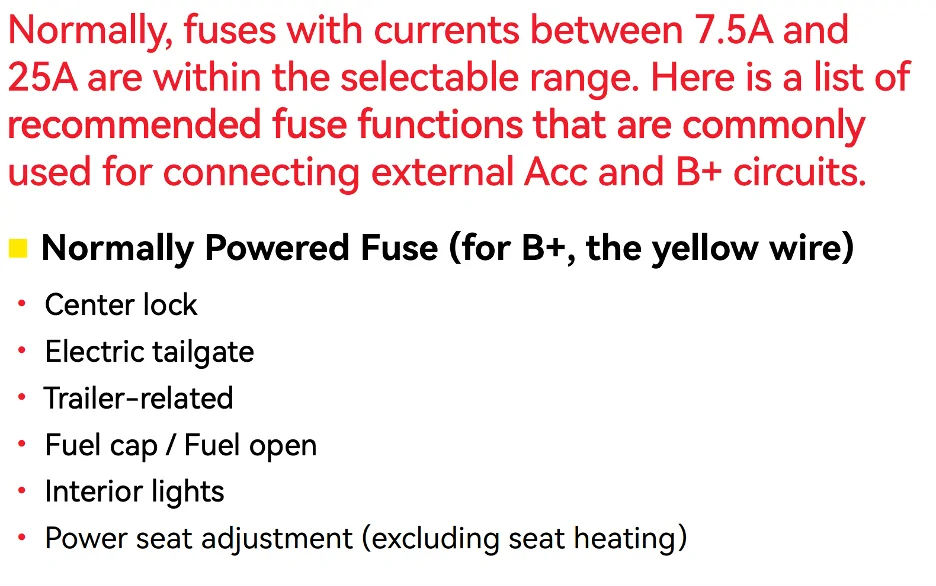
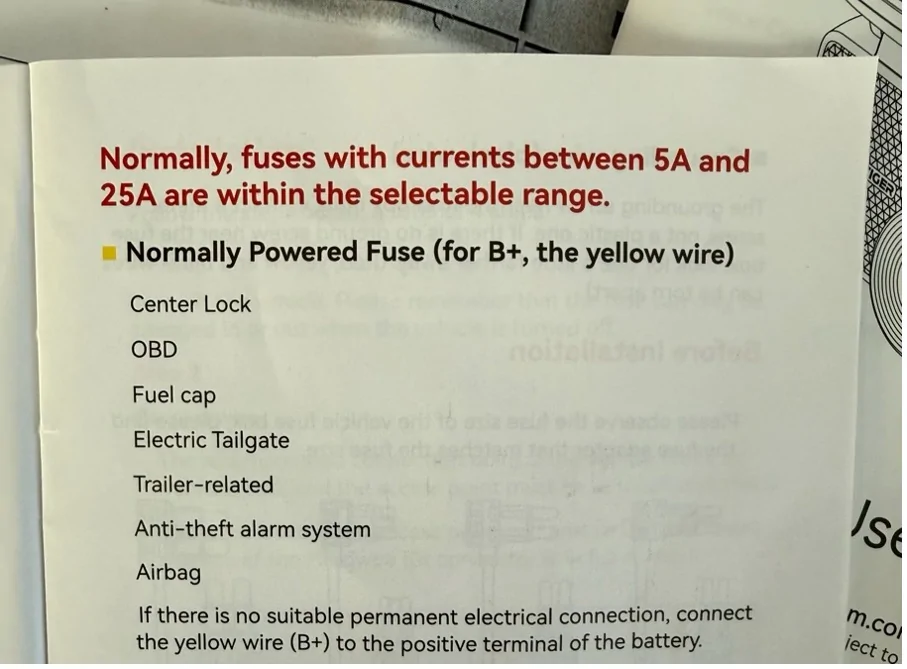
On the Redtiger website (https://cdn.shopify.com/s/files/1/0635/5822/2059/files/ACC_-V1.4-20251202.pdf?v=1767602907) the version is V1.4 while the manual that came with the Dashcam is V2.0.
On the Website it states “fuses with currents between 7.5A and 25A are within the selectable range”

While on the v2.0 manual it shows “fuses with currents between 5A and 25A are within the selectable range”

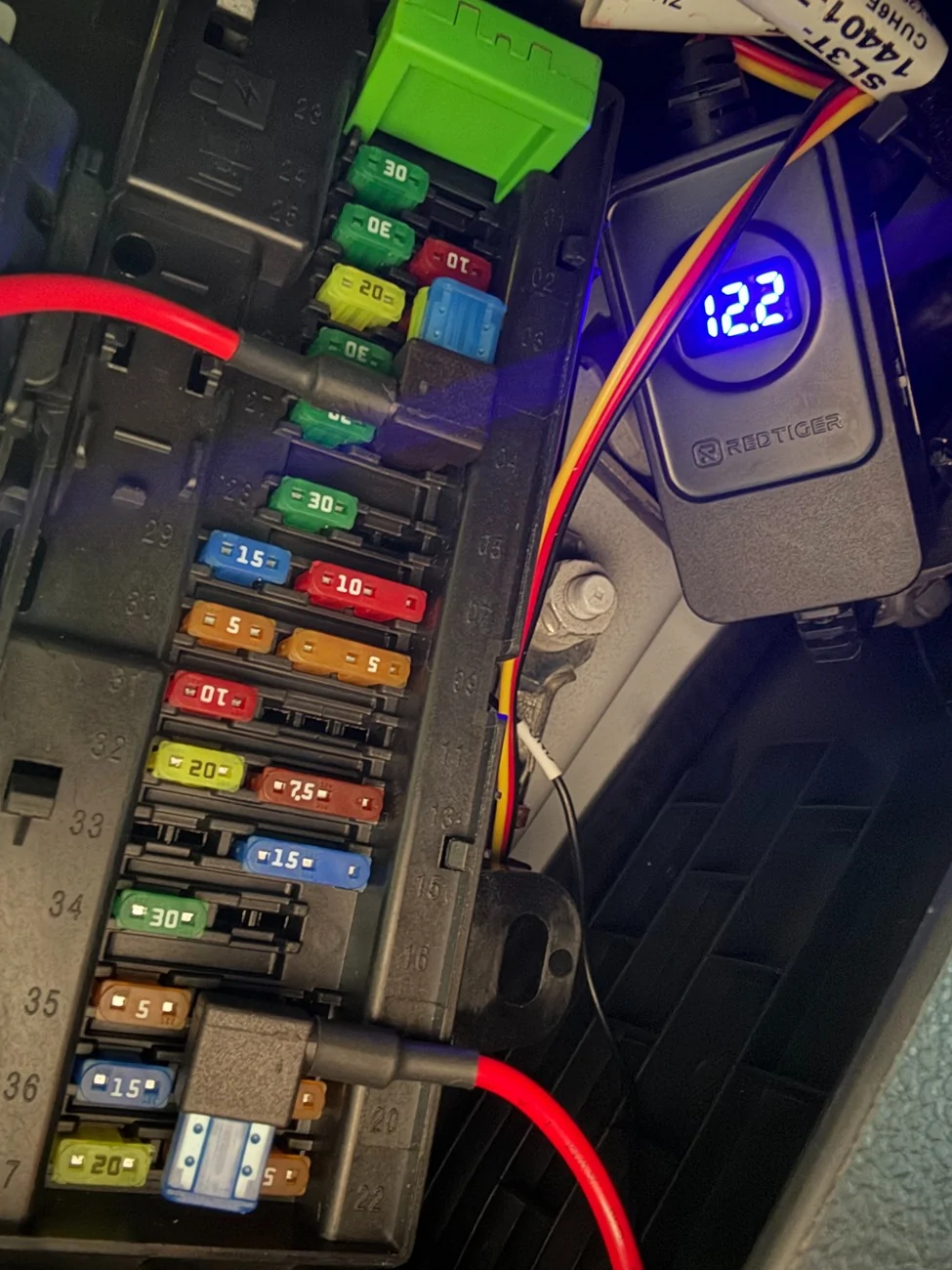
I ended up re-assigning the fuse tap assignments myself and used fuses using between 7.5A(#17-18) and 20A(#4) .
Thankfully, I did some research before having the dashcam installed and came across @RickLightning own review (https://www.f150lightningforum.com/forum/threads/redtiger-f17-elite-dashcam-review.33250/).
@RickLightning had his Fuse tapped at:
Yellow B+ wire(Normally Powered Fuse) = Fuse #4 Micro 2 Fuse
Red wire (ACC Fuse) = Fuse #17-18 Micro 3 Fuse
Note: The 17-18 slot is a MICRO3 slot; I used the MICRO2 tap and used the side closest to the 17/middle. Instead of using the original 7.5 fuse in the fuse tap I put in an extra 15A in that spot for the tap. The original fuse I kept as spare in case I need it in the future.
Both these locations are marked as "SPARE" in the Lightning manual and have fuses in those positions.
While Truck is parked. Note voltage reading at 12.2v.
While car is on accessory or running.
I also moved black wire for ground on the bolt in the top right corner of the footwell. The audio shop seemed to have used two screws on the floor and mounted the ground there!
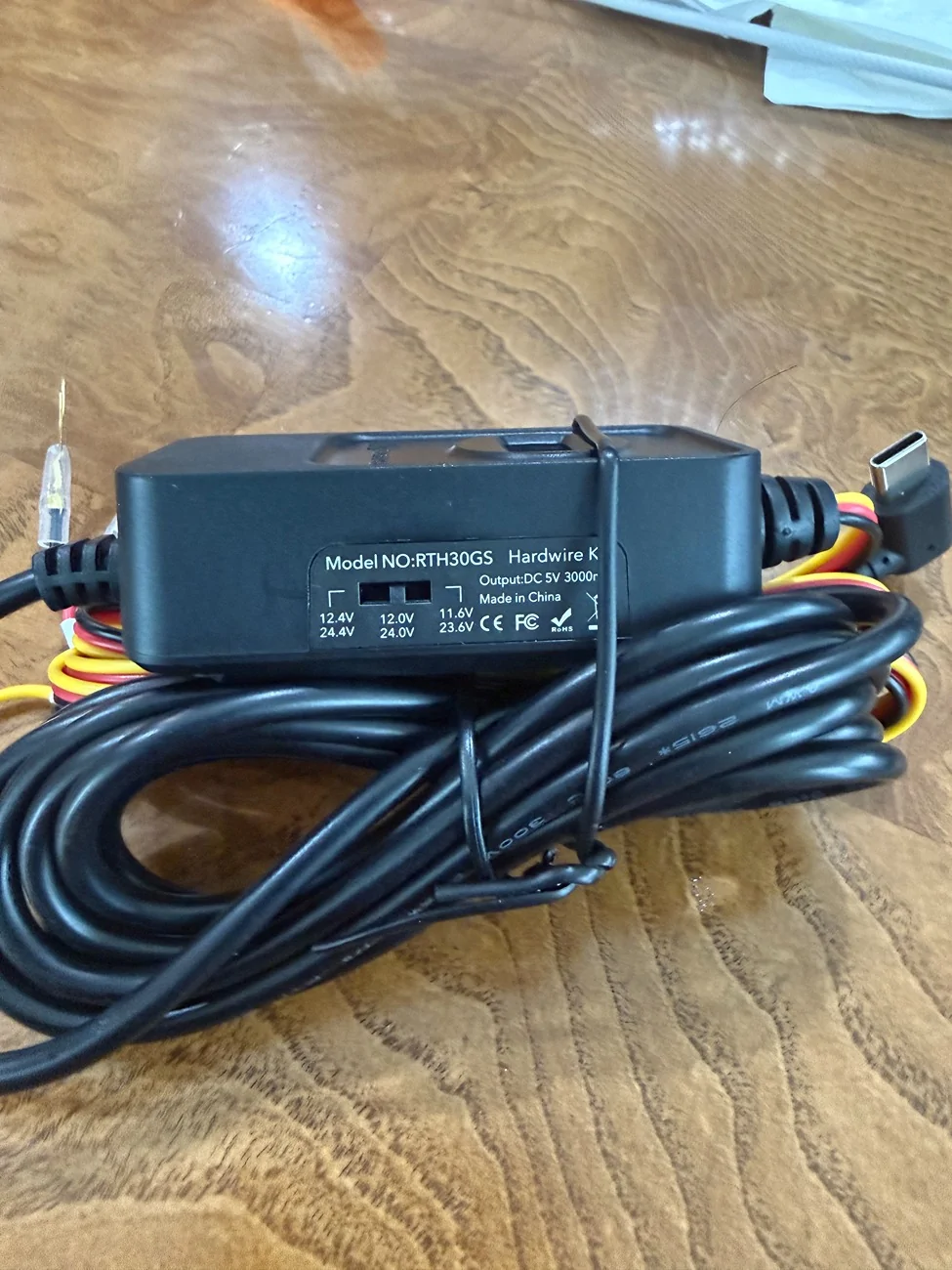
Parking monitor set to 12H, I thought all was good until I noticed, while the truck wasn’t running(turned off), I will get an initial reading of 12.4v on the Hardwire kit LCD screen then a timer shows displays from 60 seconds to 0 seconds (at first I thought this was a Voltage reading). Then the Dashcam would stop recording (no blue light indicator). Therefore, the Parking Monitor wasn’t working! I later confirmed this when I checked on the dashcam recordings. I did not see any recordings after I have parked the truck. I had the Low Voltage Protection switch initially set at 12.4v which later on proved to be a problem with Parking Monitoring enabled because the output i was getting was only at 12.2v, so obviously the Low Voltage Protection would kick in and shut the dashcam off.
This went on for a couple of days until I decided to change the Low Voltage Protection from 12.4v to 12v and lo and behold, the Hardwire kit LCD displayed a constant 12.2v! So there lies the issue, my voltage! The Low Voltage Protection shuts off the dashcam if it detects voltage lower than what the switch is set at. I initially had the switch at 12.4v and the truck only has 12.2v so naturally the hardwire kit shuts off. This meant the device was working and doing its job. After I have set the switch to 12v, I now have the Parking monitor working and was able to confirm by seeing some recordings on the dashcam while the truck was parked.
MAIN DASHCAM
REAR DASHCAM

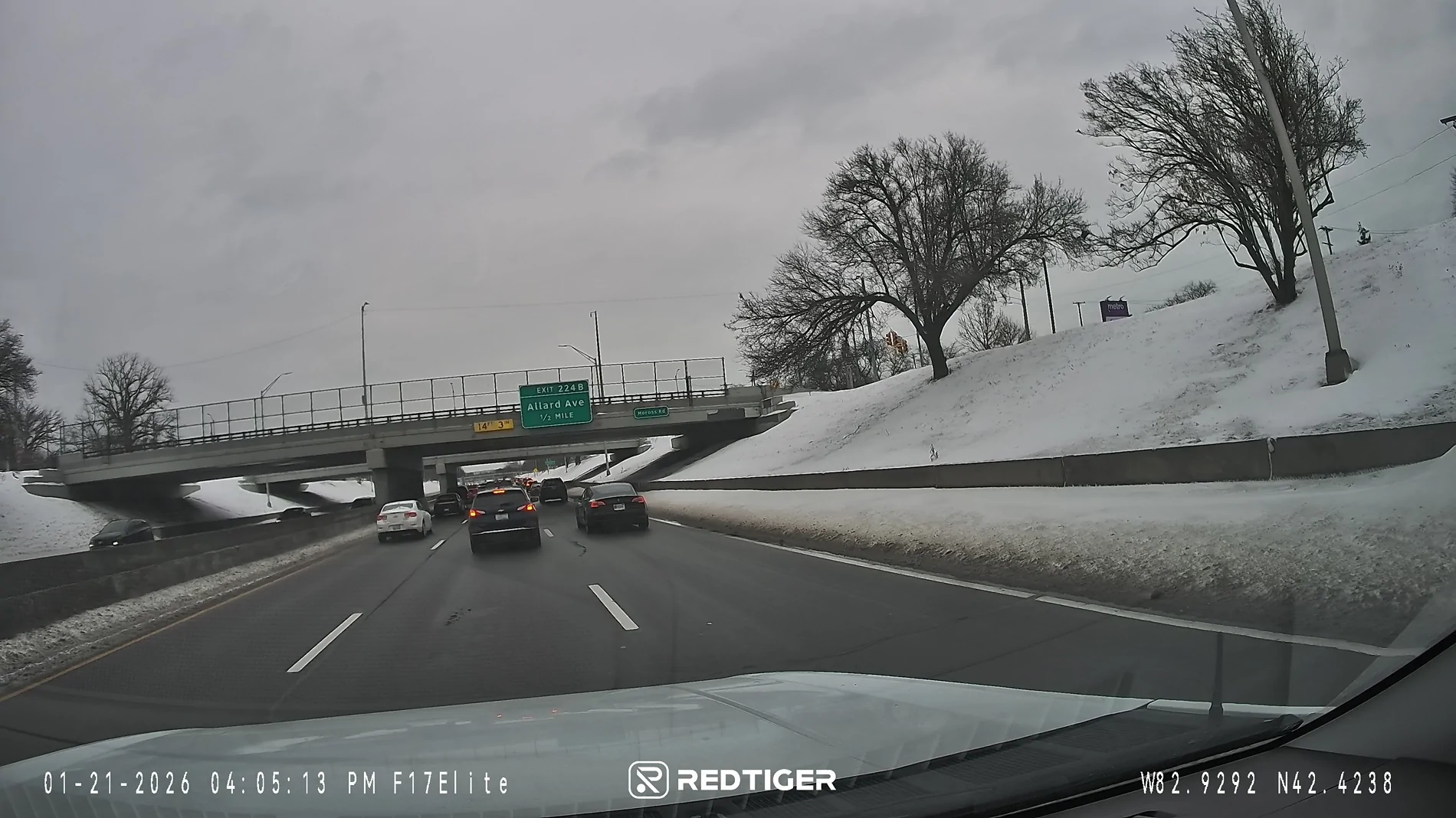
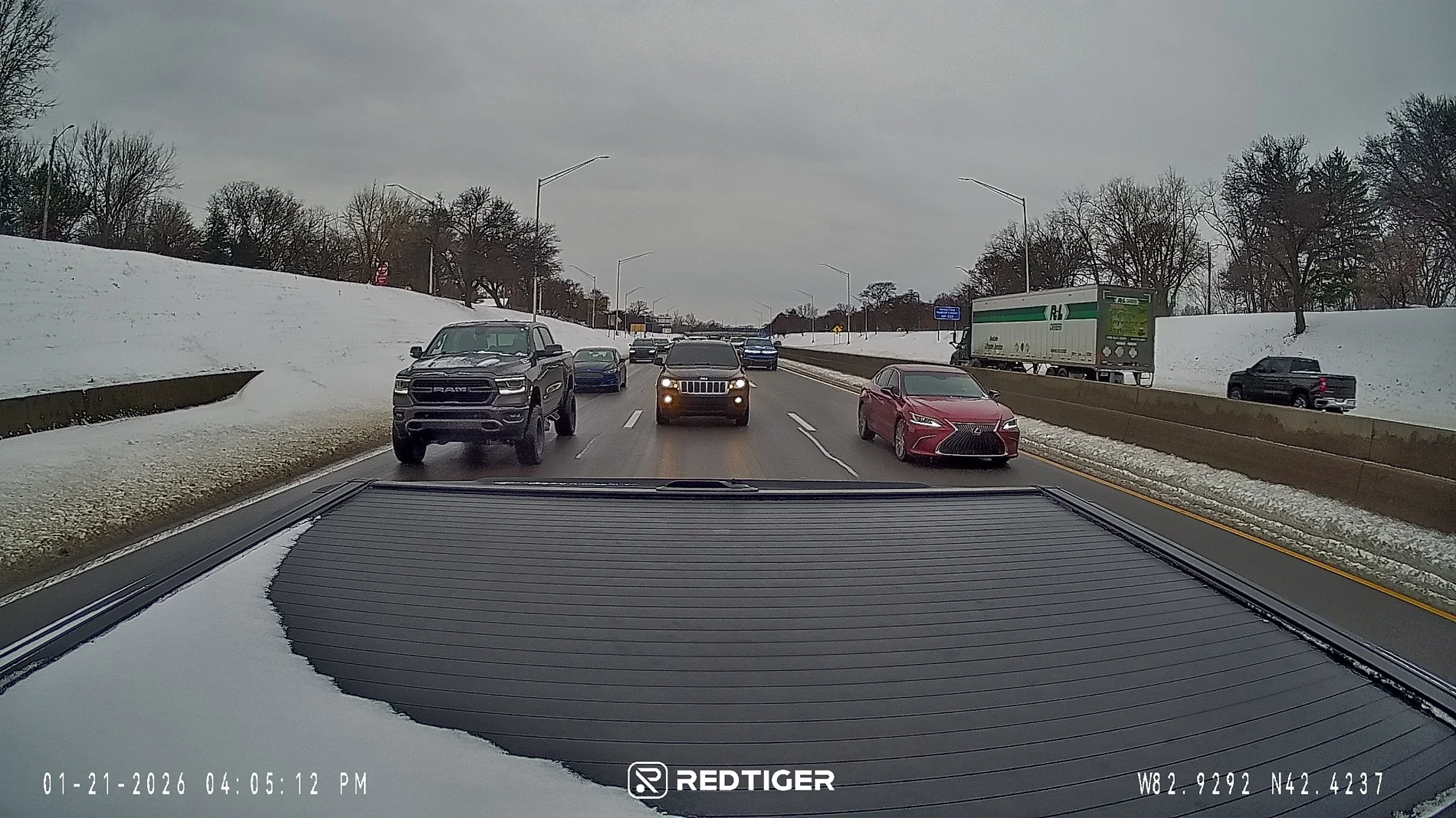
DAYTIME FRONT

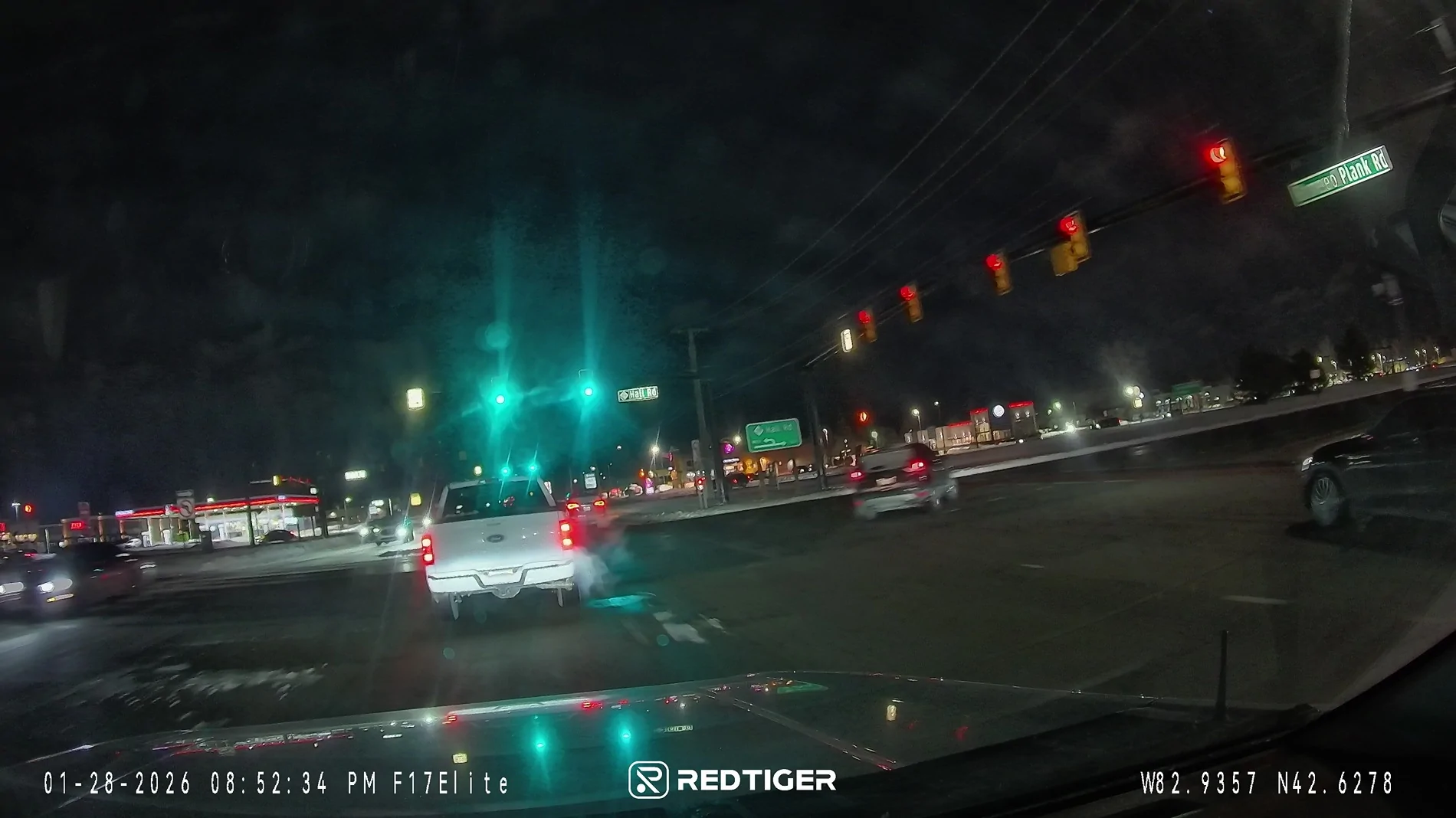
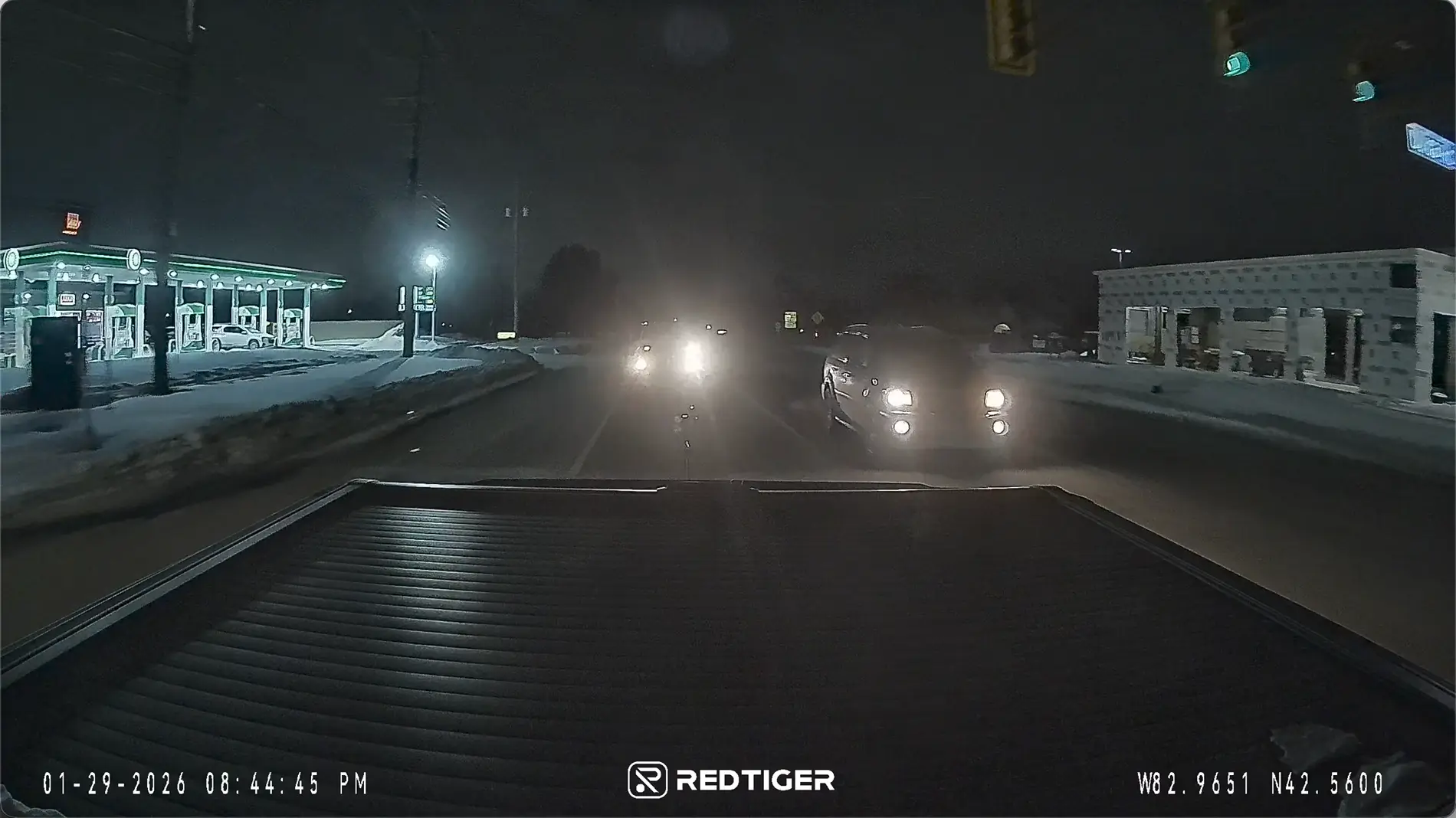
NIGHTIME FRONT
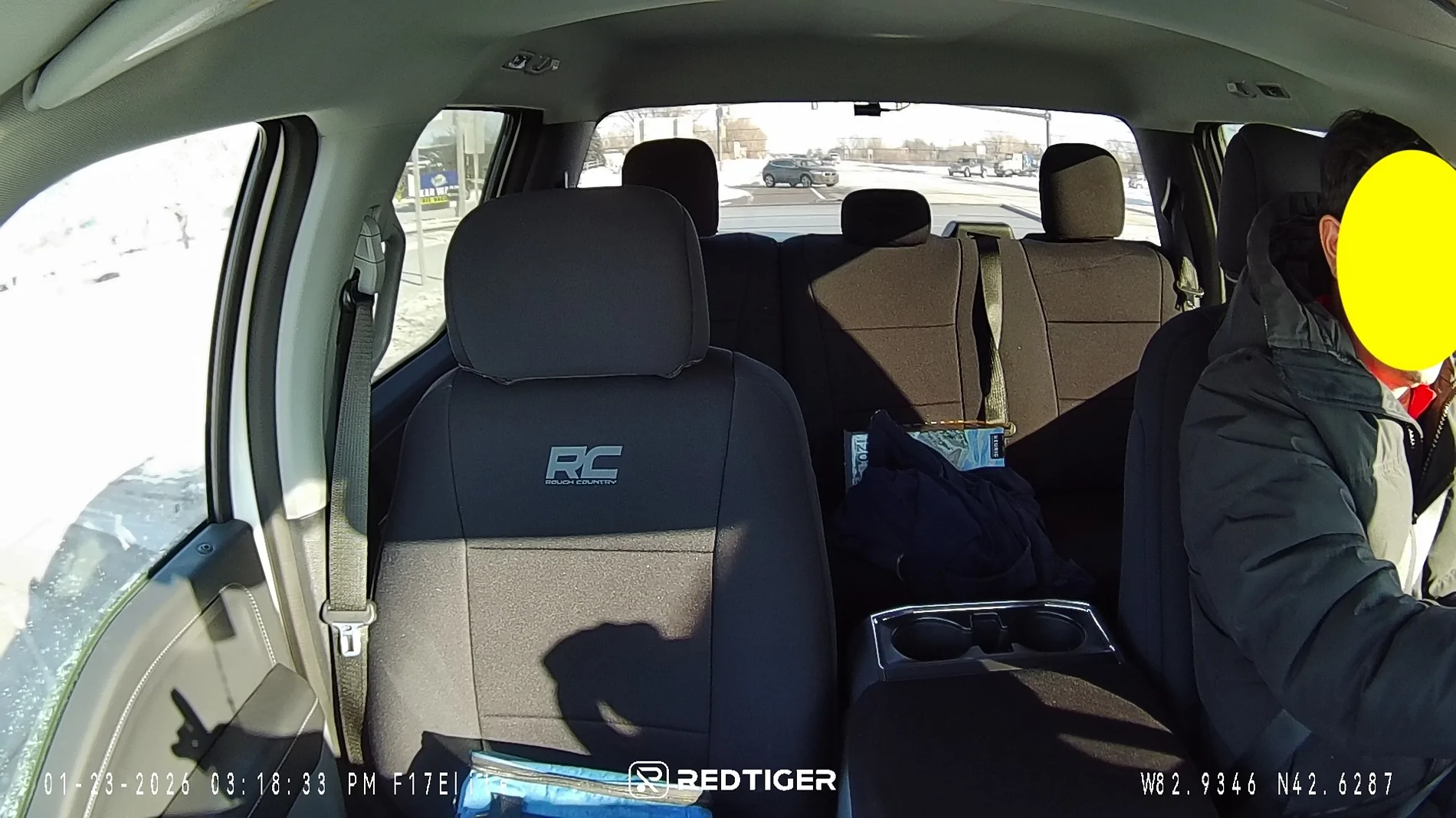
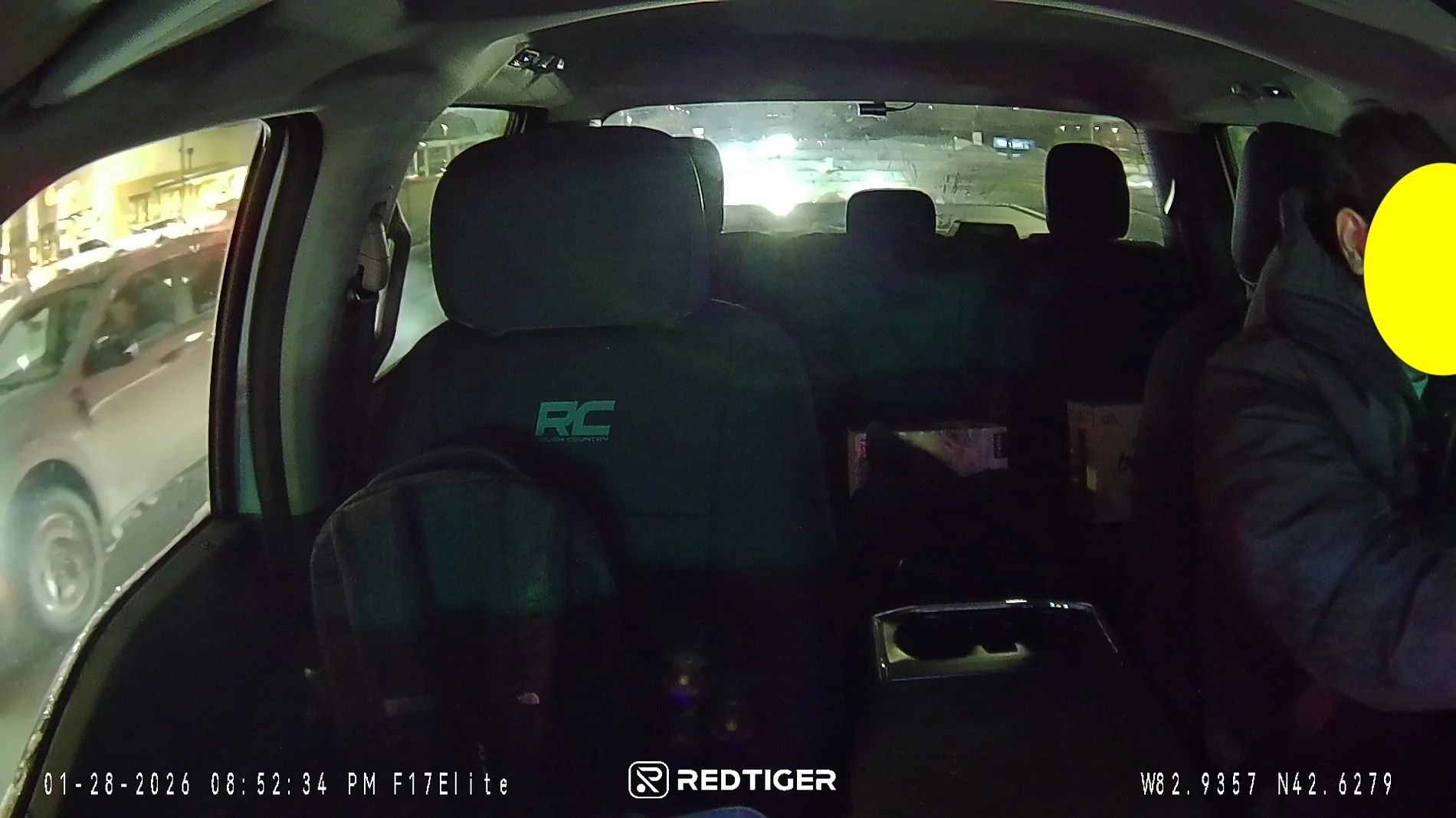
DAYTIME INSIDE
NIGHTIME INSIDE
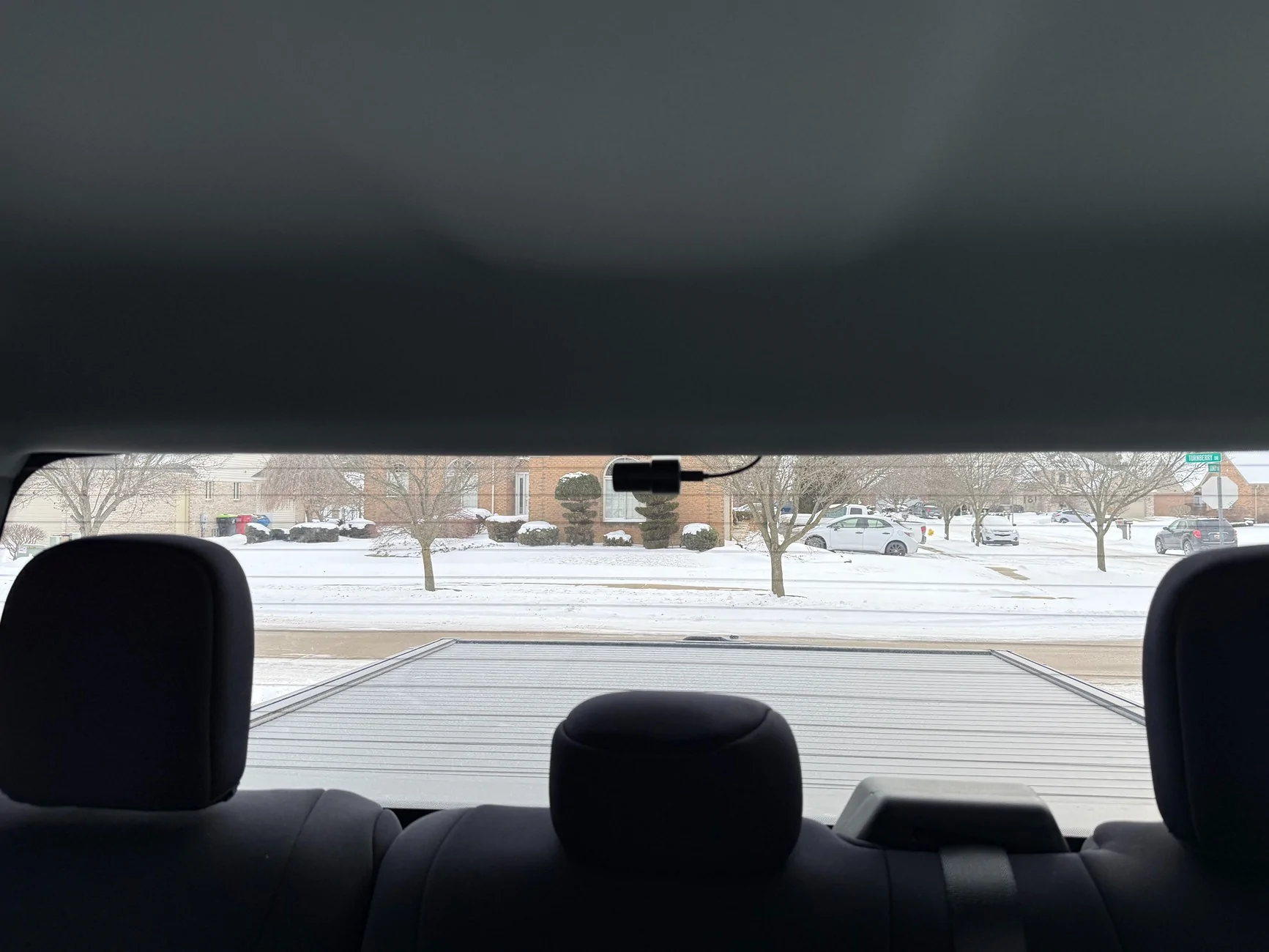
DAYTIME REAR
NIGHTIME REAR
THOUGHTS:
Overall, I am happy with this dashcam and will be using the same product on my other vehicles in the future.
I did not expect much of the voice command feature but I was surprised the dashcam was able to pick-up voices from my radio! I was listening to the news and a phrase “take a picture” was mentioned and then I heard a “snapping picture” sound only to realize it was the Dashcam snapping a picture.
I have replaced the 128gb micro-sd to a 512gb micro-sd after realizing I wasn’t getting much footages with 12h parking monitoring enabled. With the 512gb micro-sd I am getting NUMBER OF days of footage.
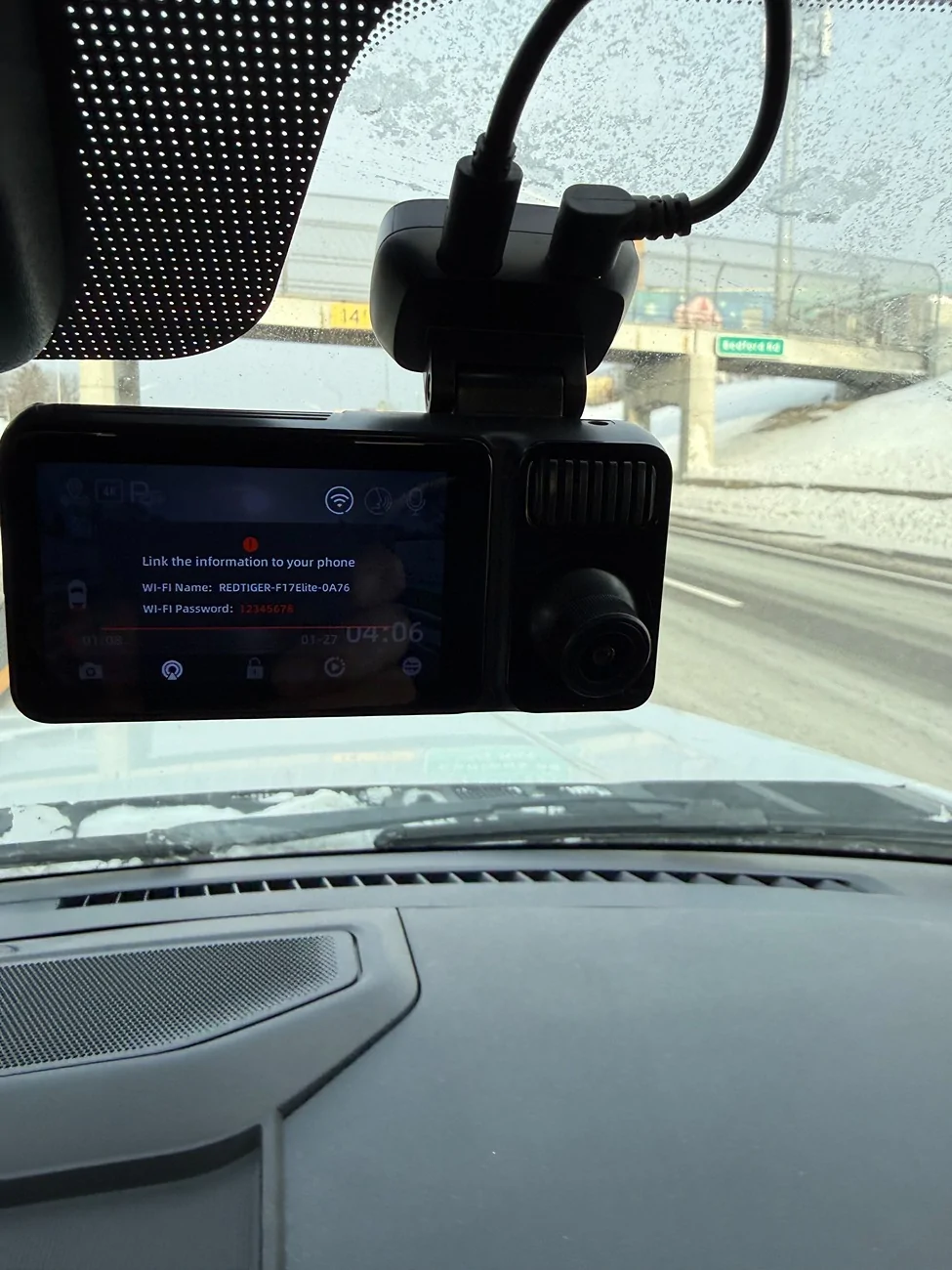
I will try to update the THOUGHT portion as i deem fit, but one thing i have noticed is the "wifi connection prompt" comes up randomly, i am not sure what triggers it. I find it annoying, it will stay up briefly and then it just goes away.
one other thing i find annoying is using the redtiger app. When i connect via app to check footages, it frequently disconnects. I don't see how this would be viable when trying to download footages, pictures in a pinch. I had to take out the micro-sd card and download footages,photos for this review on my laptop. Hopefully this gets fixed with future updates.
Notes:
- I've never used a dashcam before, so I don't have any firsthand experience to compare to. I did start to consider getting dashcam when I was driving on the freeway one day and was behind a semi-truck that looked like it just got out from being parked where snow has accumulated on the top of its container and large chunks of snow was just falling all over the highway. And of course, I was right behind it and I thought at that moment, if something happened to my truck, like a chunk of snow hits my windshield and breaks it then it would be a sorry loss, since I have no evidence of how it was damaged from what I think the semi-truck’s drivers fault for not making sure his vehicle was safe to drive. Which made me wish I had a dashcam and made me entertain the thought of buying one and then luckily, I came across a post by @Redtiger looking for testers for their F17 Elite dashcam. I never get lucky to win or get picked for anything but I still tried my luck and was lucky enough to be chosen.
Details
REDTIGER F17 Elite 4K 3 Channel Dash Cam Sony STARVIS 2 Dual HDR WIFI 6 Full Night Color
Native 4K:4K+1080P+2.5K 3-Channel
10X Faster WiFi 6 (5.8 GHz):Max 30M/s.
Night as Day :Offering 24/7 Ultra-color
Always Clear:Dual STARVIS 2 with HDR
Unboxing
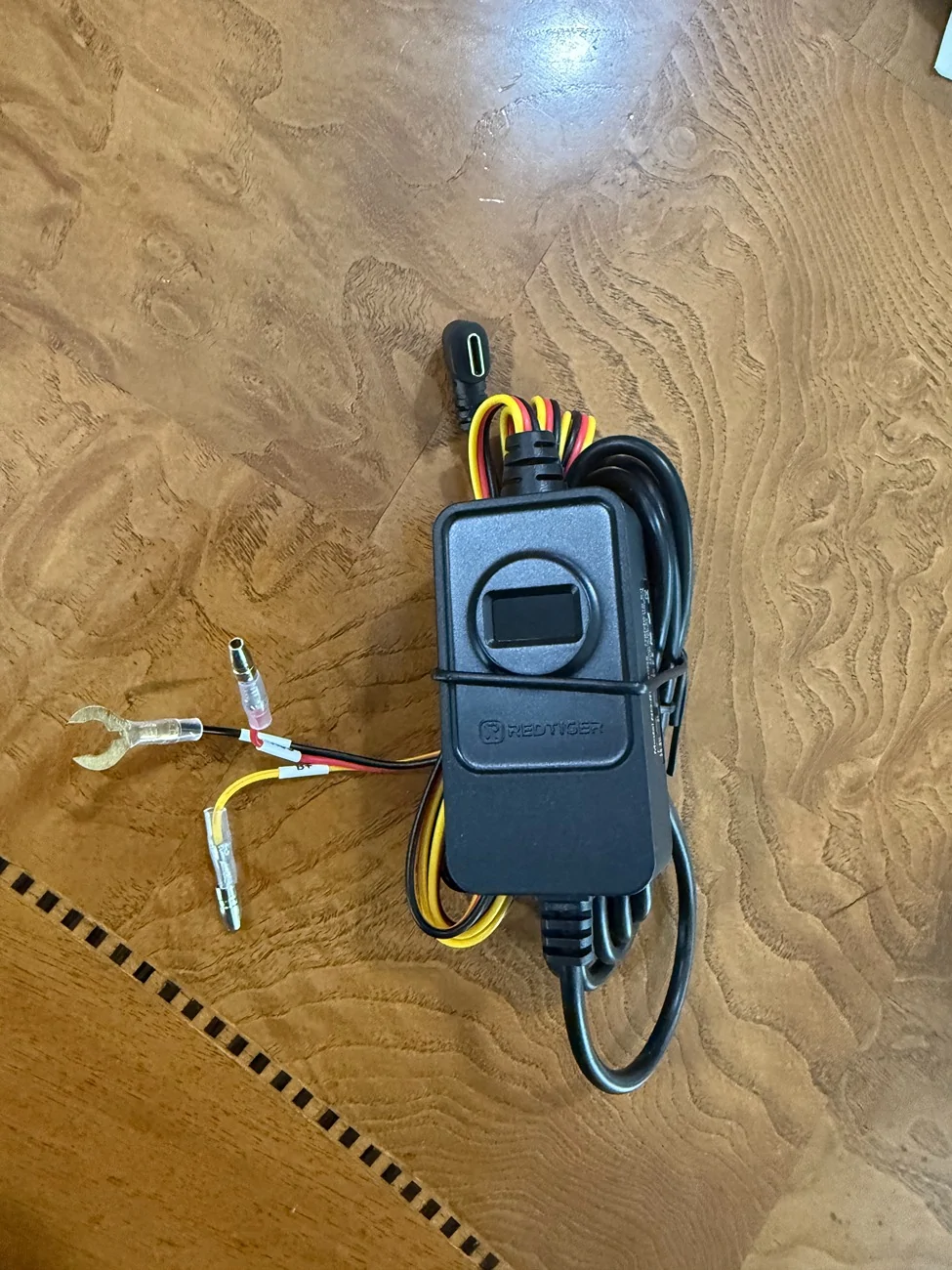
The dashcam came with a hardwire kit and a 33 feet usb c cable for the rear camera. I read one of the reviews that they wished they had a longer usb-c cable for their Lightning and specifically inquired with @Redtiger if it was possible for them to include a longer usb-c cable for the rear camera and they were kind enough to acknowledge that they will be including one with the unit that they will be providing me.
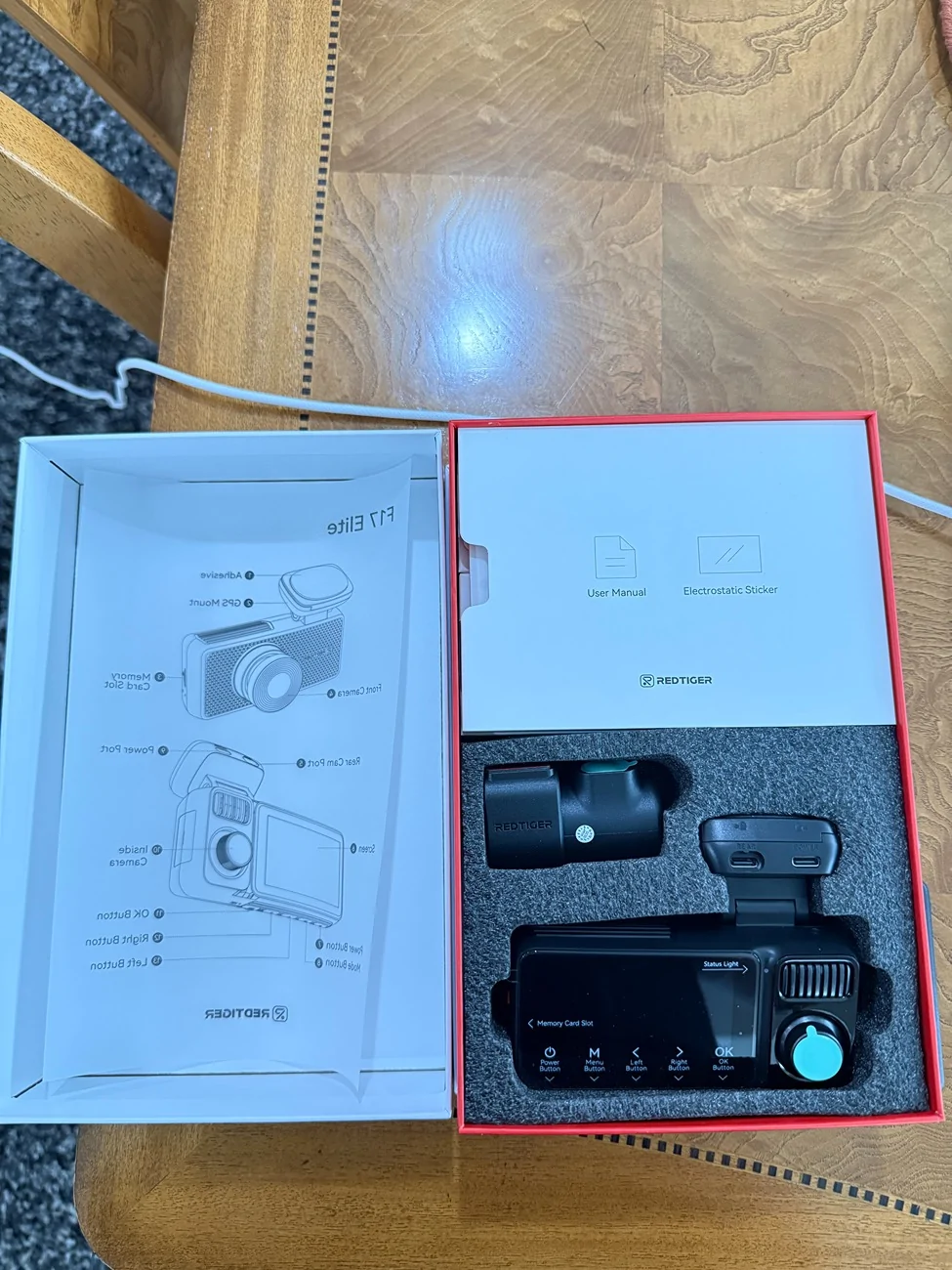
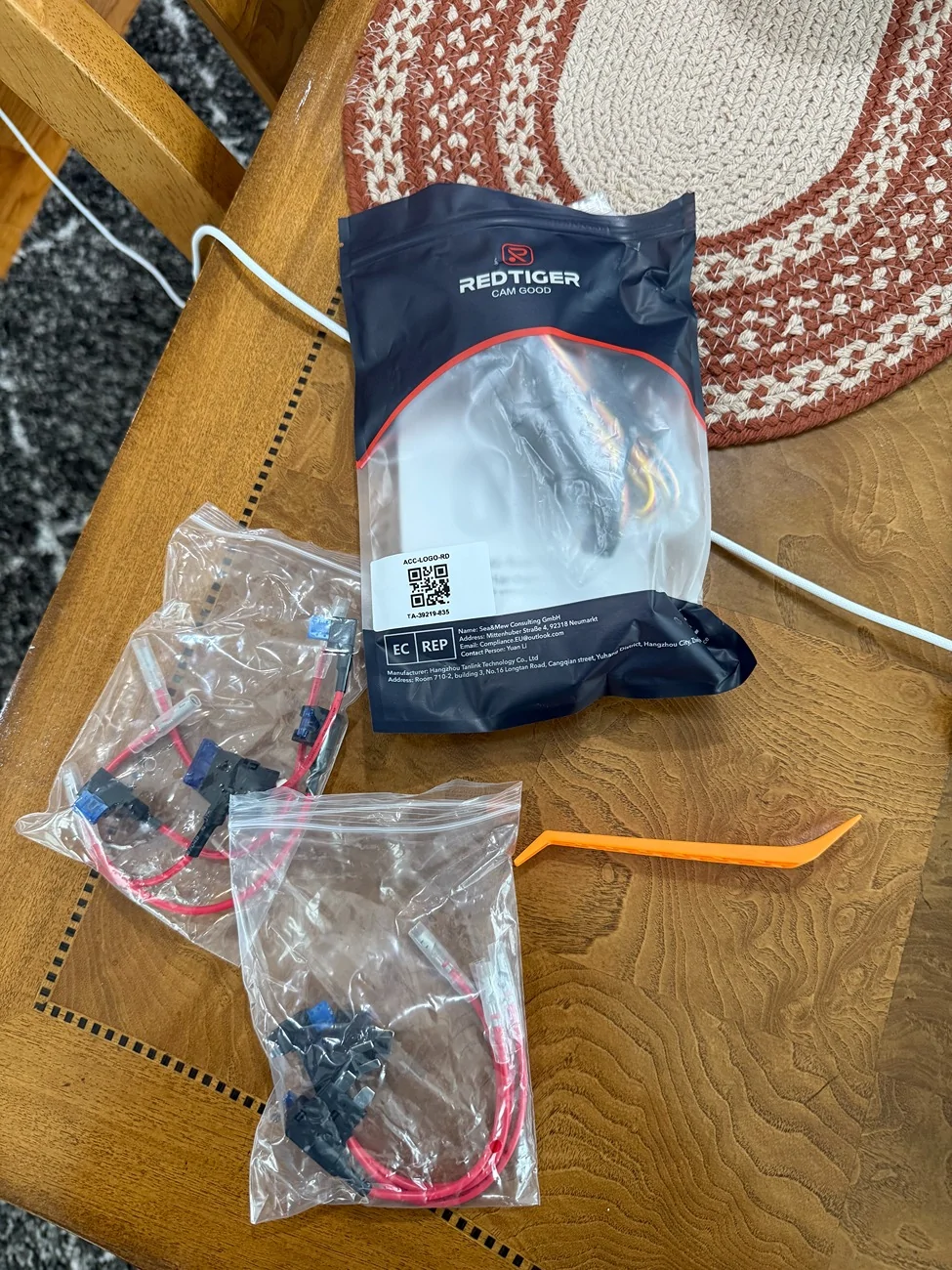
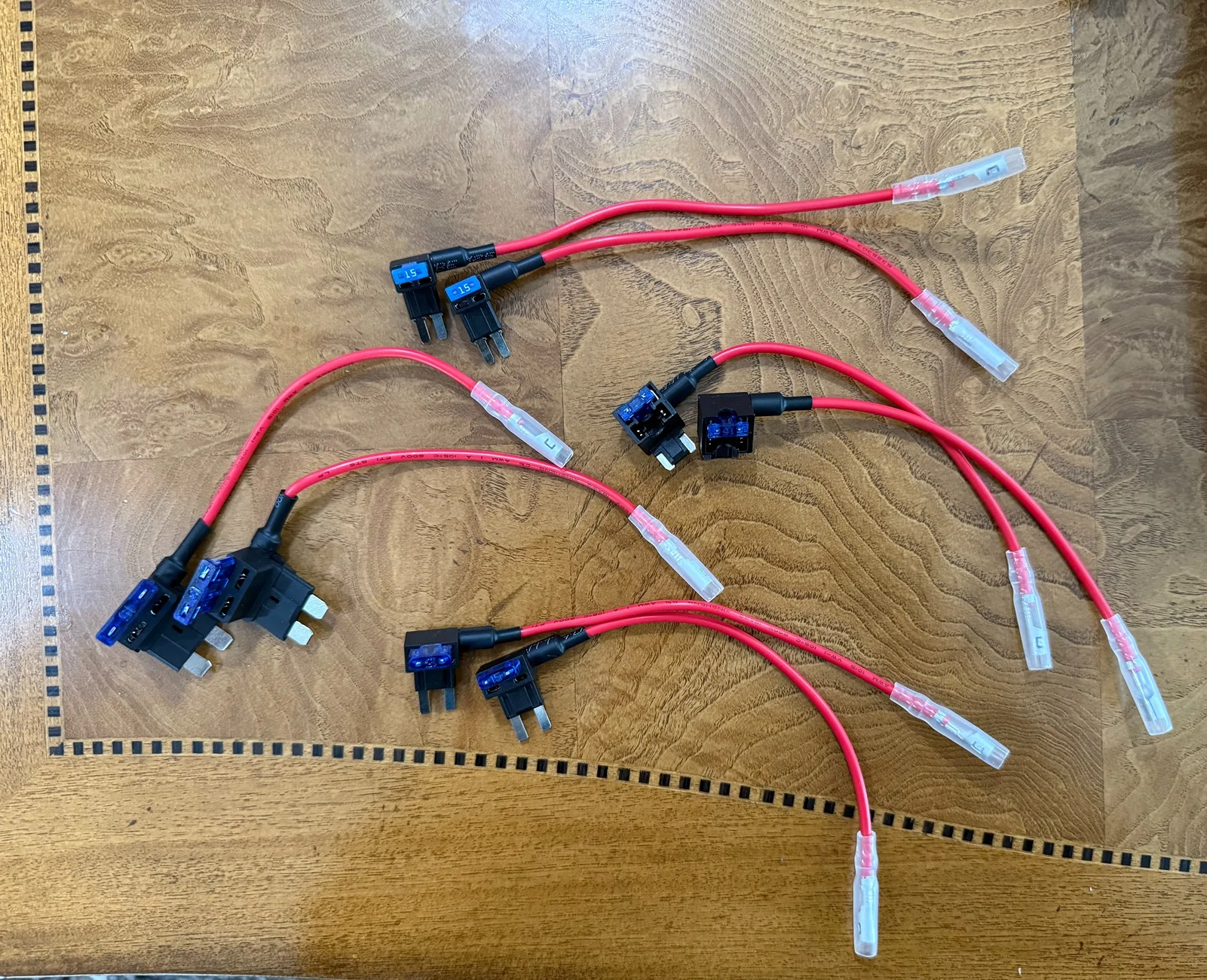
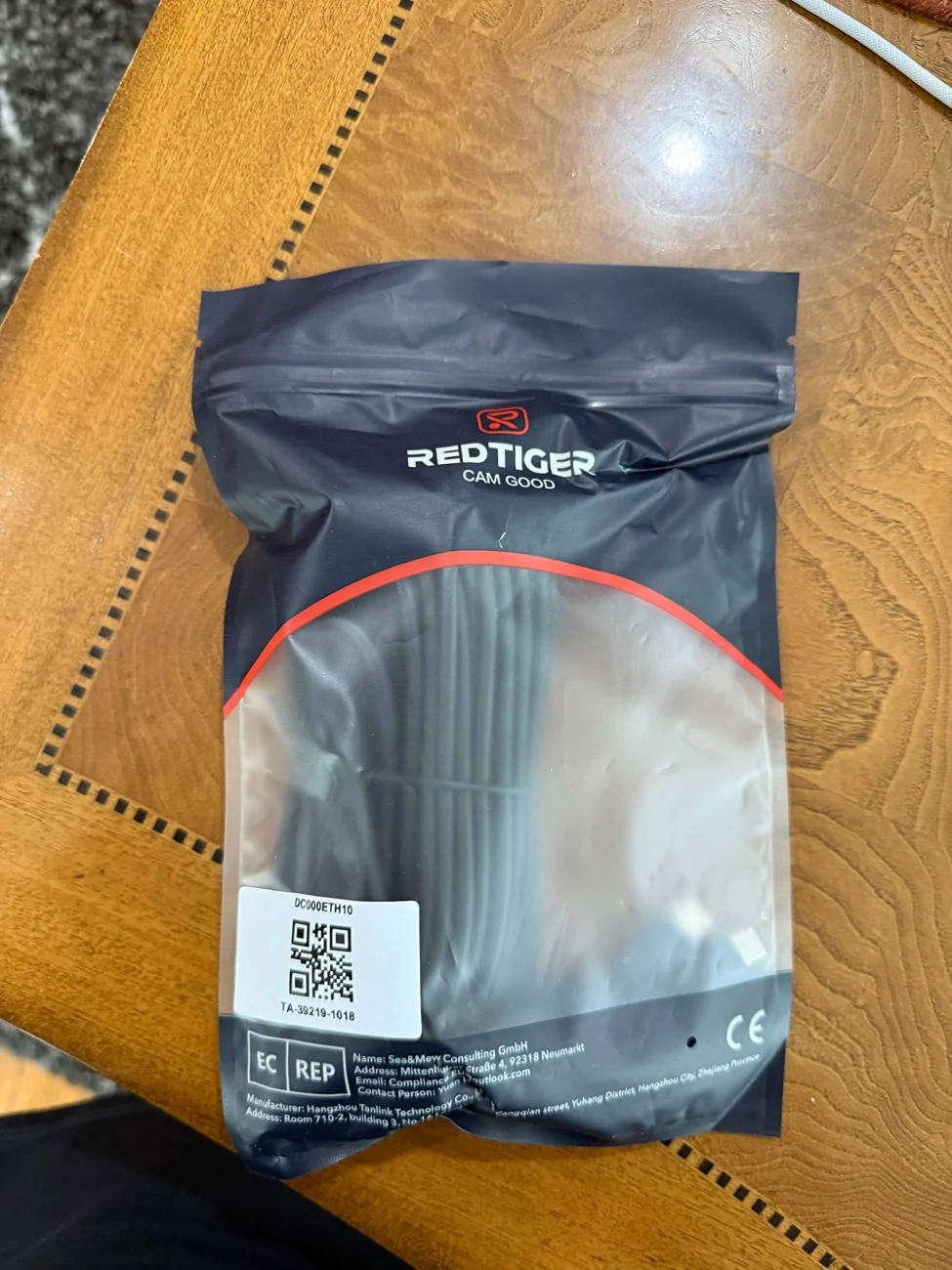
The instruction box contains: F17 Elite User Manual, APP Quick Book, and four electrostatic stickers used for mounting the front and rear dashcams.
The other two boxes contain:
- Power supply cable with car charger and trim push/pry tool
- Rear camera cable, cable clips, and adhesive
Installation
Im in Michigan and winter hasn’t been kind so far. Installing this Dashcam in my garage by myself was out of the question and I wanted it installed nicely on my truck so, I opted to have it professionally(?) installed at an audio installation shop. Install by the shop was disappointment and more on this later.
Before beginning the installation using the hardwire kit, I tested the cameras inside the house using usb-c cable I had around. The non-Redtiger usb-c cable I used was able to power the main dashcam but when I used another non-Retiger usb-c cable to attach to the rear camera, the rear camera did not turn on or it was not detected. I then tried the included redtiger 33feet usb-c cable and it powered up. This made me realize there must be something different with my home usb-c (maybe purely data cable?) and the redtiger usb-c cable.
With everything working, I had the dashcam installed at the audio install shop I have set an appointment with.
Installation setup:
Now, the disappointment. The shop did a good job with wire management, the complete FAIL was with them not bothering to check the manual of the dashcam. They did dashcam installs but have not installed this particular brand.
I wanted to utilize the Parking monitor feature of this dashcam which meant it needed to have the hardwire kit installed.
When installing the hardwire kit, the shop did not bother to consider checking out fuse slots that were “spares”.
I do not know how they decided to tap fuse #32 which was used for “Radio Enhanced central gateway” for the Yellow B+ wire(Normally Powered Fuse) and tapped fuse #37 “Not used(spare)” for the red wire(ACC Fuse). They also did not use the Electrostatic stickers as instructed in the redtiger manual before mounting the cameras. I am not sure if this will cause any issues such as durability, longevity in the mounting of the dashcams. I did not want to have issues taking the dashcams off and using the Electrostatic stickers so I just left how they mounted the dashcams as is.
If you decide to have your Dashcam installed, make sure you go to reputable shop and a shop that would take time to figure out what they are installing and not all dashcam installs have install requirements.
One thing about the hardwire kit installation.
On the Redtiger website (https://cdn.shopify.com/s/files/1/0635/5822/2059/files/ACC_-V1.4-20251202.pdf?v=1767602907) the version is V1.4 while the manual that came with the Dashcam is V2.0.
On the Website it states “fuses with currents between 7.5A and 25A are within the selectable range”
While on the v2.0 manual it shows “fuses with currents between 5A and 25A are within the selectable range”
I ended up re-assigning the fuse tap assignments myself and used fuses using between 7.5A(#17-18) and 20A(#4) .
Thankfully, I did some research before having the dashcam installed and came across @RickLightning own review (https://www.f150lightningforum.com/forum/threads/redtiger-f17-elite-dashcam-review.33250/).
@RickLightning had his Fuse tapped at:
Yellow B+ wire(Normally Powered Fuse) = Fuse #4 Micro 2 Fuse
Red wire (ACC Fuse) = Fuse #17-18 Micro 3 Fuse
Note: The 17-18 slot is a MICRO3 slot; I used the MICRO2 tap and used the side closest to the 17/middle. Instead of using the original 7.5 fuse in the fuse tap I put in an extra 15A in that spot for the tap. The original fuse I kept as spare in case I need it in the future.
Both these locations are marked as "SPARE" in the Lightning manual and have fuses in those positions.
While Truck is parked. Note voltage reading at 12.2v.
While car is on accessory or running.
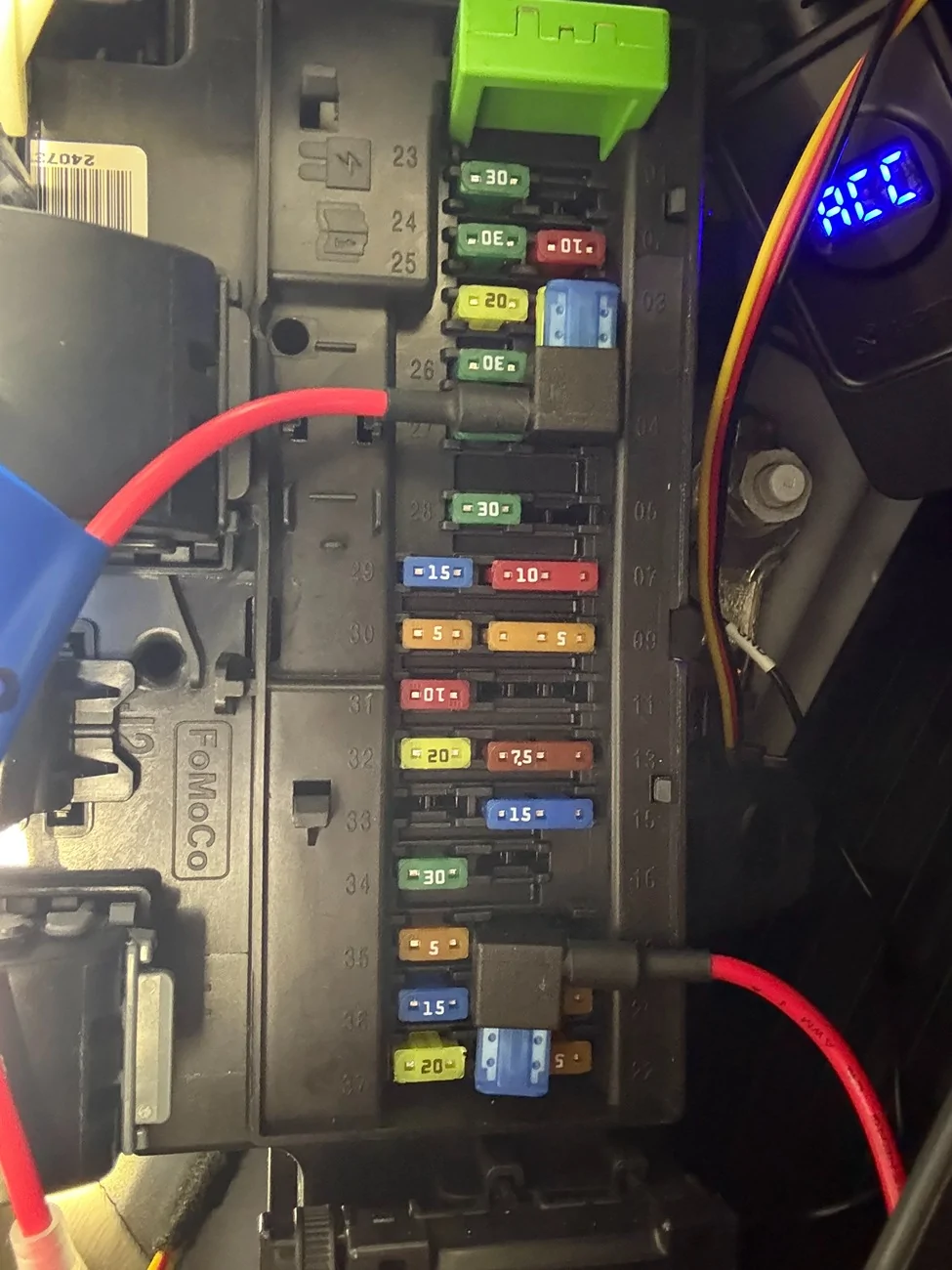
I also moved black wire for ground on the bolt in the top right corner of the footwell. The audio shop seemed to have used two screws on the floor and mounted the ground there!
Parking monitor set to 12H, I thought all was good until I noticed, while the truck wasn’t running(turned off), I will get an initial reading of 12.4v on the Hardwire kit LCD screen then a timer shows displays from 60 seconds to 0 seconds (at first I thought this was a Voltage reading). Then the Dashcam would stop recording (no blue light indicator). Therefore, the Parking Monitor wasn’t working! I later confirmed this when I checked on the dashcam recordings. I did not see any recordings after I have parked the truck. I had the Low Voltage Protection switch initially set at 12.4v which later on proved to be a problem with Parking Monitoring enabled because the output i was getting was only at 12.2v, so obviously the Low Voltage Protection would kick in and shut the dashcam off.
This went on for a couple of days until I decided to change the Low Voltage Protection from 12.4v to 12v and lo and behold, the Hardwire kit LCD displayed a constant 12.2v! So there lies the issue, my voltage! The Low Voltage Protection shuts off the dashcam if it detects voltage lower than what the switch is set at. I initially had the switch at 12.4v and the truck only has 12.2v so naturally the hardwire kit shuts off. This meant the device was working and doing its job. After I have set the switch to 12v, I now have the Parking monitor working and was able to confirm by seeing some recordings on the dashcam while the truck was parked.
MAIN DASHCAM
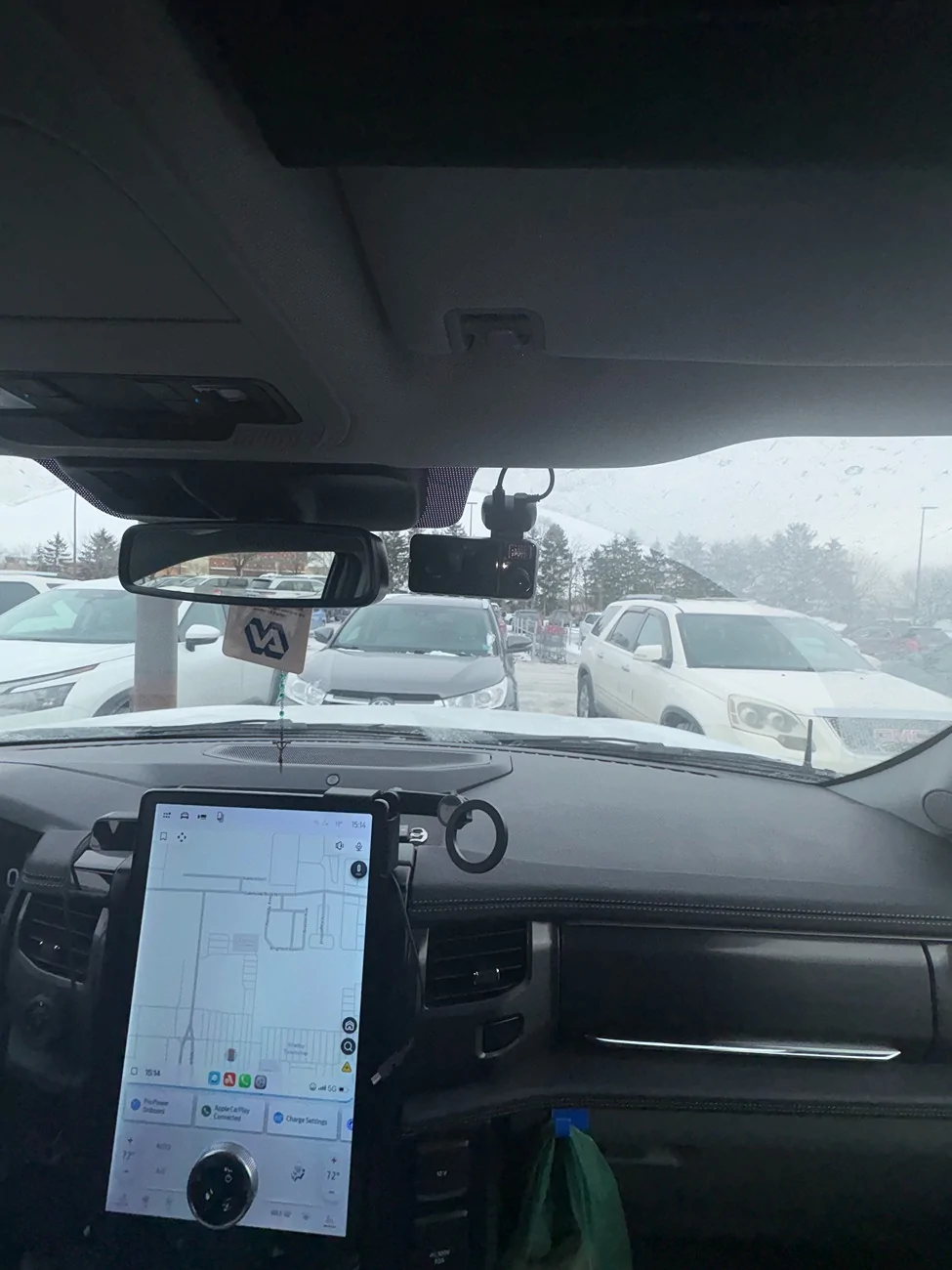
REAR DASHCAM
DAYTIME FRONT
NIGHTIME FRONT
DAYTIME INSIDE
NIGHTIME INSIDE
DAYTIME REAR
NIGHTIME REAR
THOUGHTS:
Overall, I am happy with this dashcam and will be using the same product on my other vehicles in the future.
I did not expect much of the voice command feature but I was surprised the dashcam was able to pick-up voices from my radio! I was listening to the news and a phrase “take a picture” was mentioned and then I heard a “snapping picture” sound only to realize it was the Dashcam snapping a picture.
I have replaced the 128gb micro-sd to a 512gb micro-sd after realizing I wasn’t getting much footages with 12h parking monitoring enabled. With the 512gb micro-sd I am getting NUMBER OF days of footage.
I will try to update the THOUGHT portion as i deem fit, but one thing i have noticed is the "wifi connection prompt" comes up randomly, i am not sure what triggers it. I find it annoying, it will stay up briefly and then it just goes away.
one other thing i find annoying is using the redtiger app. When i connect via app to check footages, it frequently disconnects. I don't see how this would be viable when trying to download footages, pictures in a pinch. I had to take out the micro-sd card and download footages,photos for this review on my laptop. Hopefully this gets fixed with future updates.
Sponsored
Last edited: