Sponsored

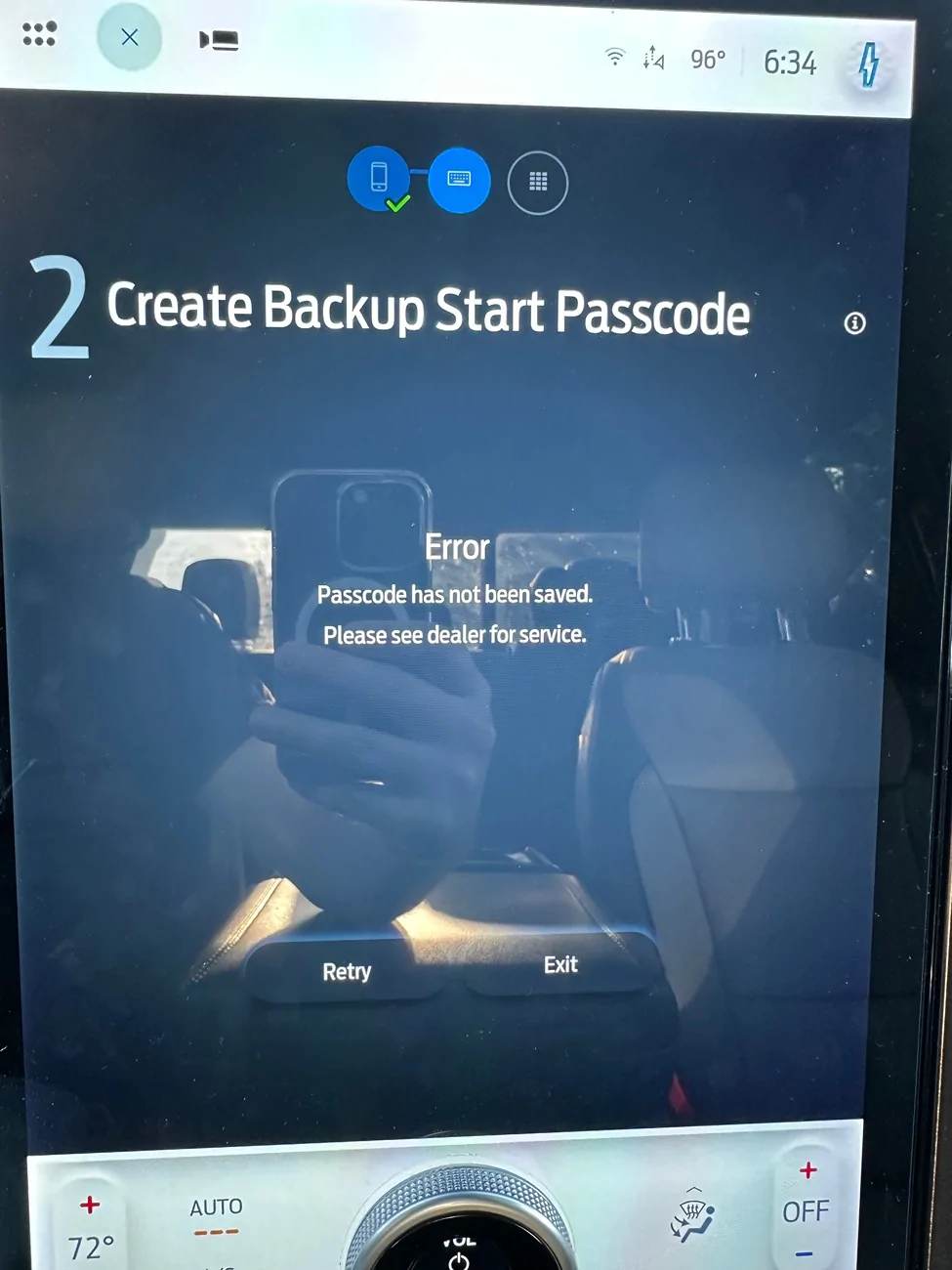
Create Backup Start Passcode Error after upgrading iPhone

Budro22

New member
First Name
Kyle
Joined
Aug 22, 2025
Threads
1
Messages
3
Reaction score
4
Vehicles
2022 Lightning Lariat ER
Hey everyone,

I recently swapped my iPhone out for a new one. I was using PAAK with the old one and did a direct transfer. I set up my new phone with PAAK and that seems to be working. The issue I’ve ran into is that it won’t let me set the Backup Start Passcode. The first time it said “another user is already using this passcode” even though it was a never before used passcode for PAAK. I even tried deleting my profile and setting up a new one. Now I’m getting the error above. I’ve used FORScan quite a bit. So I guess my question is, do I have to take it in for service to fix this, or is there a DIY or simple fix that I’m missing? Thanks!

Ford F-150 Lightning Create Backup Start Passcode Error after upgrading iPhone IMG_4687
Sponsored


BluesClues

Well-known member
Joined
Nov 27, 2024
Threads
2
Messages
52
Reaction score
47
Vehicles
2022 f150 lightning sr lariat
I was having issues with PAAK and did a full system reset + 12v battery unplug for 15mins.

If you don’t have any Forscan errors (I did) - might try that

I had a tech helping me (I don’t have Forscan)
 

RickLightning

Well-known member
Joined
Jan 17, 2022
Threads
100
Messages
6,366
Reaction score
8,603
Location
SE MI
Vehicles
'22 Lightning ER Lariat,'22 Mach-E Premium 4X
When you get a new cell phone, you need to delete the old one (which deletes the passcode) in the vehicle, then add the new one. You need to do a reset of PaaK (not of Sync), then start over.
 
OP
OP

Budro22

New member
First Name
Kyle
Joined
Aug 22, 2025
Threads
1
Messages
3
Reaction score
4
Vehicles
2022 Lightning Lariat ER
Looks like that worked, thanks RickLightning. The thing that finally pushed it through was deleting the FordPass app off of my phone and reinstalling it. From there I deleted the profile and started the PAAK process from scratch. All good. Thanks again y’all!
 

flux capacitor

Well-known member
First Name
Jeff
Joined
Nov 21, 2023
Threads
0
Messages
79
Reaction score
82
Location
Florida
Vehicles
2023 F-150 Lightning
Looks like that worked, thanks RickLightning. The thing that finally pushed it through was deleting the FordPass app off of my phone and reinstalling it. From there I deleted the profile and started the PAAK process from scratch. All good. Thanks again y’all!
Can you be more specific which profile did you delete? Did you remove the phone as a key and completely start over or profile on Ford Pass or?
 
OP
OP

Budro22

New member
First Name
Kyle
Joined
Aug 22, 2025
Threads
1
Messages
3
Reaction score
4
Vehicles
2022 Lightning Lariat ER
Can you be more specific which profile did you delete? Did you remove the phone as a key and completely start over or profile on Ford Pass or?
Sure! So I ended up deleting my profile on the truck. My wife also has a profile but I left that alone. Once that was done, I went into the FordPass App, went to Settings -> Phone as a Key and then deleted my old and new phone both out of that part. Once that was done, I deleted the app off of my phone. Went to the App Store, redownloaded FordPass, and then signed in again. From there I set up PaaK just like I did originally and it all worked perfectly.
Sponsored


Top