Sponsored

Platinum Peasant

Well-known member
First Name
Mike
Joined
Sep 26, 2020
Threads
11
Messages
843
Reaction score
184
Location
West Sacramento
Vehicles
2021 Ford F150 Platinum 3.0 Powerstroke
Occupation
Neonatal Respiratory Therapist
You to not need 2.3.0 or an IPMA update from your dealer but you do need Sync 21146 rev:145 and Power up 2.1.1. This and the 3 edits in Forscan gets you the cameras. Works great in my 1/21 build.
Not entirely true man. I made those same 3 changes and cameras did not work, on 2.1.1, same sync, 3/21 build. Some trucks need the IPMA update to make it happen. Glad to hear it’s working for you though.
Sponsored


Ruffiano99

Well-known member
First Name
Joe
Joined
Jan 11, 2022
Threads
0
Messages
93
Reaction score
17
Location
NY
Vehicles
2021 f150
I also was able to get my Sync version up to 21281 rev244 with FDRS. I now have camera's at speed also based on the following changes. I have a Feb 2021 build.

IPMA 706-02-02 xxxB CExx xx--
APIM 7D0-01-01 xxxx xxxx Fx--
APIM 7D0-01-02 6xxx xxxx xx- (Tried it but I lost my camera menu "three horizonal bars". Went back to stock)
APIM 7D0-01-04 xxxx EDxx xx--

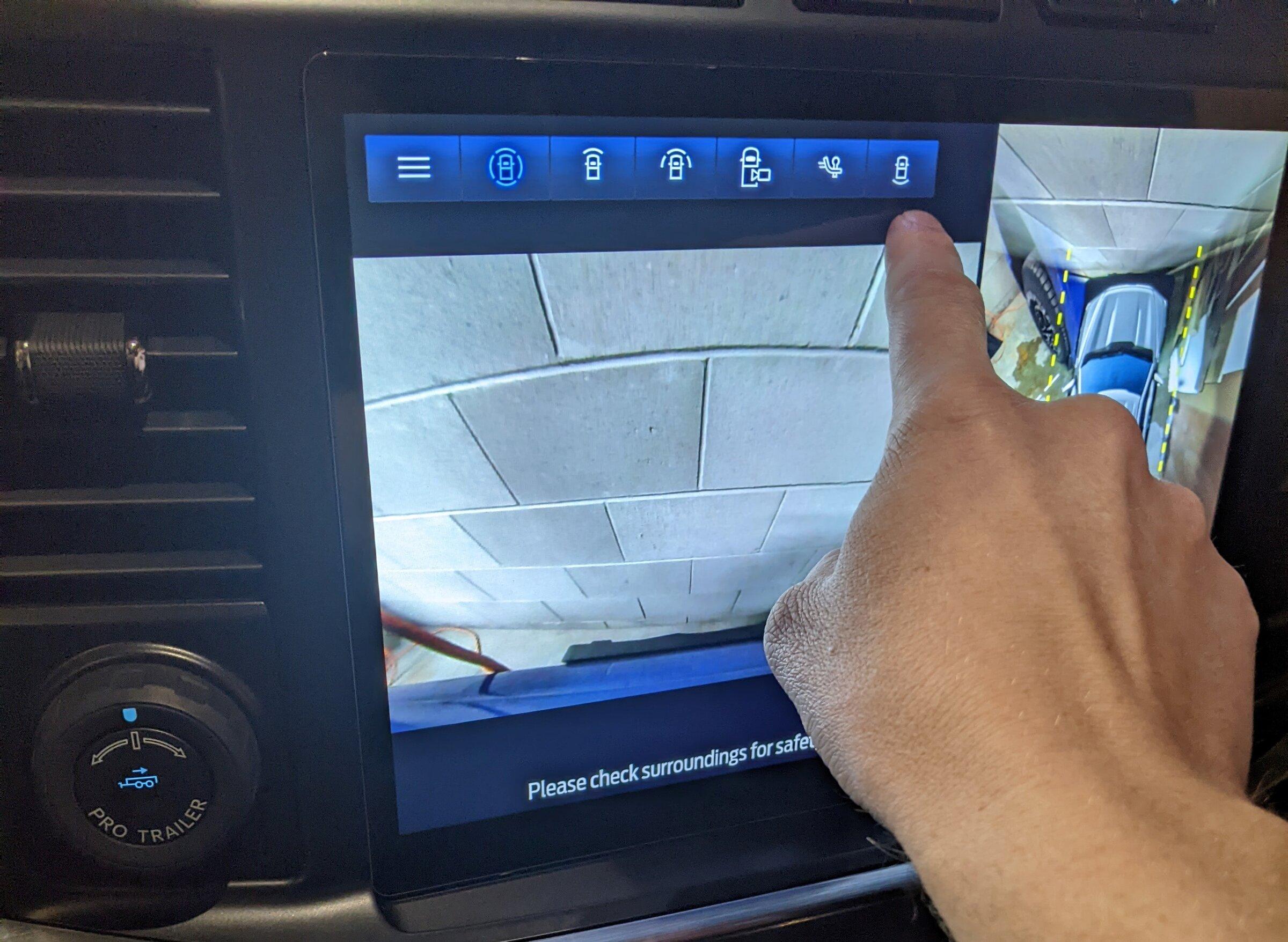
I haven't been able to get my Rear-View Split-view button (See picture) to work. I can tap it all I want and nothing happens.

1642739323800.jpeg
What are your values for the 7D0-01-02 line. I made a change and lost my front camera views too. Forgot to make a note of my original values and trying to get the camera views back.
 
Last edited:

heffer86

Well-known member
Joined
Sep 3, 2020
Threads
11
Messages
125
Reaction score
28
Location
Iowa
Vehicles
2021 F150 Lariat 501A
What are your values for the 7D0-01-02 line. I made a change and lost my front camera views too. Forgot to make a note of my original values and trying to get the camera views back.

I have a "2" in the location as the default.

Full row is 7D0-01-02 2300-C62B-99xx
 

iceman77

Well-known member
First Name
Pete
Joined
Dec 29, 2021
Threads
5
Messages
381
Reaction score
275
Location
Dallas
Vehicles
2022 Ford F-150 Platinum
What are your values for the 7D0-01-02 line. I made a change and lost my front camera views too. Forgot to make a note of my original values and trying to get the camera views back.
You can also reload your original values from As-Built data stored on Ford servers, if you have done your changes recently. By time your changes get propagated to your As-Built so it is always a good idea to save yours before doing any changes to your modules via FORScan
 

jcaspar

Well-known member
First Name
Jeff
Joined
Feb 23, 2021
Threads
2
Messages
297
Reaction score
74
Location
Sacramento CA
Vehicles
2021 F-150 4x4
Not entirely true man. I made those same 3 changes and cameras did not work, on 2.1.1, same sync, 3/21 build. Some trucks need the IPMA update to make it happen. Glad to hear it’s working for you though.
Sorry to hear that. Hope it gets fixed soon.
 

Sponsored

Ruffiano99

Well-known member
First Name
Joe
Joined
Jan 11, 2022
Threads
0
Messages
93
Reaction score
17
Location
NY
Vehicles
2021 f150
You can also reload your original values from As-Built data stored on Ford servers, if you have done your changes recently. By time your changes get propagated to your As-Built so it is always a good idea to save yours before doing any changes to your modules via FORScan
Thats what I ended up having to do. Restored all the modules i messed with with the As built files. Kinda helped. Had to go back in and find the camera options and enable them to get everything back. Seems all back to normal now.
 

AutonomousHybridF150

Well-known member
First Name
Kristopher
Joined
Jul 13, 2021
Threads
0
Messages
289
Reaction score
59
Location
Pensacola Fl
Vehicles
2021 F150 Powerboost
Occupation
Adjuster
Here is an update on a change for 2022 F150’s and ambient lighting.

Change in forscan: APIM 7D0-01-02 xxxx xxxx *x--
Change * to A


We can indeed change the setting and make the ambient lighting menu show up in sync however we are unable to get the toggle brightness to show or indicate on the screen for the individual colors. Also attempting to select a color in the menu does nothing to change the color of the lights even with the appropriate lights installed. The menu instead stays static when selecting the individual colors and nothing changes.

Sync 4, Software Version: 21297_PRODUCT Revision: 253
There is only 1 color in the 2021 trucks.

at least in mine.
 

candyman8019

New member
First Name
Joe
Joined
Feb 2, 2022
Threads
0
Messages
2
Reaction score
0
Location
Canada
Vehicles
2021 F150 Lariat
I also was able to get my Sync version up to 21281 rev244 with FDRS. I now have camera's at speed also based on the following changes. I have a Feb 2021 build.

IPMA 706-02-02 xxxB CExx xx--
APIM 7D0-01-01 xxxx xxxx Fx--
APIM 7D0-01-02 6xxx xxxx xx- (Tried it but I lost my camera menu "three horizonal bars". Went back to stock)
APIM 7D0-01-04 xxxx EDxx xx--

I haven't been able to get my Rear-View Split-view button (See picture) to work. I can tap it all I want and nothing happens.

1642739323800.jpeg
Same thing with mine. Tap the button and nothing happens. Has anyone found a fix for this yet?
 

Jesse-Infotainment

Well-known member
First Name
Jesse
Joined
May 27, 2021
Threads
5
Messages
1,020
Reaction score
1,297
Location
Dallas
Vehicles
2024 F150 Lightning Platinum
Same thing with mine. Tap the button and nothing happens. Has anyone found a fix for this yet?
there isn’t a fix. Only the 21 job 2 trucks allow it. It’s the rear cam in motion. Livnitup and Ihave tried everything and it’s a limitation of the job 1 ipma. I hope an update will be released to fix it. I have seen late job 2 ipma data that goes back to the same structure of the job one. This gives me hope they are going to release an update. Job one also can’t get full screen cargo and cargo cam in side stack like job 2 can
 

Sponsored

candyman8019

New member
First Name
Joe
Joined
Feb 2, 2022
Threads
0
Messages
2
Reaction score
0
Location
Canada
Vehicles
2021 F150 Lariat
there isn’t a fix. Only the 21 job 2 trucks allow it. It’s the rear cam in motion. Livnitup and Ihave tried everything and it’s a limitation of the job 1 ipma. I hope an update will be released to fix it. I have seen late job 2 ipma data that goes back to the same structure of the job one. This gives me hope they are going to release an update. Job one also can’t get full screen cargo and cargo cam in side stack like job 2 can
Right on. Thanks for the clarification.
 

didiasku

New member
First Name
Curt
Joined
Dec 16, 2021
Threads
0
Messages
2
Reaction score
0
Location
Ohio
Vehicles
2021 F150 Lariat
there isn’t a fix. Only the 21 job 2 trucks allow it. It’s the rear cam in motion. Livnitup and Ihave tried everything and it’s a limitation of the job 1 ipma. I hope an update will be released to fix it. I have seen late job 2 ipma data that goes back to the same structure of the job one. This gives me hope they are going to release an update. Job one also can’t get full screen cargo and cargo cam in side stack like job 2 can
Im on powerup 1.4 and mine works after doing the 3 mods in forscan. just fyi
 

Jesse-Infotainment

Well-known member
First Name
Jesse
Joined
May 27, 2021
Threads
5
Messages
1,020
Reaction score
1,297
Location
Dallas
Vehicles
2024 F150 Lightning Platinum
Your rear cam in motion while driving works . I’d like to see this and know your build date
 

AutonomousHybridF150

Well-known member
First Name
Kristopher
Joined
Jul 13, 2021
Threads
0
Messages
289
Reaction score
59
Location
Pensacola Fl
Vehicles
2021 F150 Powerboost
Occupation
Adjuster
Your rear cam in motion while driving works . I’d like to see this and know your build date
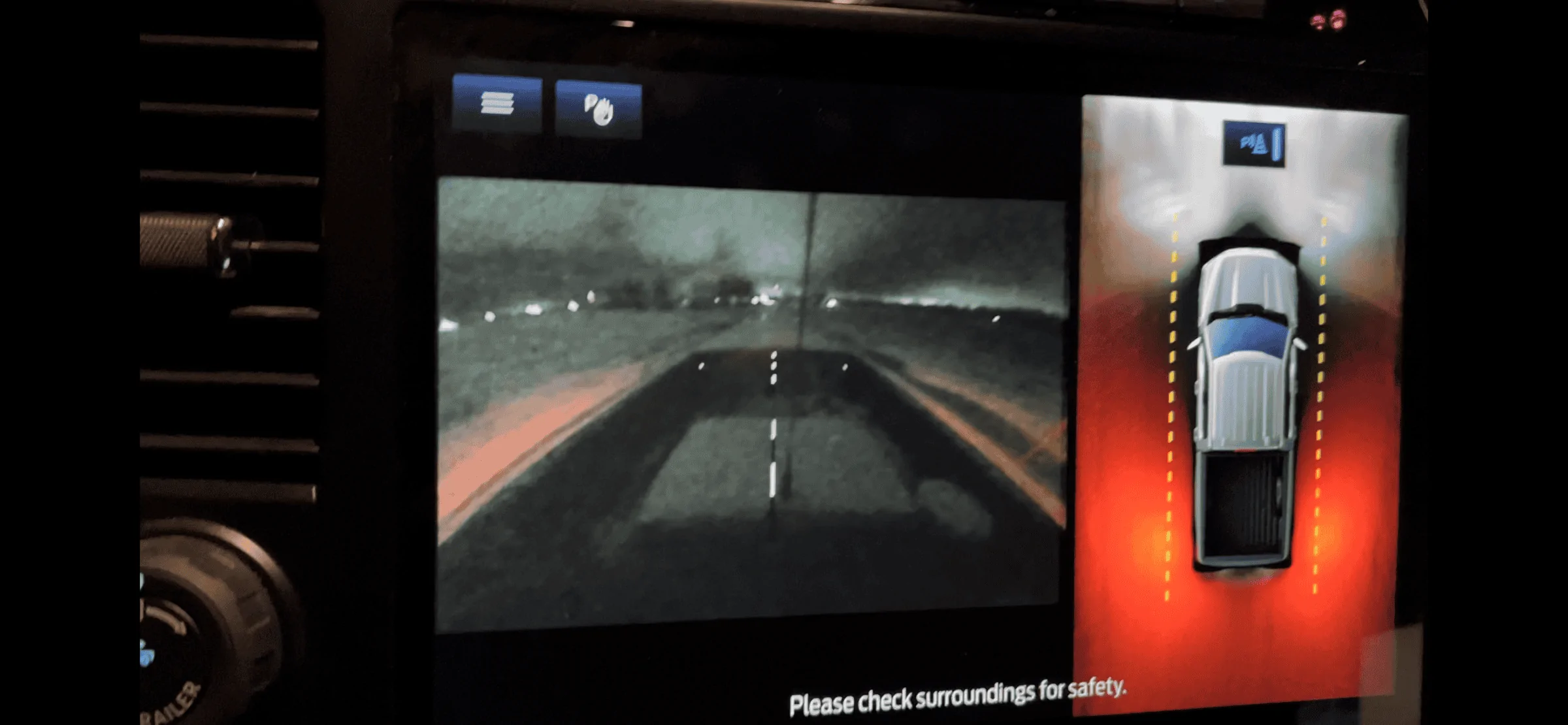
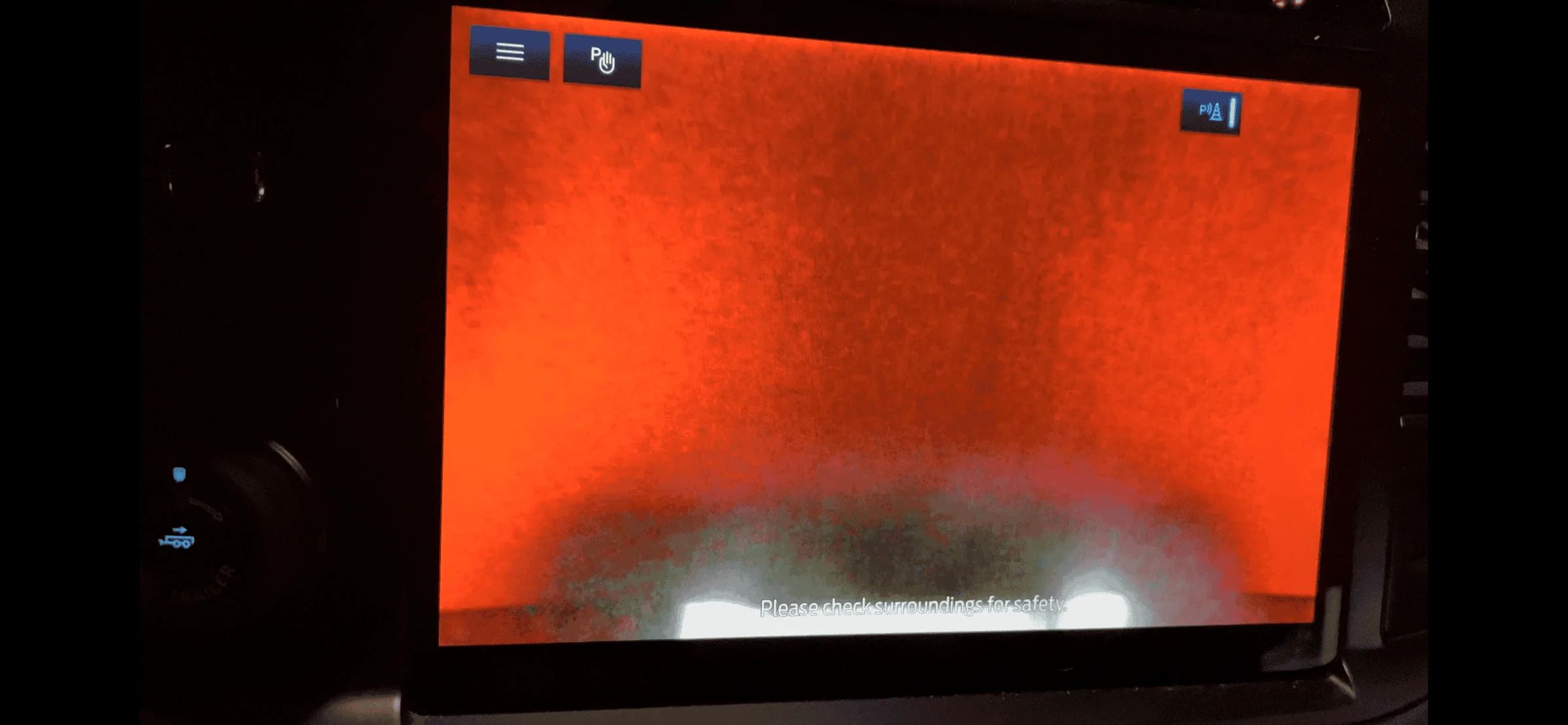
I too am on Power Up 1.7.1, and I was also able to use Livinit Up’s sheet to manually change those 3 lines in the 2 modules, reset the APIM, and then the cameras in motion works for me now also! First button press gives hitch cam and second press gives 360 view with cargo cam.


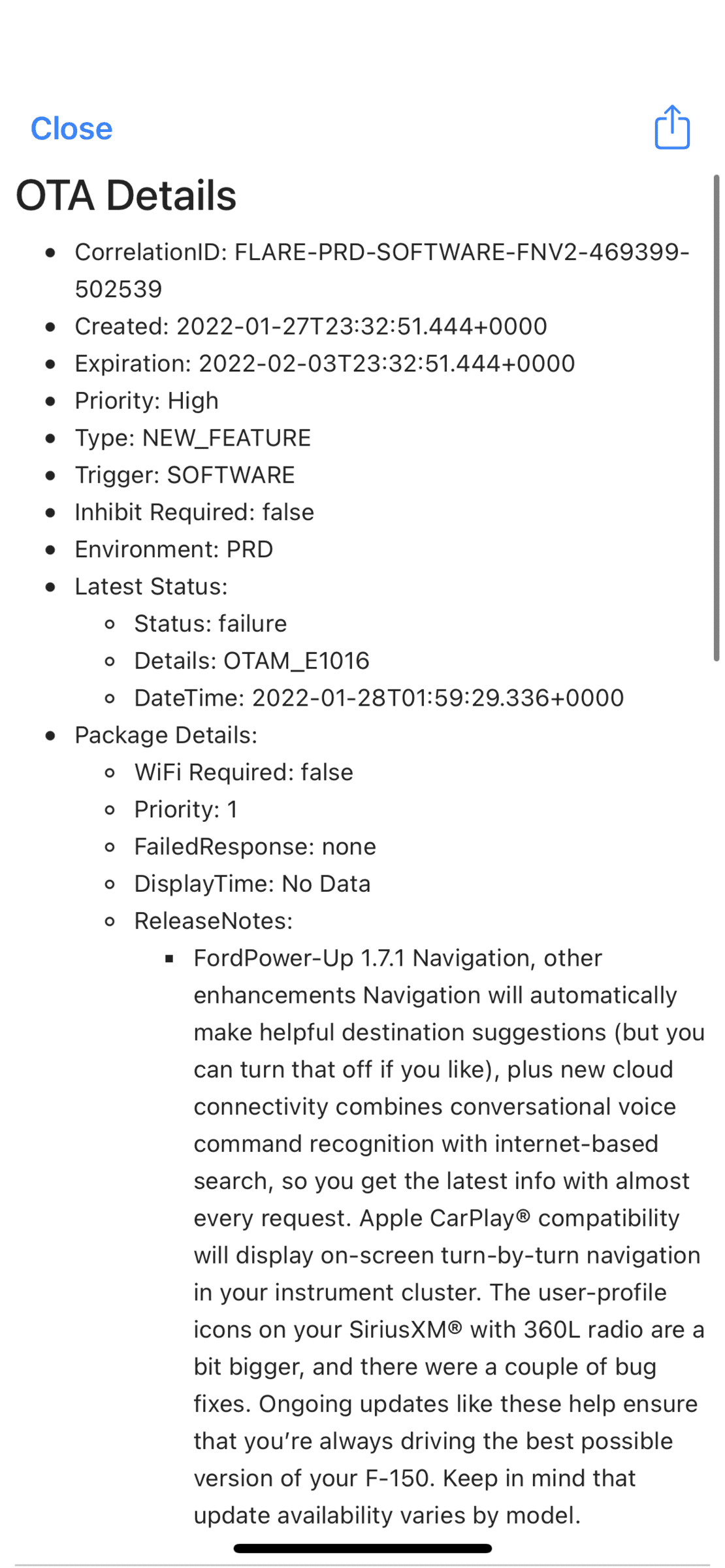
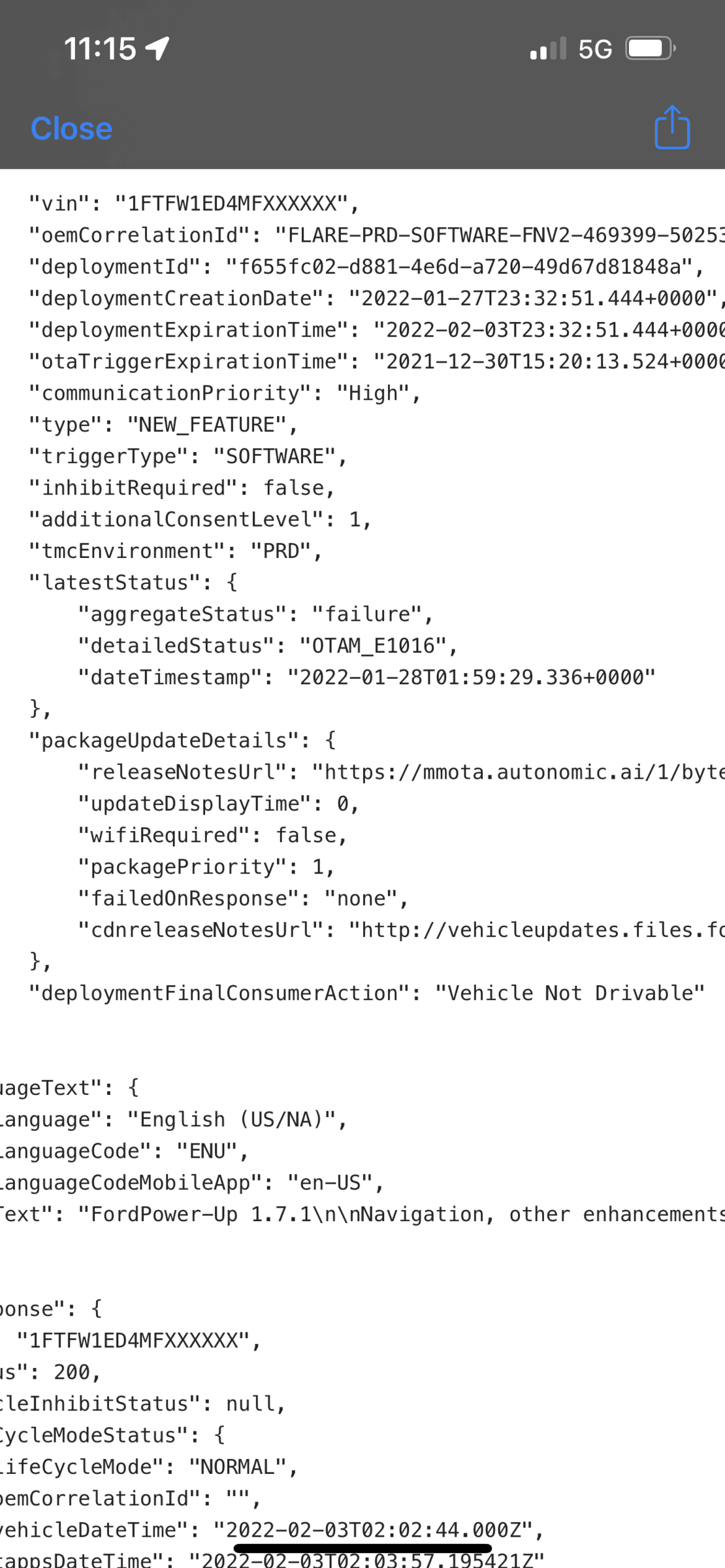
I have a job 1 Platinum Powerboost with 7.2 Pro Power, and Blue Cruise Prep, purchased on 1/15/21. The last update I received notification of was 1.7.1, on 7/28/21, and nothing after that. I have installed the widget and I think it also says I have 1.7.1, so I have included some of the raw data for assistance.

Maybe someone can help me understand why it says Vehicle Not Drivable. And, how can I tell the failed update version?


Ford F-150 Lightning 2021+ F-150 FORScan List / Database / Spreadsheet ? 32407FC4-BBAE-48DA-AEB4-4969301F34AA


Ford F-150 Lightning 2021+ F-150 FORScan List / Database / Spreadsheet ? AA28E2A9-58AE-4F54-9DD5-19A982496514


Bed Cam & 360 Cam In Motion:
Ford F-150 Lightning 2021+ F-150 FORScan List / Database / Spreadsheet ? 99996EDB-76D2-4981-9746-A60D822D610E


Hitch Cam:
Ford F-150 Lightning 2021+ F-150 FORScan List / Database / Spreadsheet ? DA455542-9F14-428B-92D6-EA7E074E0C18
 

Jesse-Infotainment

Well-known member
First Name
Jesse
Joined
May 27, 2021
Threads
5
Messages
1,020
Reaction score
1,297
Location
Dallas
Vehicles
2024 F150 Lightning Platinum
I think we are having a misunderstanding. I know that cams can be made to work in motion. I’m the one that first told everyone on here about it. What we are looking at is the rear cam in motion. There is a difference in job one and 2 ability with cams.
Why I ask the previous poster to show is because if the rear cam in motion is working I want to know.
Sponsored


Top