Sponsored

F150 Lightning FORscan thread

Status
Not open for further replies.

SNBI18

Well-known member
Joined
Aug 2, 2024
Threads
9
Messages
65
Reaction score
65
Location
NJ
Vehicles
24 Lariat
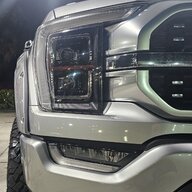
The light bar is on during the day when the truck is not in park. The light bar is NOT part of the DRL's - at least not from a control perspective. You can not adjust the brightness of the bar. It's been proven too many times and last year it was discovered how the light bar is powered. Each half gets power from the headlight on that side of the truck. You turn the power on or off to the light bar through SW of the headlamp.

If you think you are adjusting the brightness of the light bar you must be doing it in two places - each headlight.
Got it so to get the light bar to light up you must have the two rectangular lamps on that are in the headlight and also display.
Sponsored


PAndaemonium

Well-known member
First Name
Chris
Joined
Feb 10, 2024
Threads
8
Messages
90
Reaction score
41
Location
Minnesota
Vehicles
MY23 Ford Lightning XLT ER
did the global windows and glare mod... none of which affect TRM module yet I've been getting a DTC. anyone else?

Code: U0140 - Lost Communication With Body Control Module

Additional Fault Symptom (82):
- Alive/Sequence Counter Incorrect/Not Updated

Status (-08):
- Previously Set DTC - Not Present at Time of Request
- Malfunction Indicator Lamp is Off for this DTC

Module: Trailer Module
 

macguyver13

Member
Joined
Sep 29, 2024
Threads
0
Messages
5
Reaction score
7
Location
US
Vehicles
2024 F-150 Lightning Lariat
Common tab is for ICE trucks so not ideal. I cannot offer a fix but I can recommend looking at each individual change for the 22-23 and then find each of those settings for the 24.
Also, I downloaded the entire spreadsheet and search it for the acronyms used
Thanks, I did as you suggested, but the thing that finally ended up working for me was to put in all the changes documented in the first post of this thread, and then I had to run a "Headlamp Alignment and Calibration" service procedure in Forscan.

Now my glare free lighting works!

Thanks for all the help.
 

rugedraw

Well-known member
First Name
Javier
Joined
Dec 14, 2021
Threads
4
Messages
1,898
Reaction score
2,321
Location
Miami
Vehicles
2021 Ford F150 Platinum FX4 EB/2023 Bronco Sport Badlands/1991 Mustang 5.0 coupe
Occupation
Auto Sales
Thanks, I did as you suggested, but the thing that finally ended up working for me was to put in all the changes documented in the first post of this thread, and then I had to run a "Headlamp Alignment and Calibration" service procedure in Forscan.

Now my glare free lighting works!

Thanks for all the help.
I wonder if this is why my glare-free headlights are working so awkwardly? I'm going to try this tonight. Thanks for sharing!
 

21st Century Truck

Well-known member
First Name
Martin
Joined
Jul 11, 2024
Threads
20
Messages
1,178
Reaction score
1,503
Location
Virginia
Vehicles
Ford 150 Lightning 2023 XLT ER pkg. 312A
PSA - there is an incrementally new version of FORScan out now. Announced improvements = more support for 2021 - 204 Ford models. Version 2.3.63
 

Sponsored

21st Century Truck

Well-known member
First Name
Martin
Joined
Jul 11, 2024
Threads
20
Messages
1,178
Reaction score
1,503
Location
Virginia
Vehicles
Ford 150 Lightning 2023 XLT ER pkg. 312A
Thanks, I did as you suggested, but the thing that finally ended up working for me was to put in all the changes documented in the first post of this thread, and then I had to run a "Headlamp Alignment and Calibration" service procedure in Forscan.

Now my glare free lighting works!

Thanks for all the help.
...so how did You run this Headlight Alignment and Calibration in FORScan? I can't locate it...
 

macguyver13

Member
Joined
Sep 29, 2024
Threads
0
Messages
5
Reaction score
7
Location
US
Vehicles
2024 F-150 Lightning Lariat
It's on the left side, the button is different than the programming one. It's like 1 or 2 buttons above the programming one. You'll see a bunch of procedures that you can run. I don't have access right now so I can't post a photo.
 

21st Century Truck

Well-known member
First Name
Martin
Joined
Jul 11, 2024
Threads
20
Messages
1,178
Reaction score
1,503
Location
Virginia
Vehicles
Ford 150 Lightning 2023 XLT ER pkg. 312A
It's on the left side, the button is different than the programming one. It's like 1 or 2 buttons above the programming one. You'll see a bunch of procedures that you can run. I don't have access right now so I can't post a photo.
Awesome I just found it. I had actually never gone into that FORScan button in the 8 or 9 years of my FORScan use haha.

Self-explanatory I assume? No weird tricks?
 

SNBI18

Well-known member
Joined
Aug 2, 2024
Threads
9
Messages
65
Reaction score
65
Location
NJ
Vehicles
24 Lariat
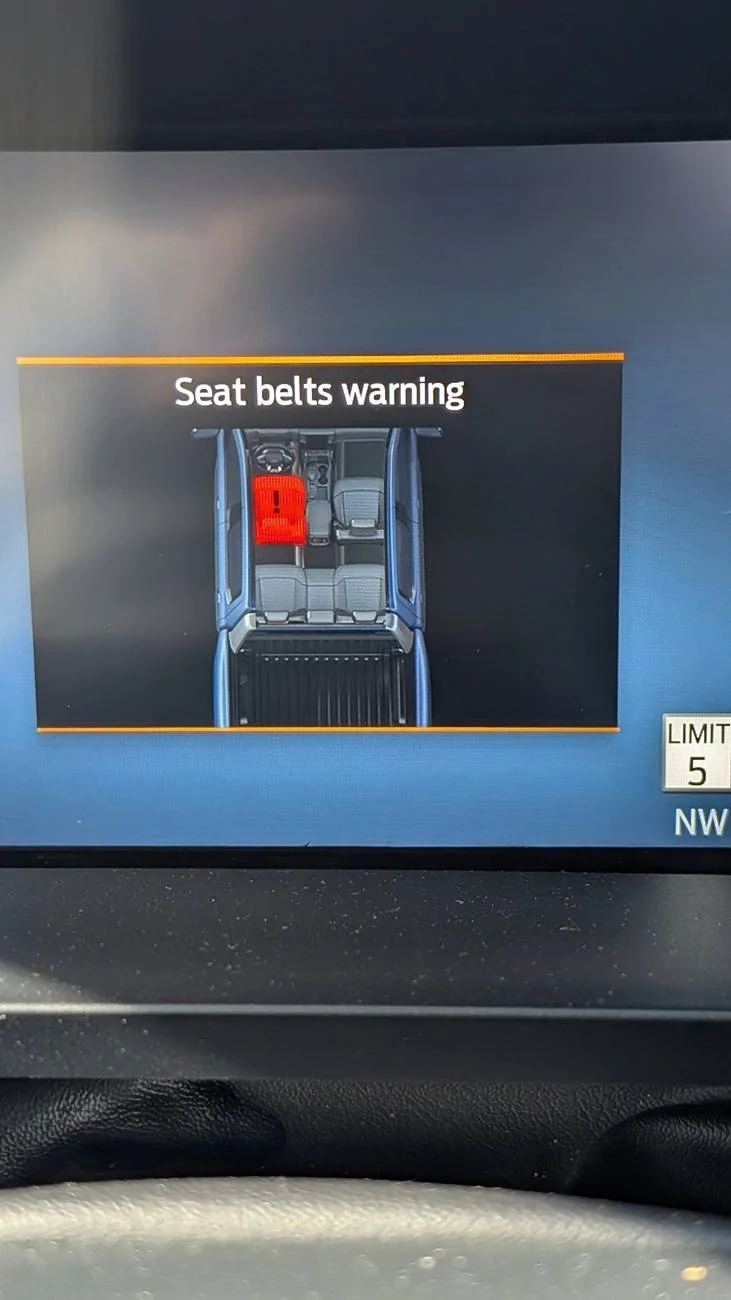
Hey guys I have a 2024 Lariat ER. Just downloaded for scan today. I started to attempt to play. The first change I tried doing was removing the seatbelt chime which was unsuccessful. I followed the code that is listed on the first page of this thread and it did not work.

Any suggestions? And to clarify this is the turn off the chime so that it never goes off even if you are driving right?
 
Last edited:

Sponsored

Pioneer74

Well-known member
Joined
Aug 16, 2021
Threads
39
Messages
3,858
Reaction score
7,039
Location
Dearborn
Vehicles
2022 Lightning Lariat ER - 2025 Mach-E Premium ER
Occupation
Electrician
Hey guys I have a 2024 Lariat ER. Just downloaded for scan today. I started to attempt to play. The first change I tried doing was removing the seatbelt chime which was unsuccessful. I followed the code that is listed on the first page of this thread and it did not work.

Any suggestions? And to clarify this is the turn off the chime so that it never goes off even if you are driving right?
You don't need FORSCAN to get rid of the chime. There is a procedure to do it in the owners manual. And yes, you'll never hear the chime.
 

SNBI18

Well-known member
Joined
Aug 2, 2024
Threads
9
Messages
65
Reaction score
65
Location
NJ
Vehicles
24 Lariat
You don't need FORSCAN to get rid of the chime. There is a procedure to do it in the owners manual. And yes, you'll never hear the chime.
The issue with this is then you can't access any screen on the gauge cluster. Your stuck with just this screen.

Ford F-150 Lightning F150 Lightning FORscan thread PXL_20241017_174407116.MP
 

Pioneer74

Well-known member
Joined
Aug 16, 2021
Threads
39
Messages
3,858
Reaction score
7,039
Location
Dearborn
Vehicles
2022 Lightning Lariat ER - 2025 Mach-E Premium ER
Occupation
Electrician
The issue with this is then you can't access any screen on the gauge cluster. Your stuck with just this screen.

PXL_20241017_174407116.MP.jpg
Not true. I don't have that screen and my seatbelts have been turned off using the procedure in the manual since the day I bought it.
 

SNBI18

Well-known member
Joined
Aug 2, 2024
Threads
9
Messages
65
Reaction score
65
Location
NJ
Vehicles
24 Lariat
Okay I figured out how to fix this issue. You can use Ford's method to disable the chime. But now to disable that pop up and the blinking red seat belt light on your dashboard use the following code:

Before
IPC - 720-13-01
IPC - 720-13-02
IPC - 720-14-01
IPC - 720-14-02

Change to all zeros and let Forscan correct the checksum.

No light for driver or passenger.
 

flyin525

Well-known member
First Name
Richard
Joined
Oct 26, 2022
Threads
8
Messages
340
Reaction score
443
Location
Youngsville, NC
Vehicles
2022 Ford Lightning Lariat ER
Not true. I don't have that screen and my seatbelts have been turned off using the procedure in the manual since the day I bought it.
Same here. I just followed the directions in the owners manual. It worked like a charm with this truck and my last f-150.
Sponsored

 
Status
Not open for further replies.


Top