Jesse-Infotainment
Well-known member
- Thread starter
- #76
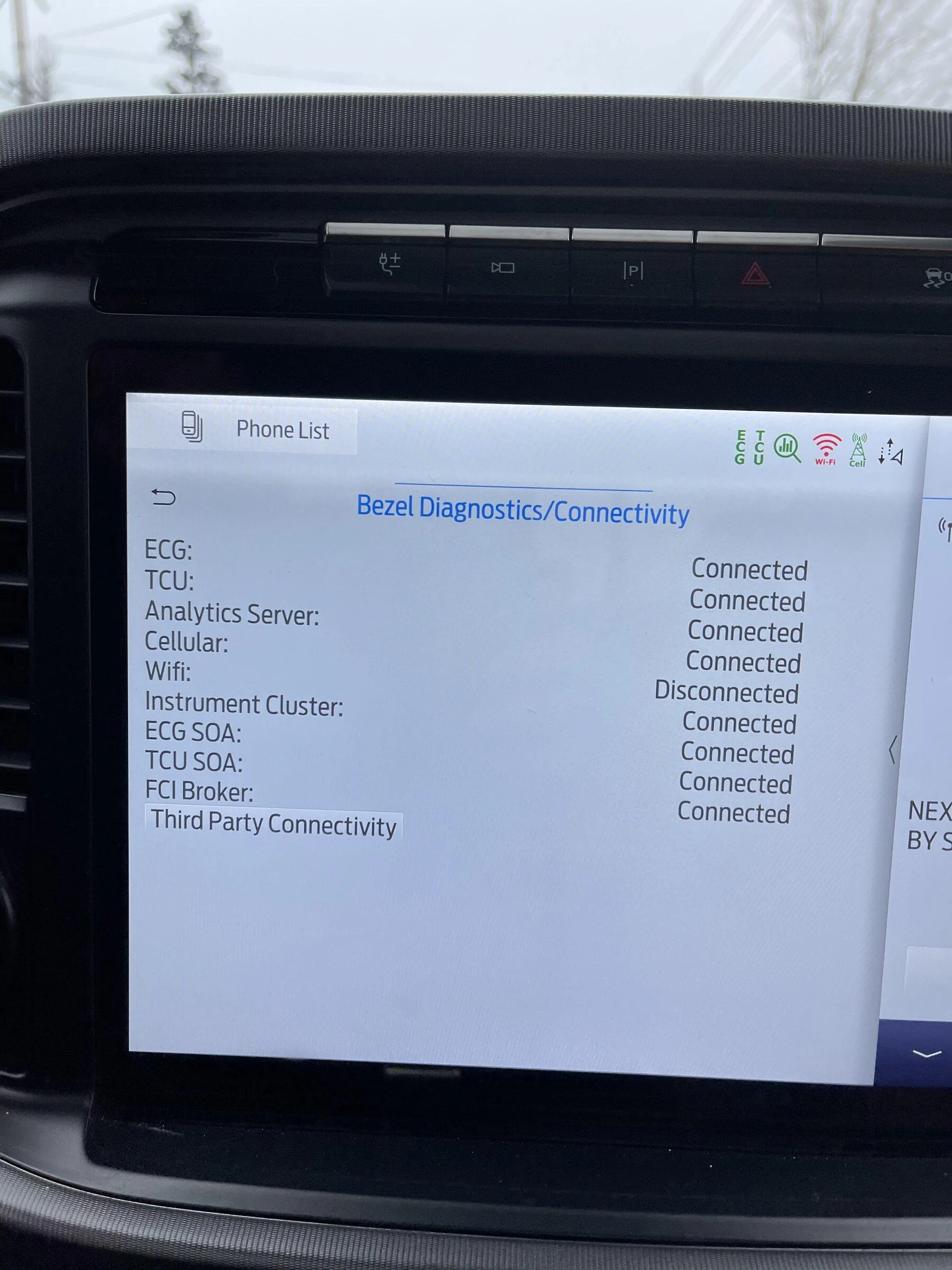
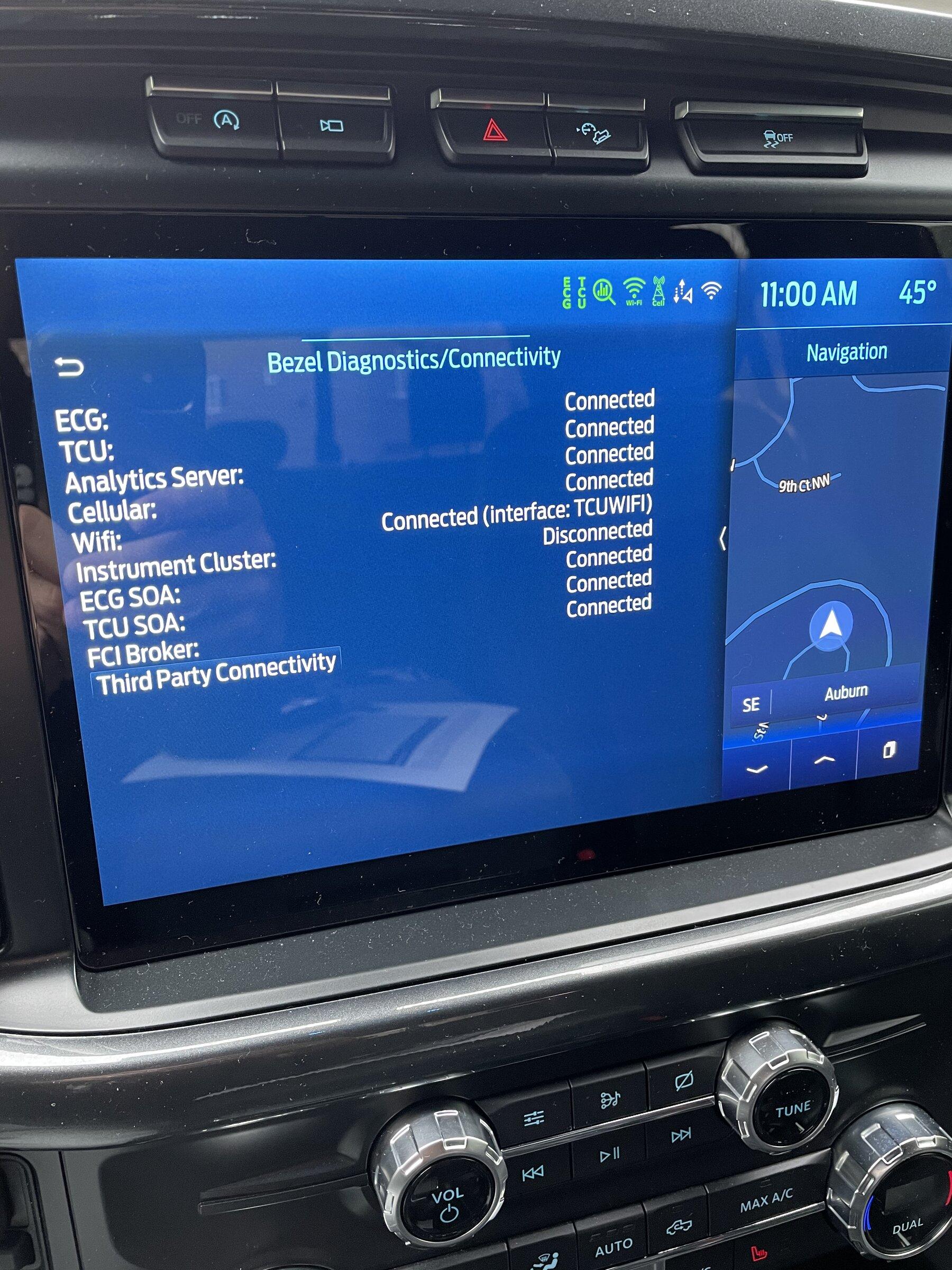
Sounds like a strange situation you have going.Thanks for checking. I guess I’m screwed until they replace my TCU.
Can you Pm your vin so I can take a look
Sponsored
Sounds like a strange situation you have going.Thanks for checking. I guess I’m screwed until they replace my TCU.
Oh, yeah. Going on five months. PM sent. Thanks.Sounds like a strange situation you have going.
Can you Pm your vin so I can take a look
Good to hear!Was on the 2.1 thread and had issues with XM. Received 2.3 today and all seems fixed.
There is a TSB out that instructs them to manually update GWM prior updating APIM.Went to the dealer, they couldn’t update. Even though I asked them to update the TCU, Gateway and APIM, they only tried the APIM.
Has anyone been able to update the APIM after Ford techs failed?
I’m suspecting that the updates might need to be done in a certain order or something.



We’re you having issues with not being able to turn on updates etc like a lot of us ? And having the sync revision blanked out etc. thanksI don’t know if this is just a fluke, but I’ve received 3 OTA updates in the last week lol. I had no updates at all in 2021. I learned 2.3.0 is rolling out from this thread. When the ‘latest and greatest’ Ford pushed to my VIN was already several months old upon install I was a little cranky, but it led me to tinker with the system more.
January 11, 2022 - OTA 1.4.0
January 14, 2022 - OTA 1.7.0
January 18, 2022 - OTA 2.1.0
What I’ve been doing is manually hard rebooting the APIM twice after each successful install and resetting the scheduled updates feature to occur within 1 hour every time I park overnight. In the workshop manual I read that the parking brake was a parameter for OTA updates to successfully execute so I’ve also been sure to set it on even if it’s just parked in my flat driveway.
I was going to change my APIM country code as previously mentioned from Canada to USA to see if it would influence updates, but I did not attempt that yet whereas these updates suddenly just started to finally all come down the pipe.
I reboot the APIM twice because when I first started using ForScan with this generation I noticed that the APIM had to be hard reset twice for new settings to take effect. It’s as though there’s a process that hangs in the APIM and it needs extra convincing to restart.
I noticed this same issue after OTA 1.7.0
The PowerGenerator UI Element changed according to the change log but I didn’t actually see the change take effect until I hard reset Sync 4 twice in consecutive order even though the System version indicated 21146 Rev 145 the entire time.
OTA 1.7.0 also resolved (for me) some Sirius channel icons not appearing.
My suggestion to everyone here is to hold power and seek forward to reboot your system twice after each update (and after using ForScan to make changes).
The changes I made were:
Disable WiFi in Sync 4. Maybe a necessary port on my home router was closed, so I just removed it from the guesswork. Let the TCU work its magic.
Got in the habbit of setting the parking brake on as indicated in the workshop manual.
Hard reboot Sync 4 frequently.
Schedule update checks to take effect 1 hour after parking for the night.
No. You may want to read the thread linked below. A few people have had faulty TCU’s straight from the factory.We’re you having issues with not being able to turn on updates etc like a lot of us ? And having the sync revision blanked out etc. thanks

dug through that thread. Got here, now I’m confused.No. You may want to read the thread linked below. A few people have had faulty TCU’s straight from the factory.
https://www.f150forum.com/f129/wireless-app-projection-wont-enable-501424/index5/#post6946445
As for information not populating, I’ve accepted that missing UI elements is the default theme in Sync 4.