bc1
Well-known member
- Joined
- Oct 25, 2025
- Threads
- 13
- Messages
- 458
- Reaction score
- 335
- Location
- McPherson, KS
- Vehicles
- 2025 Ford f150 Lightning Flash
I'm planning a trip this weekend from Kansas to Marysville, Washington. What I have figured out so far is that I use ABRP and Tesla apps to located all the charging stations and as before will use Google maps with android auto for laying out the whole trip and/or at least to where I decide is my next nightly stop.
Where Ford Nav comes in handy is that it is the best so far for driving into a big city with multiple exits and lanes very close together as it shows an enlarged map with what lane to be in etc and which exit to take. Also using Ford Nav in conjunction with google maps is I put in the exact address of the next Tesla/Ionna charging station to get turn by turn guidance to the station as some are located in off the wall places and I still have all the main trip information available such as ETA and miles, etc from google maps. Knowing that it is going to a charging station, Ford Nav will precondition the battery. That said, I'm not sure it takes a whole lot longer to charge without preconditioning. Another things about this trip is that I won't be going through any of those big city multiple exit interchanges so that feature won't be needed. I'll get dual verbal notifications but I can mute either one if need be. I believe also that Ford Nav will get better construction updates and reroutes for construction as well as will reroute you if you decide to stop for dinner or see something, etc without the constant make a U turn verbal instruction which is turned down anyway. Finally Ford Nav gives you the turn instructions better with the dash screen and when there are multiple possible turn options within 500' to 1000' of each other. I have turned too early with google maps many times.
I also just used Google Gemini AI to plan the trip and it has given me all the same information I got from the above methods with the exact addresses of the charging stations to load into Ford Nav. I went through the various scenarios if I went out on I70 through Colorado, I80 through Wyoming, or I90 through Montana. Plus had alternate night stops depending upon what time we leave or how far I want to drive each day. Gemini saves all conversations so I can go back to it before we leave and update anything as well. It also pointed out what of the particular charging stations (1A, etc.) have the highest charging transformer. Easy Peasy.
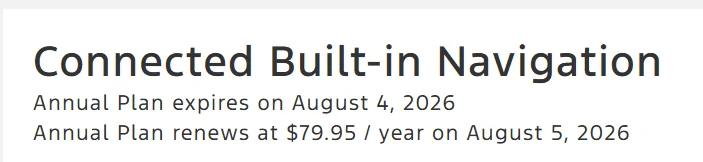
How much I would pay to renew it whenever that comes up is a decision to be made later but not much since I don't go on big trips that often and if I lived in a big city then I would learn the exits through practice so it wouldn't be needed.
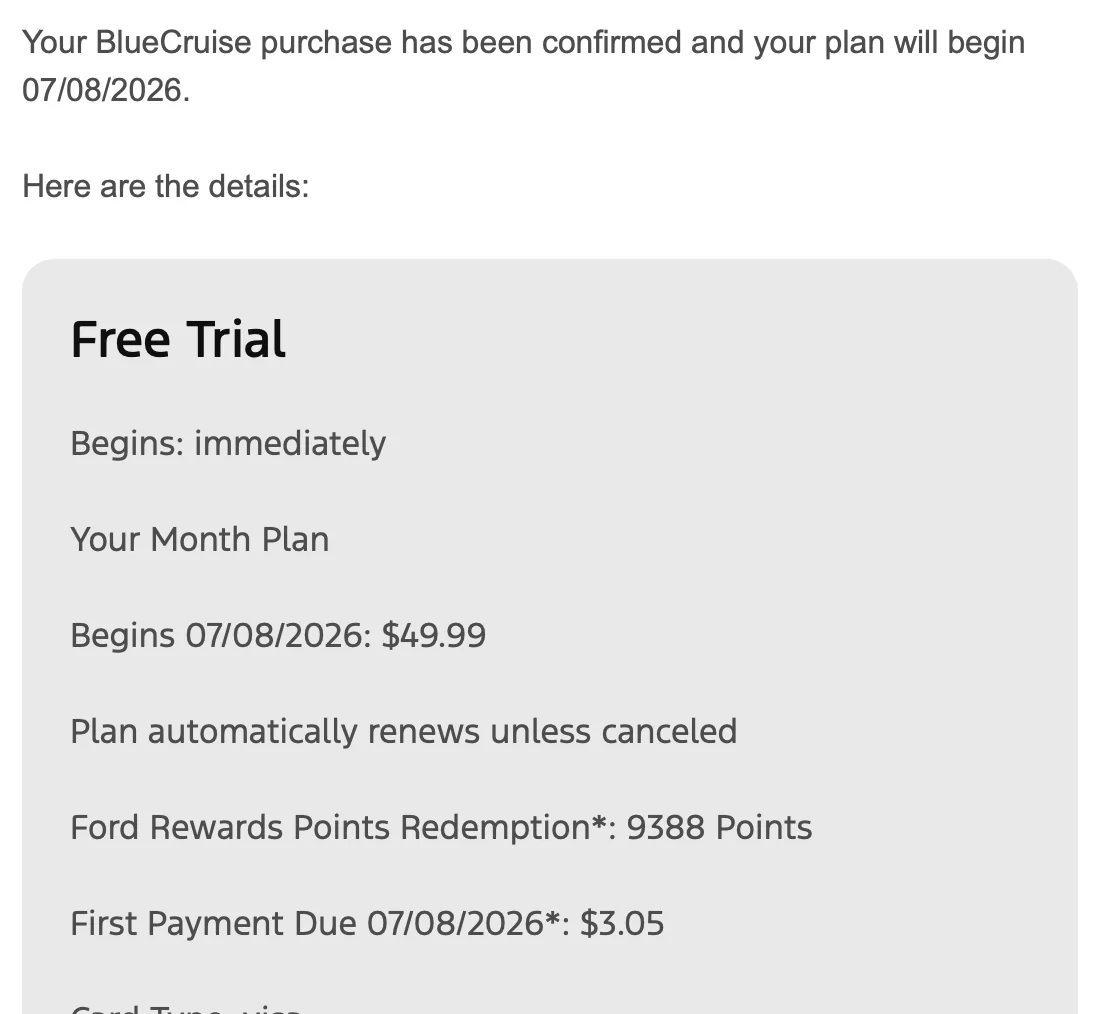
So far I don't use Blue Cruise often enough to pay much more than 50 bux a year particularly with our high winds and truck traffic on the interstate where I always have a hand on the wheel in case a wind gust blows a truck over at me when passing.
Where Ford Nav comes in handy is that it is the best so far for driving into a big city with multiple exits and lanes very close together as it shows an enlarged map with what lane to be in etc and which exit to take. Also using Ford Nav in conjunction with google maps is I put in the exact address of the next Tesla/Ionna charging station to get turn by turn guidance to the station as some are located in off the wall places and I still have all the main trip information available such as ETA and miles, etc from google maps. Knowing that it is going to a charging station, Ford Nav will precondition the battery. That said, I'm not sure it takes a whole lot longer to charge without preconditioning. Another things about this trip is that I won't be going through any of those big city multiple exit interchanges so that feature won't be needed. I'll get dual verbal notifications but I can mute either one if need be. I believe also that Ford Nav will get better construction updates and reroutes for construction as well as will reroute you if you decide to stop for dinner or see something, etc without the constant make a U turn verbal instruction which is turned down anyway. Finally Ford Nav gives you the turn instructions better with the dash screen and when there are multiple possible turn options within 500' to 1000' of each other. I have turned too early with google maps many times.
I also just used Google Gemini AI to plan the trip and it has given me all the same information I got from the above methods with the exact addresses of the charging stations to load into Ford Nav. I went through the various scenarios if I went out on I70 through Colorado, I80 through Wyoming, or I90 through Montana. Plus had alternate night stops depending upon what time we leave or how far I want to drive each day. Gemini saves all conversations so I can go back to it before we leave and update anything as well. It also pointed out what of the particular charging stations (1A, etc.) have the highest charging transformer. Easy Peasy.
How much I would pay to renew it whenever that comes up is a decision to be made later but not much since I don't go on big trips that often and if I lived in a big city then I would learn the exits through practice so it wouldn't be needed.
So far I don't use Blue Cruise often enough to pay much more than 50 bux a year particularly with our high winds and truck traffic on the interstate where I always have a hand on the wheel in case a wind gust blows a truck over at me when passing.
Sponsored
Last edited: