


cjduello
Well-known member
- First Name
- Chris
- Joined
- Mar 3, 2021
- Threads
- 0
- Messages
- 47
- Reaction score
- 4
- Location
- Fenton, MO
- Vehicles
- 2021 Lariat SCREW EB 502A Sport FX4


Because the battery monitoring sensor is clamped to the negative post and the shop manual provides this warning: “ NOTICE: Do not connect the negative (black) charger clamp directly to the battery monitoring sensor, it must be connected to an engine or chassis ground to relearn the battery's state of charge.”Why not connect to the battery terminals negative post?
Probably not a problem. We’ve all done it. But to be safe you might want to use the relearn procedure on p. 473 of the owner’s manual if you haven’t done so just with normal use:I would recommend using the method that Ford recommends, but I must admit that I never thought about it and had my battery maintainer connected to the battery posts for a couple of days while I did 14 module updates. It's been a couple of weeks and I haven't experienced any signs of trouble.

Thx for this, I added it to the doc and a pic showing proper connection to the vehicle chassis ground.This Bulletin has a statement that connecting to negative post may adversely affect the BMS system.
https://www.f150forum.com/attachmen...ry-charging-testing-quick-reference-guide.pdf
YepProbably not a problem. We’ve all done it. But to be safe you might want to use the relearn procedure on p. 473 of the owner’s manual if you haven’t done so just with normal use:
“After battery replacement, or in some cases after charging the battery with an external charger, the battery management system requires eight hours of vehicle sleep time to relearn the battery state of charge. During this time your vehicle must remain fully locked with the ignition off.”


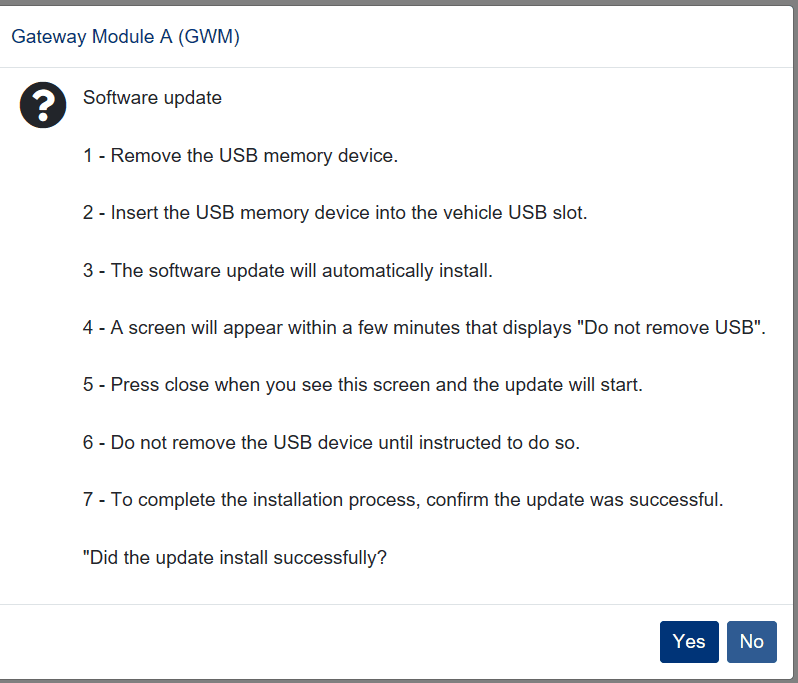
APIM update should not take longer that 15-20 minutes from the point when it instructs you to "Not Remove the USB Drive" on your Sync screen. You should get this prompt minutes after inserting the USB drive into the truck's media hub. Once update is installed, you should be presented with "Restart Required" message. If you haven't received the prompt on your Sync screen, your APIM update did not kick off and there is no point waiting. It is possible your APIM is the "limbo" mode after failed 1.7.1 OTA just like many users on this thread experienced.@iceman77 how long for the APIM update? Still waiting after almost 2 hours with the truck running...
APIM update should not take longer that 15-20 minutes from the point when it instructs you to "Not Remove the USB Drive" on your Sync screen. You should get this prompt minutes after inserting the USB drive into the truck's media hub. Once update is installed, you should be presented with "Restart Required" message. If you haven't received the prompt on your Sync screen, your APIM update did not kick off and there is no point waiting. It is possible your APIM is the "limbo" mode after failed 1.7.1 OTA just like many users on this thread experienced.
I didn't fail 1.7.1 but I did on 2.3.0. I messaged you...APIM update should not take longer that 15-20 minutes from the point when it instructs you to "Not Remove the USB Drive" on your Sync screen. You should get this prompt minutes after inserting the USB drive into the truck's media hub. Once update is installed, you should be presented with "Restart Required" message. If you haven't received the prompt on your Sync screen, your APIM update did not kick off and there is no point waiting. It is possible your APIM is the "limbo" mode after failed 1.7.1 OTA just like many users on this thread experienced.


