Jesse-Infotainment
Well-known member
No, nothing you can do about it.Jesse, thanks for that. I've updated the PCM this morning, took about 5 mins.
Any tips on getting the pesky GSM to clear? I've done it like three times now.
Mike
Sponsored
No, nothing you can do about it.Jesse, thanks for that. I've updated the PCM this morning, took about 5 mins.
Any tips on getting the pesky GSM to clear? I've done it like three times now.
Mike
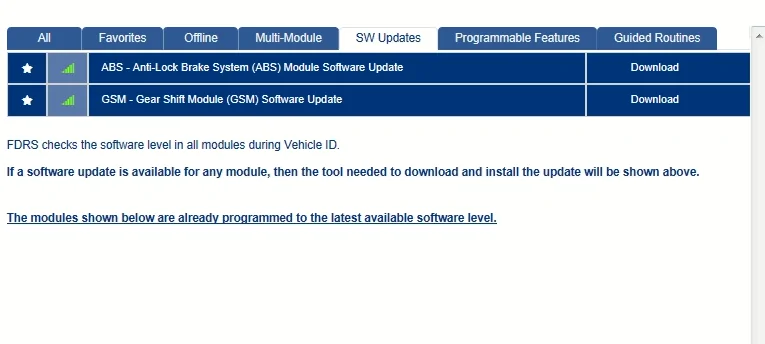
Let me know how it goes if you do it.Pulled up FDRS today. Have a new ABS update. I was completed up to date.

No idea. Has 22 part number. So maybe a tweak update.Any intel on what the ABS update helps with or enhances?

I’ve had OTAs. I had two gateway OTA.. but I am usually ahead of the game doing them manually. The as build will self report. There is really no difference in an OTA and fdrs update they both act the same. The issue will come in the reconfigure after the update is done. It can cause issues like we saw with a few in ipma and so on. I don’t worry about it though at this point if something happens I just fix it but no I have not blocked OTAs@Jesse-Infotainment with all the as-built and hardware changes do you have OTA auto updating disabled so it doesn't mess with forscan changes like we've seen with APIM and IPC updates before? Or is Ford so confused by your truck it doesn't even try to OTA?

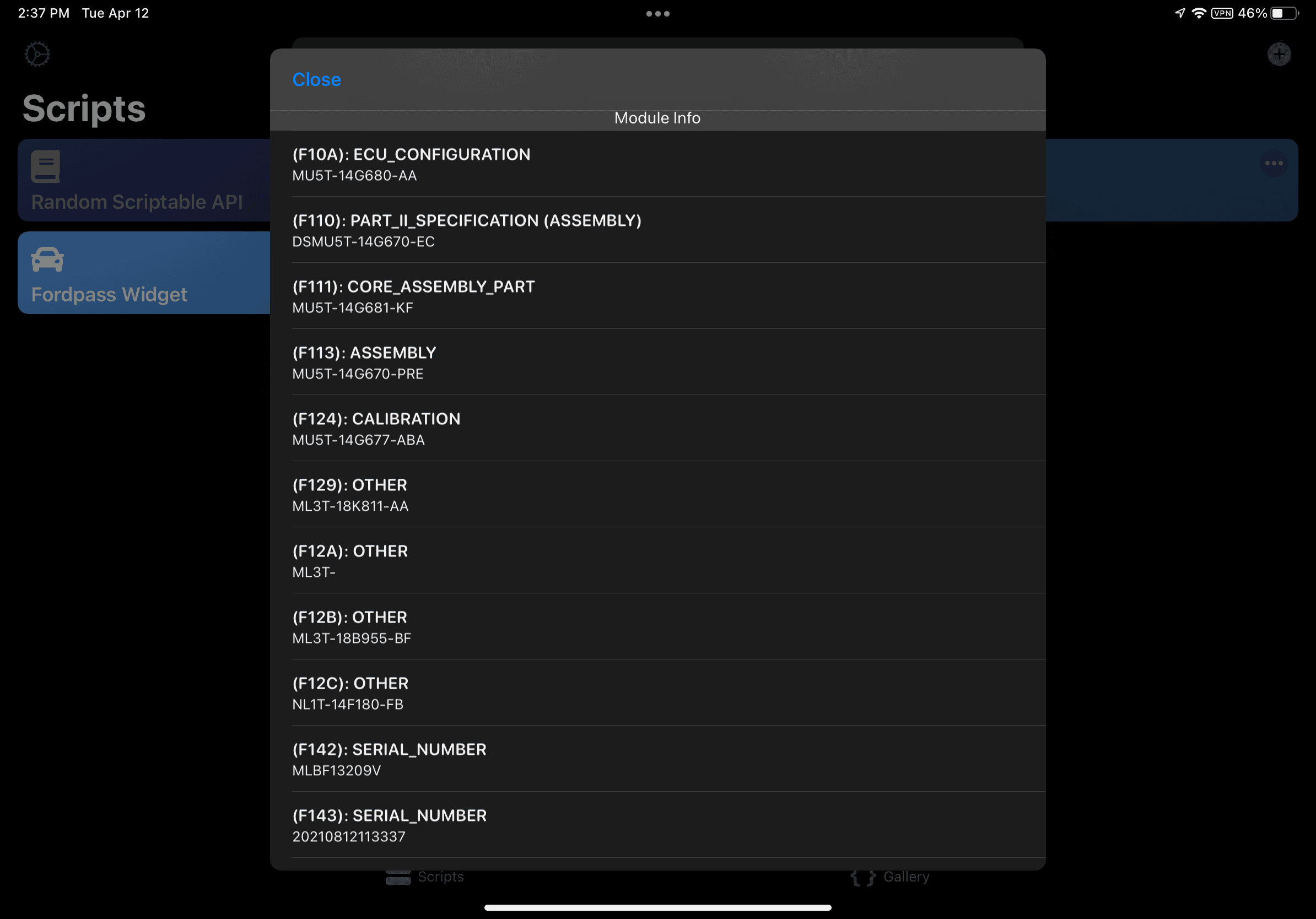
Mine also shows this. I have a BC enabled Job1 2021@Jesse-Infotainment , is this normal on the APIM? The ML3T- under (F12A). This is a job2 and it’s never had an APIM Update, so not related to an update. Just curious if others see the same thing; Seems odd.

m seems to report in a few odd ways .. not sure why but it does even in fdrs@Jesse-Infotainment , is this normal on the APIM? The ML3T- under (F12A). This is a job2 and it’s never had an APIM Update, so not related to an update. Just curious if others see the same thing; Seems odd.

are you saying this is a possible solution to the failed ota updates the job 1 trucks are seeing? cause ive been having the greyed out update button and no version number. i just tried the reset process with my mx+ and forscan lite and it brought back my update button and number. i'll see what happens.For the APIM Sync issue, try to force restart the module with Forscan/FDRS and see if it fixes it. I know with any Forscan change I've made, it needs to be reset to see it, or you have to let the truck sit to fully power down first.