

BennyTheBeaver
Well-known member
It doesn't do anything. It won't change your brightness.I just did the change and can't tell any difference. Do I need to reset any modules after saving the new in value in the BdyCM?
Sponsored
It doesn't do anything. It won't change your brightness.I just did the change and can't tell any difference. Do I need to reset any modules after saving the new in value in the BdyCM?
Gotcha. Maybe op should remove the settings that don't work.It doesn't do anything. It won't change your brightness.
This thread is a constant work in progress. Some mods don’t work for everyone. Could be user error, truck differences, etc. Some don’t work for anyone but it’s good to have the documentation as there may be another piece missing.Gotcha. Maybe op should remove the settings that don't work.
You backed up your "as-built" files. You are fine. Changing the hex values manually or using the "word-version" changes the same underlying file. Just restore back to your saved "as-build" files.Help! Ahh i botched something with forscan, go figure! I changed a bunch of goodies within the word version instead of hex which seemed to go great. My 2 issues i currently have are the lightbar no longer comes on even though DRL is turned on within the car controls. the lightbar works fine when headlights are on and the brightness is increased as i programmed. second the easy exit is on even though it is turned off in the control center. Not sure what would have changed that. any help is appreciated. yes i did back up the AsBUILT before making changes in hex but i didnt think to do it before i made changes in the word version
Glad I found this. I just realized my drive modes are gone as well and I have the trailer side view setting enabled. Anybody got some thoughts on this?When I enabled the Trailer Side View camera option and it disabled the Controls menu item for Drive Modes, it reminds me of the late 90's using RegEdit.exe to tweak my Windows computer in hopes I don't screw it up.
My fear now is I'm not sure where the install disks are for the truck! ?

| DDM | 740-06-02 | xxxx | xxxx | 01-- |
Just leave them alone - it is a hash value that the software will calculate and fill in.Sorry for the noob question, but what do the dashs mean at the end? Leave alone, or delete?
DDM 740-06-02 xxxx xxxx 01--
Would the only thing to change here is the 1? or 1 and delete the last two characters?
Highly recommend you read Livininup's tutorial here. He is the one that maintains those codes you are looking at. His tutorial explains the check digits and much more (like making backups before you do anything).Sorry for the noob question, but what do the dashs mean at the end? Leave alone, or delete?
I am also looking for a solution to this. I find access to the cameras useful for towing/hauling odd objects, but the front camera at every startup is unnecessary.your settings worked for me to have cameras at speed, however, it goes to the camera as soon as i go into drive mode... any way to change that?
Sorry n00b question, what do the dashes versus “x” mean? I read the instructions and the X’s mean no change, but I don’t see any verbiage for the dashes.I've started playing around with module configuration in our Lariat ER using FORscan and didn't see any dedicated threads for this subject. It would be nice to have a centralized place to share troubleshooting tips. The public version of FORscan doesn't work with BEVs, so you need to email the support team and they may choose to share a BEV-enabled beta version with you. Unsurprisingly, there's a lot of module overlap between the ICE F150 and the Lightning so you can get a good idea of how to enable settings via this thread from FORScan guru @Livnitup. I've tried the following setting changes. MAKE SURE YOU BACK UP YOUR ASBUILT DATA BEFORE MAKING CHANGES. SOME CHANGES WILL BE UPLOADED TO THE MOTORCRAFT SERVICES ASBUILT SITE AND YOU WILL NOT BE ABLE TO RECOVER THE ORIGINAL SETTINGS. ALSO BACKUP YOUR FORScan SETTINGS REGULARLY.
Global window open/close using keyfob: successful in Lariat ER with 5/5/22 build date, but it only works on the front windows because one-touch is not enabled in the back windows.
DDM 740-06-02 xxxx xxxx 01-- PDM 741-06-02 xxxx xxxx 01-- DDM 740-06-03 01xx xxxx xx-- PDM 741-06-03 01xx xxxx xx-- BCM 726-11-02 xx01 xx01 xx-- BCM 726-22-01 xxxx xxxx 01-- BCM 726-22-02 xxxx xxxx 01-- APIM 7D0-09-01 xxxx xExx xx--
Propulsion sound: in progress, so far unsuccessful. I was able to make the button show up on the drive mode page by changing the APIM coding at 7D0-09-05, but it only stays on for a second before switching off. I don't notice any difference in motor sound for the brief moment it stays on. I assume that there is another setting in the ACM that needs to be changed to enable it. I guess it's possible that there is some hardware that is missing in non-Platinum trims but that seems less likely.
APIM 7D0-09-05 xxCx xxxx xx--
changing 727-01-01 to "xxxx xxxx 0x--" does not enable propulsion sound.
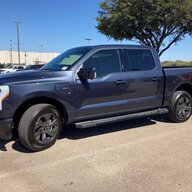
Glare-free (matrix) headlights (localized dimming of brights based on surrounding traffic): Successful Lariat ER with 5/5/22 build date. The necessary hardware is available in my Lariat ER trim. The swiveling (dynamic bending) lights continue to work with these settings. Settings were adapted from this F150gen14 ICE forum thread. Also thanks to @FlasherZ and
APIM 7D0-09-01 x1xx xxxx xx-- APIM 7D0-09-03 xxCx xxxx xx-- IPMA 706-01-01 xxxx xxx9 xx-- SCCM 724-04-01 xxx4 xxxx xx-- HCM 734-01-02 xxxx x2xx xx- HCM 734-03-02 xxxx xxx1 x1-- HCM 734-11-01 0735 89 IPC 720-01-01 xx8x xxxx xx-- IPC 720-10-01 xxxx xxx3 xx--
Motor/battery numerical temperature: not successful, may not be possible. The ICE trucks let you surface numerical values for the coolant and transmission temperatures and I'm assuming there's something similar for the Lightning.
Changing 720-07-01 to "xxxx xxE5 xx--" or "xxxx xxA5 xx--" doesn't enable numerical temperature displayDisable double honk with exit of running vehicle: successful in Lariat ER with 5/5/22 build date.
BCM 726-63-02 xxx0 xxxx xx--
Lincoln Folding Mirrors Setting (folds when locked--only unfolds when ignition started): successful in Lariat ER with 5/5/22 build date.
DDM 740-03-16 xxxx xxxx 01-- PDM 741-03-16 xxxx xxxx 01--
Disable Seatbelt Reminder: successful in Lariat ER with 5/5/22 build date.
IPC 720-01-01 xxxx xx0x xx--
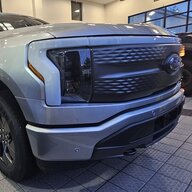
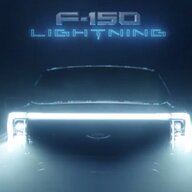
DRL/Lightbar Brightness Adjustment (From @jredondox)
BCM 726-42-01 x2x2 xxxx xxxx
BCM (this setting adjusts brightness) 726-38-01 xxxx 64xx xxxx
64 =100%
5A = 90%
4B =75%
32 = 50%
19 = 25%
0A =10%
Change Number of Blinks in Turn Indicator (From @jredondox)
724-01-01 XXXX-8CXX XX for 3 clicks
724-01-01 XXXX-94XX XX for 5 clicks
724-01-01 XXXX-98XX XX for 6 clicks
Please post if you've found any other settings that work with the Lightning.
Ford module software is written with these dashes. They separate discrete items on a particular software line.Sorry n00b question, what do the dashes versus “x” mean? I read the instructions and the X’s mean no change, but I don’t see any verbiage for the dashes.
Thank you!
I think so! So I would replicate the dashes looking if I see it on the instructions/posting?Ford module software is written with these dashes. They separate discrete items on a particular software line.
So, if you see dashes in the module script in between "x"s, there are corresponding dashes when you run that module line thru FORScan. Think of them as punctuation.
Hope this makes sense.
You'll see them in the software line and you just "go around them" haha 'cause they're permanent / unchangeable. Like curbs.I think so! So I would replicate the dashes looking if I see it on the instructions/posting?
Thank you so much for your help!!


