Sponsored

Comma AI self driver assistant

UncleTony

Well-known member
First Name
Tony
Joined
Apr 18, 2025
Threads
2
Messages
370
Reaction score
421
Location
Texas
Vehicles
2023 Lightning Lariat
Occupation
Cybersecurity Engineer
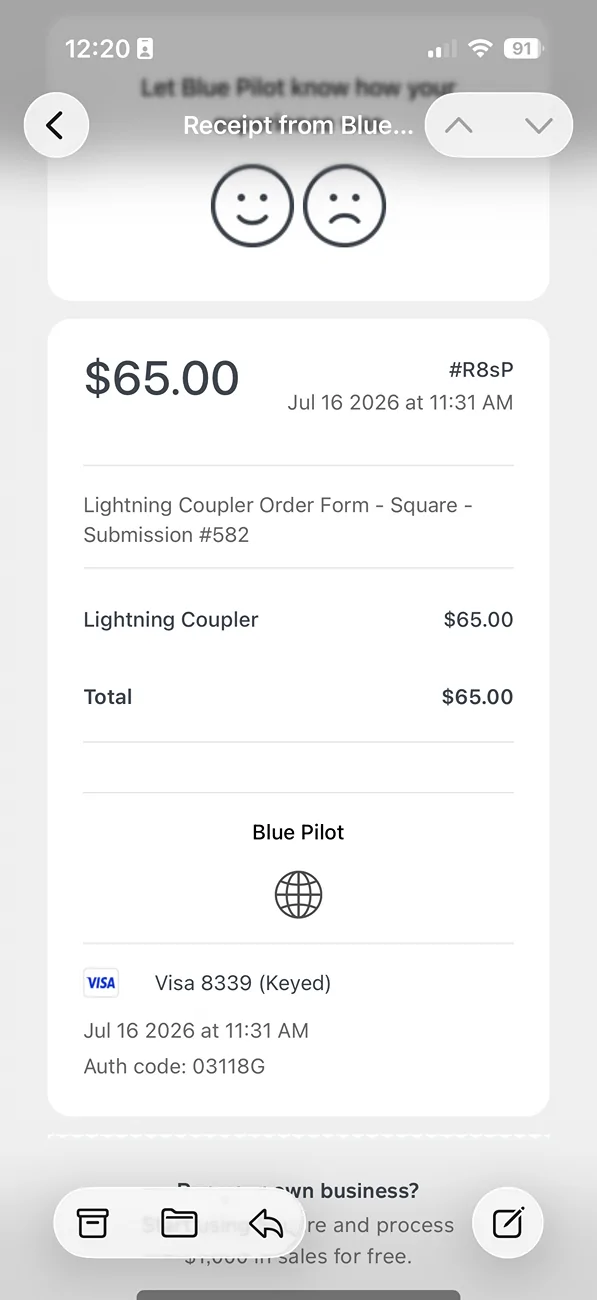
Howdy, first post here. I purchased my comma ai 4x and blue pilot usb c last week. The comma ai came in yesterday, but I have no updates from blue pilot and no way to get ahold of anyone. If I have to wait, that’s fine, I just would like to know that what I bought is real and I’ll eventually get it lol

IMG_2528.webp
Did you not get the email address with the receipt? You should have gotten an email to contact once you paid.

You should have also gotten tracking from pirate ship.
Sponsored

 
  • Like
Reactions: EVO

TXSlr

New member
First Name
SOlar123!!
Joined
Jan 4, 2025
Threads
0
Messages
2
Reaction score
1
Vehicles
2024 Lightning Flash
Occupation
solar professional
I didn’t know the email was named “pirate” I just searched my email and it was delivered last night by the mail. I just checked it and now I have it! Ha, thanks everyone! Hopefully I won’t be back here in a few hours confused on how to make it work lol
 
  • Like
Reactions: EVO

UncleTony

Well-known member
First Name
Tony
Joined
Apr 18, 2025
Threads
2
Messages
370
Reaction score
421
Location
Texas
Vehicles
2023 Lightning Lariat
Occupation
Cybersecurity Engineer
I didn’t know the email was named “pirate” I just searched my email and it was delivered last night by the mail. I just checked it and now I have it! Ha, thanks everyone! Hopefully I won’t be back here in a few hours confused on how to make it work lol
There should have been a contact email on the receipt - it looks like square removed it. Sorry about that, I will look into what happened.
 

UncleTony

Well-known member
First Name
Tony
Joined
Apr 18, 2025
Threads
2
Messages
370
Reaction score
421
Location
Texas
Vehicles
2023 Lightning Lariat
Occupation
Cybersecurity Engineer
I guess square changed their receipt layout and removed emails from the contact info. Everyone's receipts should be updated with the information and will be included again going forward.
 
  • Like
Reactions: EVO

BluesClues

Well-known member
Joined
Nov 27, 2024
Threads
3
Messages
111
Reaction score
91
Vehicles
2022 f150 lightning sr lariat
Even WD40 has me hugging the right at low speed. I've tried recalibrating a few times, but will do a few more highway drives.
 

Sponsored

ZheWiz

Well-known member
First Name
Jack
Joined
Mar 19, 2024
Threads
1
Messages
141
Reaction score
194
Location
Central NY State
Vehicles
2023 F150 Lariat ER. Less Tech than CT 😘
Occupation
Database Developer
Even WD40 has me hugging the right at low speed. I've tried recalibrating a few times, but will do a few more highway drives.
I’m seeing this behavior as well from WD40. Dark souls v2 was ping ponging all over the place. I am lifted (Eibach kit at max height) though.
 

BluesClues

Well-known member
Joined
Nov 27, 2024
Threads
3
Messages
111
Reaction score
91
Vehicles
2022 f150 lightning sr lariat
try dark souls v2
I started here and still see the goal path indexed to the right (again, the truck is following the target path, but it just looks wrong for where I personally think I should be in the lane).

I've tried (multiple recalibration on all) CD210, WD40, Dark Souls - maybe just need more driving time on each (I only did a short path but noticed the same visual behavior)
 

Ajzride

Well-known member
First Name
Alan
Joined
Jun 6, 2021
Threads
4
Messages
814
Reaction score
911
Location
Houston
Vehicles
21Mach-E / 65Mustang / 21PB 502A 157"
Occupation
Eng
I started here and still see the goal path indexed to the right (again, the truck is following the target path, but it just looks wrong for where I personally think I should be in the lane).

I've tried (multiple recalibration on all) CD210, WD40, Dark Souls - maybe just need more driving time on each (I only did a short path but noticed the same visual behavior)
every time you reset your calibration your live delay starts over. It takes about 20 minutes above 50mph for live delay to calculate. Until live delay is established you can’t fine tune.
 

BluesClues

Well-known member
Joined
Nov 27, 2024
Threads
3
Messages
111
Reaction score
91
Vehicles
2022 f150 lightning sr lariat
every time you reset your calibration your live delay starts over. It takes about 20 minutes above 50mph for live delay to calculate. Until live delay is established you can’t fine tune.
Thank you for this critical info LOL - will go back to Dark Souls and try again! Enjoy vacation

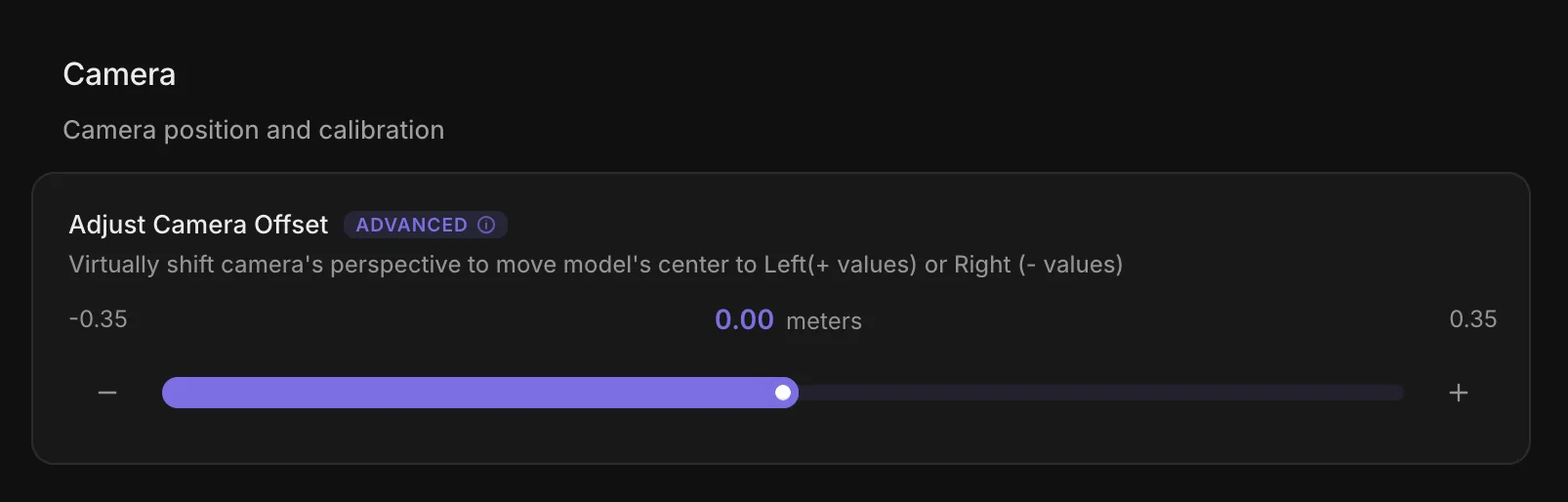
Edit: Is this setting not worth a shot?

Ford F-150 Lightning Comma AI self driver assistant 1784680268508-6
 
Last edited:

Sponsored
First Name
Patrick
Joined
Jun 2, 2026
Threads
0
Messages
5
Reaction score
9
Location
Texas
Vehicles
2025 F150 Lightning Platinum
No.. there's a few upgrades happening including a firmware flash. Just wait it out.
How long does the upgrade take with the blanked out screen? I'm currently at 15 min on my c4 after factory reset, and starting to question my patience lol.
 

BluesClues

Well-known member
Joined
Nov 27, 2024
Threads
3
Messages
111
Reaction score
91
Vehicles
2022 f150 lightning sr lariat
How long does the upgrade take with the blanked out screen? I'm currently at 15 min on my c4 after factory reset, and starting to question my patience lol.
i went for a walk for 30 minutes and gave up, pulled power and luckily BP loaded.
 
First Name
Patrick
Joined
Jun 2, 2026
Threads
0
Messages
5
Reaction score
9
Location
Texas
Vehicles
2025 F150 Lightning Platinum
i went for a walk for 30 minutes and gave up, pulled power and luckily BP loaded.
Thanks. After 30 minutes i pulled the plug and brought it inside. Luckily it booted to 7.0 so i think I should be good. Will test it out on the way to work tomorrow.
 

Lake Placid Lightning

Well-known member
First Name
Mark
Joined
Apr 12, 2025
Threads
5
Messages
90
Reaction score
108
Location
Upstate NY
Vehicles
2023 Lariat SR w/510A
Occupation
Civil Engineer
Installing BluePilot v7.0 on a Comma 4 that already has BluePilot v6.0.

Best practice is to remove the Comma 4 from your vehicle and bring inside your house/apartment where there is a strong wifi signal:
  • Factory Reset the C4 by going to https://flash.comma.ai/ on a computer
  • Connect the C4’s top port to USB power via a USB-C cable
  • Connect the C4’s bottom port (the one not normally used) to your computer via a USB-C cable
  • Click connect on the flash.comma.ai page
  • Select the C4
  • Click the CONNECT button.
  • Select the device it detected that starts with QUSB.
  • Wait for the web page to flash your C4. The C4’s screen will be dark and it will take up to 15 minutes to reset to factory conditions and reboot.
  • I had to pull the power from the top USB-C port and reconnect to get rid of the black screen.
  • When the C4 completes the reboot, select START on the C4 screen
  • Select SLIDE TO INSTALL CUSTOM SOFTWARE
  • Swipe left through all the warning notices and select NEXT
  • Swipe left on the connect to internet message and select wifi.
  • Select your SSID and enter your password.
  • Select CHOOSE SOFTWARE
  • Enter bit.ly/bp-70 and enter
  • C4 will download and install the new software.
  • I had to pull the power from the USB-C port and reconnect to get rid of the black screen.
  • After booting up, swipe left to the Sunnylink QR code.
  • Use your phone’s camera to scan the QR code.
  • Use Sunnylink to set the desired model and change to angle from curvature
 

Laphuks

Active member
Joined
Jan 11, 2025
Threads
2
Messages
42
Reaction score
32
Vehicles
2024 F150 Lightning Lariat
Installing BluePilot v7.0 on a Comma 4 that already has BluePilot v6.0.

Best practice is to remove the Comma 4 from your vehicle and bring inside your house/apartment where there is a strong wifi signal:
  • Factory Reset the C4 by going to https://flash.comma.ai/ on a computer
  • Connect the C4’s top port to USB power via a USB-C cable
  • Connect the C4’s bottom port (the one not normally used) to your computer via a USB-C cable
  • Click connect on the flash.comma.ai page
  • Select the C4
  • Click the CONNECT button.
  • Select the device it detected that starts with QUSB.
  • Wait for the web page to flash your C4. The C4’s screen will be dark and it will take up to 15 minutes to reset to factory conditions and reboot.
  • I had to pull the power from the top USB-C port and reconnect to get rid of the black screen.
  • When the C4 completes the reboot, select START on the C4 screen
  • Select SLIDE TO INSTALL CUSTOM SOFTWARE
  • Swipe left through all the warning notices and select NEXT
  • Swipe left on the connect to internet message and select wifi.
  • Select your SSID and enter your password.
  • Select CHOOSE SOFTWARE
  • Enter bit.ly/bp-70 and enter
  • C4 will download and install the new software.
  • I had to pull the power from the USB-C port and reconnect to get rid of the black screen.
  • After booting up, swipe left to the Sunnylink QR code.
  • Use your phone’s camera to scan the QR code.
  • Use Sunnylink to set the desired model and change to angle from curvature
Any major improvement from 6 to 7?
Sponsored


Top