....
Some insurers do utilize data from mobile phone apps or features, so it's important to understand your insurer's practices and read the data and privacy agreements for apps you load onto your phone.
And that's why I keep an old Samsung Galaxy S9 in the kitchen drawer. When T- Mobile, Kasa smart plugs, Alexa, whatever, requires an app to do something, it gets installed on the sim-less (Wi-Fi only) S9.
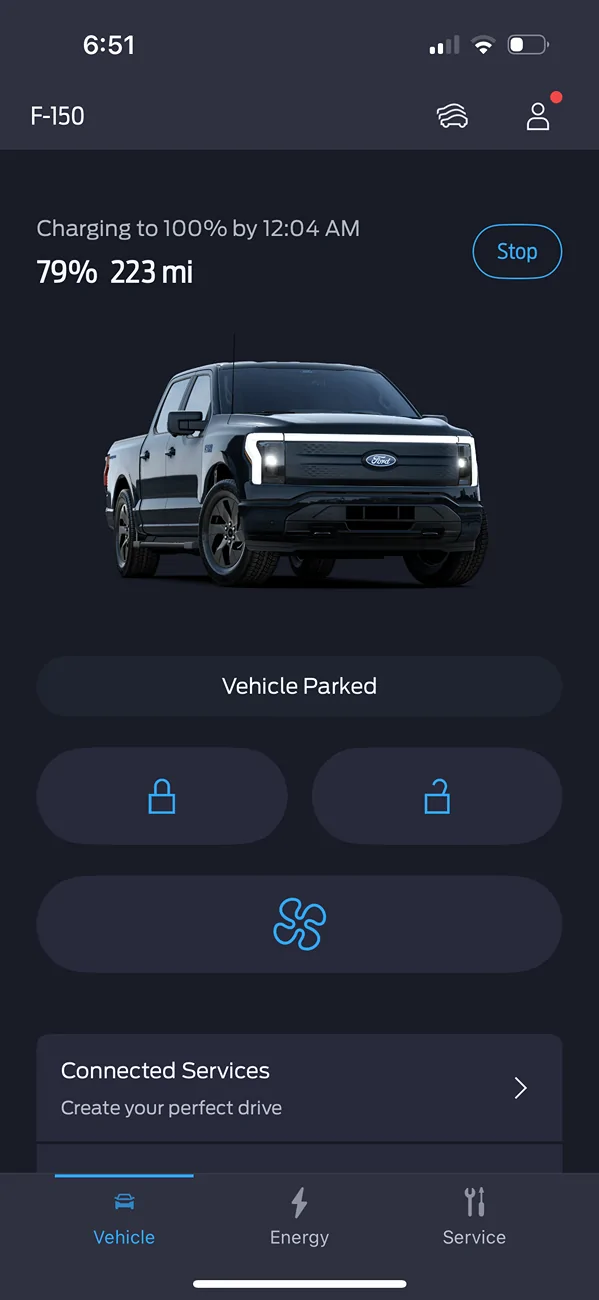
Recently I have been getting a charge error message in the app while charging. The truck keeps charging so I think it’s in error. Not sure but I think it started happening after the app update. Anyone else experiencing this?
Same here, but mine is NOT charging when the error message happens. I have an Emporia 48A charger at home. I called Ford this morning and they say this is not happening to others that they know of. Also, they said that I should remove the Preffered Charging times and Departure times. I had already done that from reading things online and Copilot said this, but it doesn't make a difference. I even deleted Ford App and reinstalled, reconnected my truck and created a new Key. Same problem. Some times 45 minutes, but lately it's within 15 minutes that it stops charging with the error.
terrible terrible update, the update destroyed the amazing app, it takes seconds to open and update vehicles status, I do have 3 EV and is the same poc with all of them, you shouldn’t never update the previous version, I guess stupidity is at all levels in Ford.
my issue is that the past versions worked well for my needs. Two homes w chargers, and specific charge timings set up.
when I launch the app, i want to know my current charge level and, if plugged in, when will the charge start. From there you decide if you need to do more in the app.
I’ve driven EVs since 2016 and this is a first. Hopefully a quick fix.
my issue is that the past versions worked well for my needs. Two homes w chargers, and specific charge timings set up.
when I launch the app, i want to know my current charge level and, if plugged in, when will the charge start. From there you decide if you need to do more in the app.
I’ve driven EVs since 2016 and this is a first. Hopefully a quick fix.
Anyone have any issues with remote start from the app (which is the only way considering the key fob doesn’t have that button apparently).
I downloaded the update and tried to use remote start and it would just spin a little circle and then revert back to the last time. The truck would not start, but it has started on some instances so it is very very spotty. I’ve tried downloading the app again and re-installing iOS
Anyone have any issues with remote start from the app (which is the only way considering the key fob doesn’t have that button apparently).
I downloaded the update and tried to use remote start and it would just spin a little circle and then revert back to the last time. The truck would not start, but it has started on some instances so it is very very spotty. I’ve tried downloading the app again and re-installing iOS
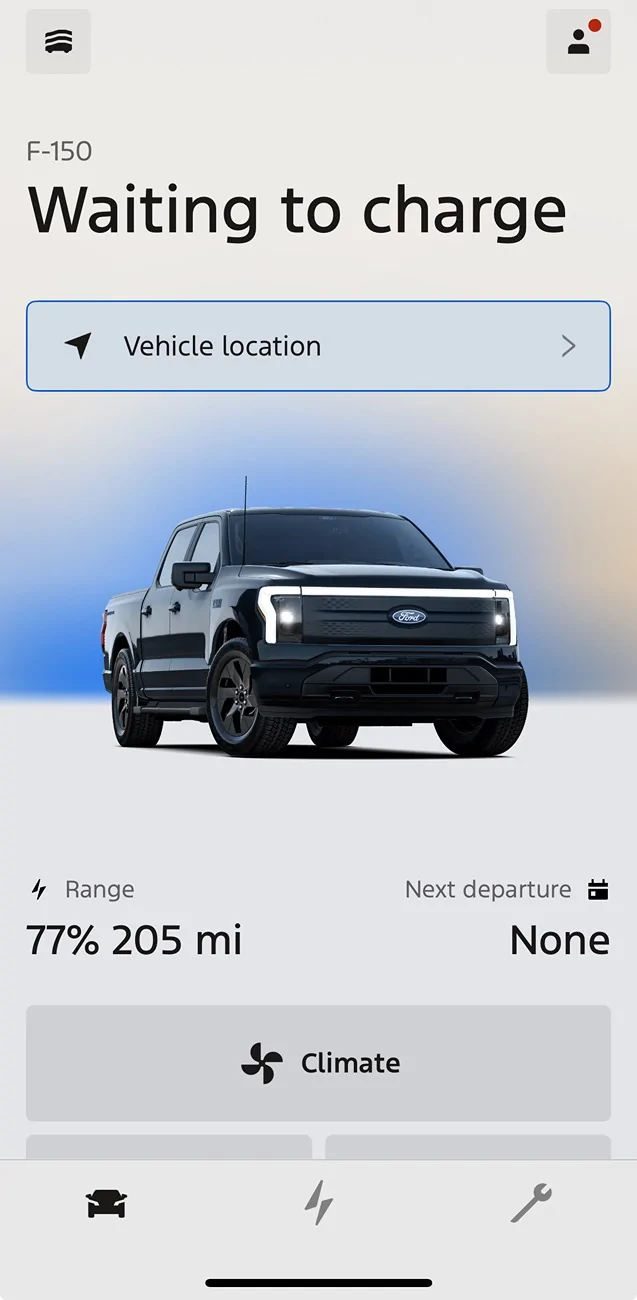
----------------------------------------- <--- edge of phone screen. to see more you have to SCROLL
Range Next Departure
69% 204mi None
Climate <--- finally controls you care about.
Lock Unlock
My question... Who thought the WAITING TO CHARGE, and other giant text was a good idea?
I'm an old guy, but I put my iphone16 75 feet away and was still able to read the giant text. why?
Its so big It frequently cant even fit on one line, so it wraps and adds even more wasted space.
The charging screen (middle button on bottom of app) also shows the giant text, with other oversized fonts making the new charge adjuster appear cut off on the screen, again, you have to scroll to see it all. The giant fonts and wasted screen whitespace has made the app unusable to me.
Ford - go download the Tesla app if you want to see how its done correctly.
my complaint is the "make this phone a key" at the very top of the home screen. PAAK is an option that I have no intention of ever using yet there it is for eternity taking up space at the top of the home screen.
Glad to see the PPOB but I have yet to need to use it.