Sponsored

F150 Lightning FORScan thread - Version 2

OP
OP
bmwhitetx

bmwhitetx

Well-known member
First Name
Bruce
Joined
May 21, 2021
Threads
46
Messages
2,892
Reaction score
4,108
Location
DFW-Texas
Vehicles
2022 F150 Lightning Lariat ER
Occupation
Retired engineer
Update: plugged in led brake light from Amazon to trailer pin to see if I could activate Cross Traffic Alert. Setting now selectable but reverts after a few seconds. Menu prompts that it recognizes trailer connected (led brake light), I set to No trailer it setting and no more notifications (trailer connected) after I disabled them in Forscan.
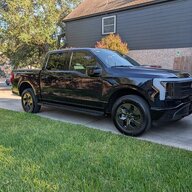
When you plug in a trailer (or spoof one with a Brake light), the truck disables Cross-Traffic Alerts and Blue Cruise. On the plus side you get turn signal camera view if enabled.
 
  • Like
Reactions: GDN

RSMLightning25

Active member
First Name
Richard
Joined
Aug 3, 2025
Threads
3
Messages
43
Reaction score
34
Location
Schertz, TX
Vehicles
2018 Lariat F-150 5.0 Ruby Red, 2025 Lariat Lightning Anti-Matter Blue
Occupation
Network Security
Glare Free headlights - working, required AB mode - What is AB mode?

Enabled BeoSonic - working - Please tell me more about this. Is it an improvement?

Enabled Bambi mode - How does this work? I know on my 2018 I did this to keep the fog lights on with the high beams. How does it work on the lightning?

 

Firn

Well-known member
Joined
Aug 26, 2024
Threads
28
Messages
1,421
Reaction score
1,514
Location
USA
Vehicles
23 Pro ER
Bambi mode won't do anything on the Lightning since we dont have fog lights.

Fwiw I STRONGLY recomend against anyone enabling Bambi mode in the first place. Increased lighting on the roadway directly in front of you (the design of fog lights) restricts your distance vision.
 

Sentinal

Member
First Name
Leigh
Joined
Jul 28, 2025
Threads
0
Messages
7
Reaction score
18
Vehicles
2023 F-150 Lightning XLT
Blind spot camera activation with turn signals in action.

I wish we could get this without having to real trailer or spoof a trailer being attached.
 

Sponsored

bc1

Well-known member
Joined
Oct 25, 2025
Threads
5
Messages
80
Reaction score
38
Location
McPherson, KS
Vehicles
2025 Ford f150 Lightning Flash
Hello guys. Got my dongle. Just need to open up the downloaded forscan and get signed up and then go try it out assuming it runs ok on this laptop. All I want to do for now on my 2025 Flash is the glare free headlights and I've printed off a bunch of values and figures from post # 2 but I'm not sure how I will find it all when I run the program.

Just wondering if anyone has done a short video of doing this and/or any of the other procedures? I can figure out how to hook up I believe with the vehicle running, then the instructions say to click the wrench icon of the forscan program, then choose APIM module reboot and hit the play button which will turn the vehicle off and then I am to wait 10 seconds. After that I don't know for sure how to find the glare free setup. Thanks.

I might add I can't find an execute file to run the program except for the uninstall. Does this just come up after I plug it in or what?

 
Last edited:
OP
OP
bmwhitetx

bmwhitetx

Well-known member
First Name
Bruce
Joined
May 21, 2021
Threads
46
Messages
2,892
Reaction score
4,108
Location
DFW-Texas
Vehicles
2022 F150 Lightning Lariat ER
Occupation
Retired engineer
Hello guys. Got my dongle. Just need to open up the downloaded forscan and get signed up and then go try it out assuming it runs ok on this laptop. All I want to do for now on my 2025 Flash is the glare free headlights and I've printed off a bunch of values and figures from post # 2 but I'm not sure how I will find it all when I run the program.

Just wondering if anyone has done a short video of doing this and/or any of the other procedures? I can figure out how to hook up I believe with the vehicle running, then the instructions say to click the wrench icon of the forscan program, then choose APIM module reboot and hit the play button which will turn the vehicle off and then I am to wait 10 seconds. After that I don't know for sure how to find the glare free setup. Thanks.

I might add I can't find an execute file to run the program except for the uninstall. Does this just come up after I plug it in or what?
After you download the file (e.g., FORScanSetup2.3.65.release), you run that file and it installs the program like any other windows program. Then you just click Windows Start icon, find the new program called FORScan, and click it to run.

Did you look at post 2? It has other resources. I would start with the tutorial mentioned:
https://docs.google.com/document/d/1-8dKaS_Spu4Zw4hV_CrKC4tLoP9G8yejqegF1wxIqxY/edit?tab=t.0

For Programming you want to use what he calls Programming - Advanced Method.

Make sure you make backups (and also I like to separately write down the current values before changing).
 

Aminorjourney

Well-known member
First Name
Nikki
Joined
Jun 6, 2022
Threads
14
Messages
313
Reaction score
615
Location
Internet
Website
www.transportevolved.com
Vehicles
2023 F150 Lightning Lariat, 2017 Chevrolet Bolt EV, 2006 Vectrix VX-1
  • Like
Reactions: GDN

GDN

Well-known member
First Name
Greg
Joined
Feb 15, 2022
Threads
94
Messages
3,741
Reaction score
4,790
Location
Dallas, TX
Vehicles
Lightning Lariat ER, Performance Y
Occupation
IT
ALWAYS download your as built BEFORE doing ANYTHING else.

Know that, eventually, your changes will propagate to Ford's servers for As-Built. Ask me how I know ;)
Having this download will let you verify any setting and is good to have on hand. To make it easy, always backup every module through Forscan (part of the procedures noted in the first few posts) before making any changes. That makes an easy restore point for every module you touch and you don't have to worry if you corrected any potential mistakes manually.
 

Sponsored

Aminorjourney

Well-known member
First Name
Nikki
Joined
Jun 6, 2022
Threads
14
Messages
313
Reaction score
615
Location
Internet
Website
www.transportevolved.com
Vehicles
2023 F150 Lightning Lariat, 2017 Chevrolet Bolt EV, 2006 Vectrix VX-1
Having this download will let you verify any setting and is good to have on hand. To make it easy, always backup every module through Forscan (part of the procedures noted in the first few posts) before making any changes. That makes an easy restore point for every module you touch and you don't have to worry if you corrected any potential mistakes manually.
Exactly!

Just earlier today I needed to use it to roll back something I was trying ;)

*I still don't understand the in-IPC clock settings, and still don't seem to be able to get them displaying... *
 

bc1

Well-known member
Joined
Oct 25, 2025
Threads
5
Messages
80
Reaction score
38
Location
McPherson, KS
Vehicles
2025 Ford f150 Lightning Flash
OK. I didn't have a forscan button on my screen and clicking the information I did have prompted me for a new download which installed a button but it came up saying it wouldn't work and disappeared because my microsoft security had removed the Pacuwan file I mentioned the other day on a post about a virus threat so I downloaded it again and changed security to allow the file to run and now it works but it didn't ask for any type of sign in or trial. It says it is forscan v2.3.68 release.
I also clicked on what BMwhitetx listed but it only displays for a few seconds before a box appears over it with something about the owner doing something and then it all goes away.

I found the ford download place. Is that something I do here in the house I hope as I may not have internet out there if I have to download it after hooking up the dongle? Thanks
 
OP
OP
bmwhitetx

bmwhitetx

Well-known member
First Name
Bruce
Joined
May 21, 2021
Threads
46
Messages
2,892
Reaction score
4,108
Location
DFW-Texas
Vehicles
2022 F150 Lightning Lariat ER
Occupation
Retired engineer
so I downloaded it again and changed security to allow the file to run and now it works but it didn't ask for any type of sign in or trial. It says it is forscan v2.3.68 release.
FORScan will run without a license as long as you don't do any programming. Since you are wanting to program, you will need a license. You can get a free license for 2-months following the instructions and tutorials.
 

TrojanThor

Member
Joined
Aug 30, 2025
Threads
0
Messages
22
Reaction score
42
Location
78645
Vehicles
2025 F150 Lightning Flash, Genesis GV60 Advanced
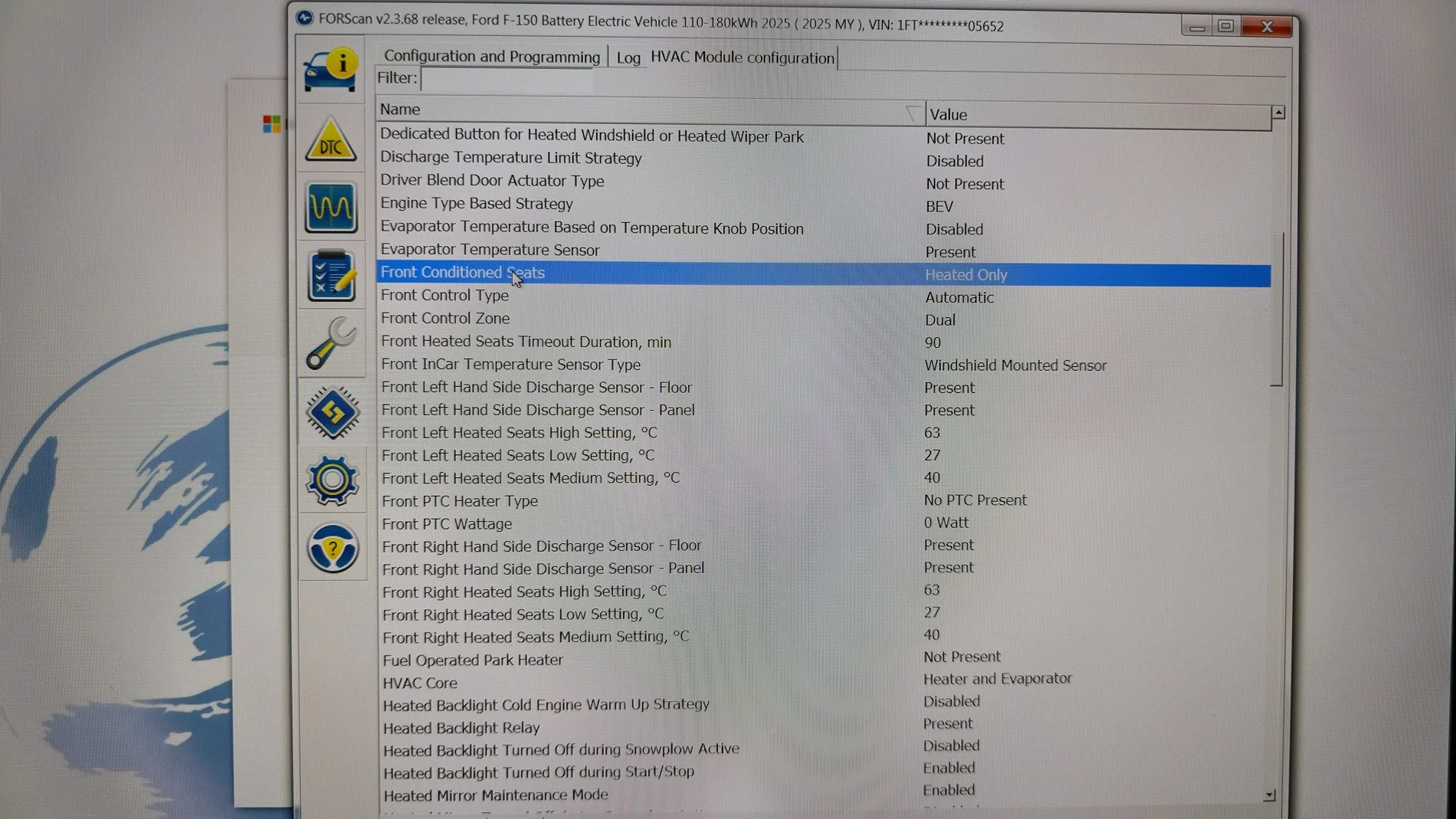
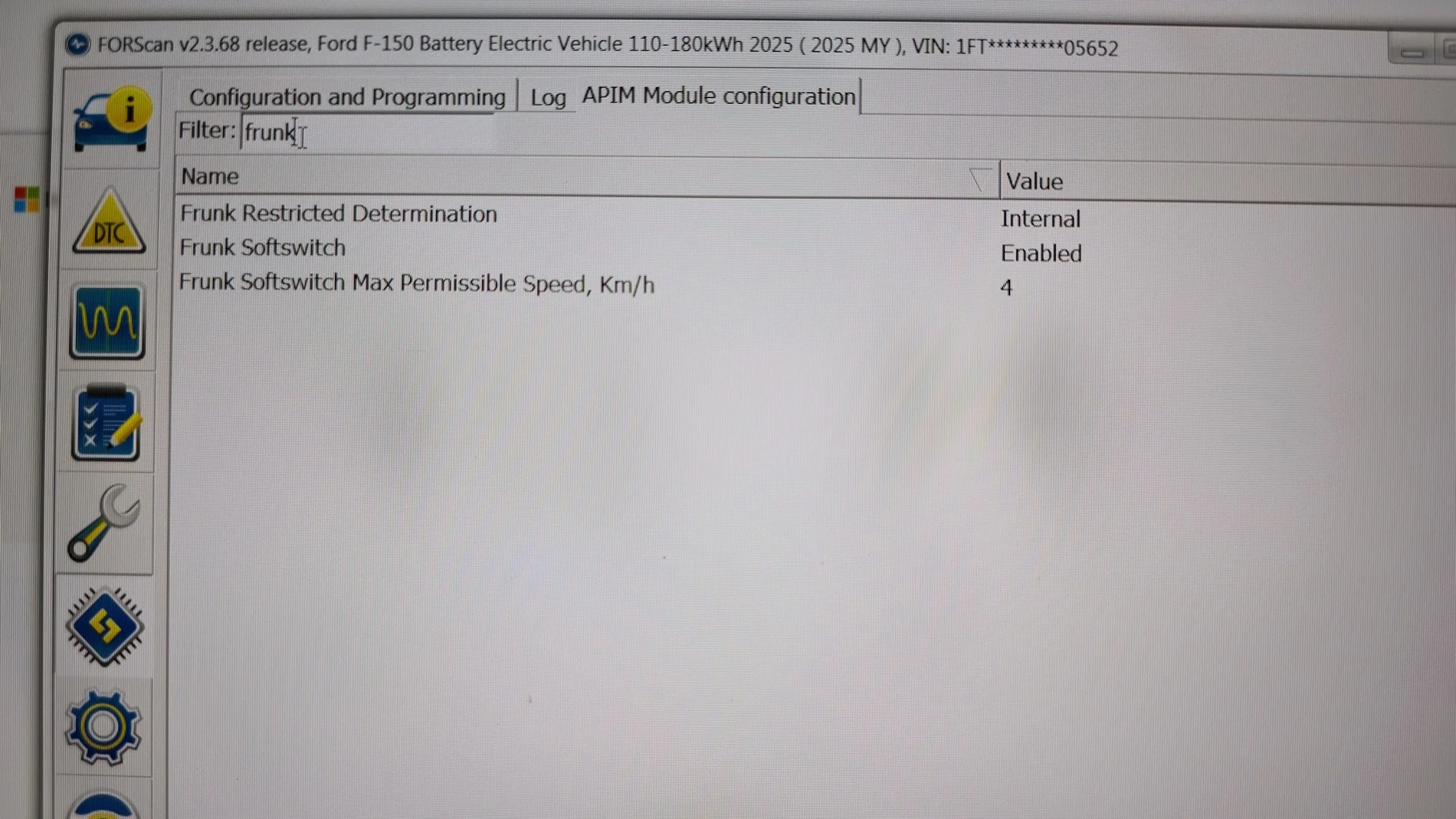
- Adjust Power Frunk and power tailgate speed. 1 notch is just right for me. Beware - This will impact factory safety mechanism. Use with caution at your own risk.

Ford F-150 Lightning F150 Lightning FORScan thread - Version 2 20251208_194315


Ford F-150 Lightning F150 Lightning FORScan thread - Version 2 20251208_195653
Sponsored


Top