SeeDubs8301
New member
LOL Nice, thank you again!!You'll see them in the software line and you just "go around them" haha 'cause they're permanent / unchangeable. Like curbs.
Sponsored
LOL Nice, thank you again!!You'll see them in the software line and you just "go around them" haha 'cause they're permanent / unchangeable. Like curbs.
Literally same question asked 8 posts above yours #818.Sorry n00b question, what do the dashes versus “x” mean? I read the instructions and the X’s mean no change, but I don’t see any verbiage for the dashes.
Thank you!
So here's what that's about.Just starting out with FORScan. Haven’t made any changes yet. I backed up all the as-built module configurations. For some modules, there is a second configuration line, without an “as built” in the title.
Should I back up the configurations not marked as built?
When I start modifications (e.g., glare free headlights), do I do anything with the non-as built configuration lines, or just make all the changes to the as builts?
I Looked through all 56 pages of this thread, the tutorial in post 1, and a bunch of other places. It’s probably been answered, but I must have missed it. Thanks.
Got it. Thanks, Mike.So here's what that's about.
The ones that say asbuilt are the ones where you would actually change alphanumeric values (hex) individually and then hit the "write" button. Optionally where you have three different lines that need to have changes made you can make all the individual changes and then hit the "write all" button which will overwrite all of the values stored in memory with the ones you see on your screen.
The modules that have no asbuilt in the title are the 'easy mode' version where the coders have simplified the changing of a value from 'enabled' to 'disabled' or vice versa to turn on or off a feature. For most of the changes you will probably make the easy mode is not appropriate because of the multiple variables involved. Some stuff you can do in the easy mode like in the APIM you can enable walk-away locking...and if your BCM has gotten the recent update that has that function in it then the toggles in Sync will now work based on the FORSCAN change you made.
Stuff like Glare-free lights involves multiple module changes so it's easier to just modify the hex values in the asbuilt versions of the modules.
Back up all of your modules before starting.
Check to make sure you are changing the correct line, and the correct value in the correct segment...and then check it again before changing it and hitting the 'write' button.

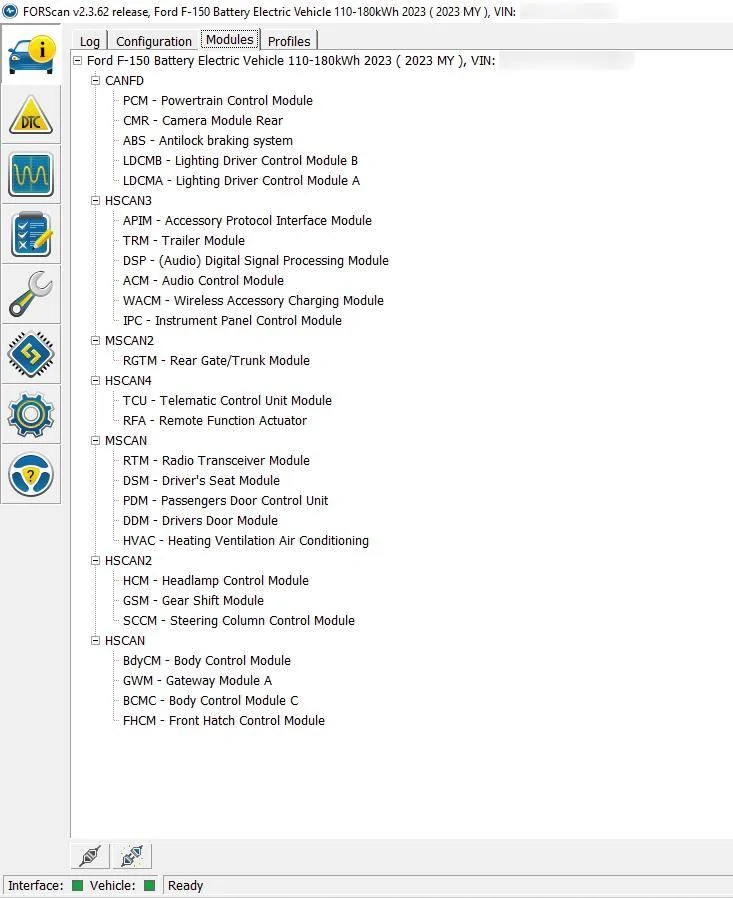
Are you using one of those adapters where you have to switch buses to see everything? That's the only thing I can think of from what others have posted on the ICE forum when this happens.I'm stumped. Back in July, I was in the IPMA module enabling the Trailer Side View, I reverted back the setting to re-enable my Controls Menu for the driving modes. Now I'm going back to see if Enable Cameras at Speed will help me see the cameras when I drive above 5 MPH.
The issue is now I don't see the IPMA module in FORscan v2.3.62 and I'm wondering if anyone else is having this issue or if i missed something greater going on.
Here are the list of modules in the Vehicle and Interface Information section of FORscan:

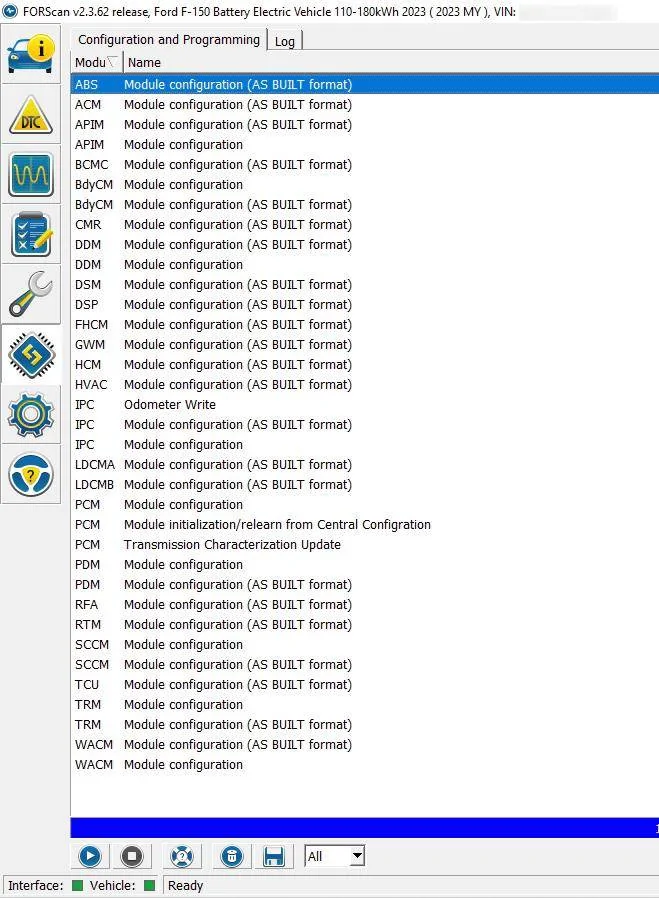
Also here under the Configuration and Programming section of FORscan:

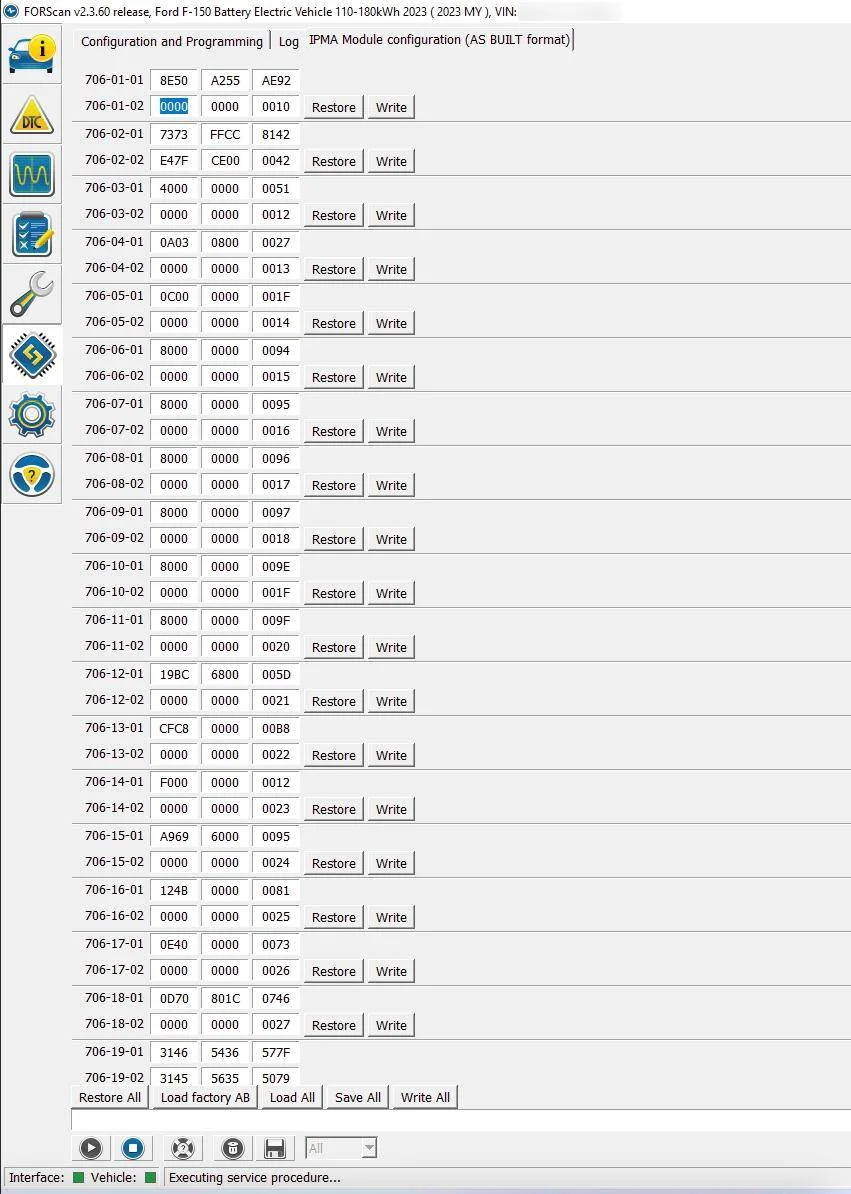
I know I have had it before because I took this screenshot during the process of making the original modification in FORscan v2.3.60:

Ah, I wonder if that was the issue--thank you. I'll keep that in mind. I uninstalled and went back to the previous working version and it worked (I bet only because it did a full scan as you mentioned.). I hate not knowing the reasoning and just a "reboot" is not how I like to troubleshoot but I was needing to make progress (it was my day off ?).Try rescanning. When you do the initial connect don’t choose an existing profile. This forces it to scan for all possible modules.
When you chose a profile it only looks for modules it found before. Maybe your profile got messed up.
No, I have the OBDLink EX.Are you using one of those adapters where you have to switch buses to see everything? That's the only thing I can think of from what others have posted on the ICE forum when this happens.
lol....I feel the same way, my friend.Is there a condensed list of options and the codes? Specifically for a 2024 Lariat ER if that matters? 56 pages is a lot to get through and it seems updates have occured on some mods throughout the 56 pages. F150 forum has a file for 14th gen f150'd with a common tab. Wondering if those work for our lightings as well. I have a friend who is going to code for me, he has a ranger raptor but he asked I bring the codes to him.
I'm not even sure what options we have with the lighting because of how unorganized this thread is.lol....I feel the same way, my friend.
At the same time, there are changes over time that are being reported that affects some of these changes. I wish there was an easy way to subscribe to the changes for just the mods we each make.