Maineiac12
Well-known member
Sponsored
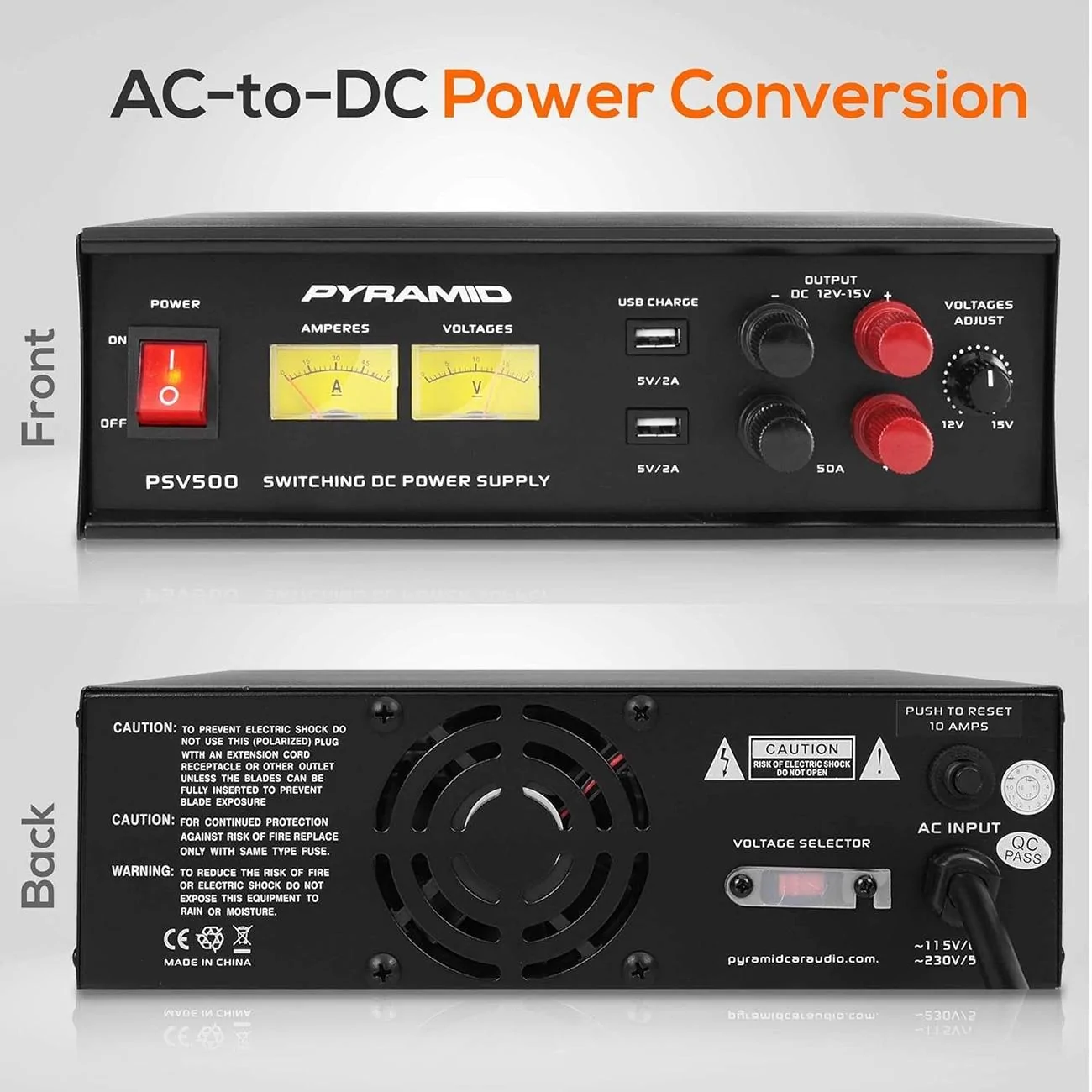
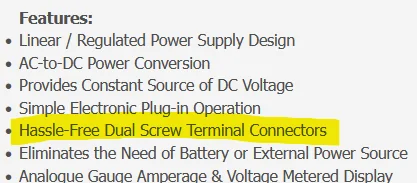
They are the same. Just a way to give you two places to attach.I ordered the Pyramid PSV500 power supply, it should be delivered today.
I assume that I need to hook up the alligator clamps to the bottom terminals (50A) and then set the Voltage Adjust to around 13.6V?
Or do I hook the clamps to the DC output on the top?
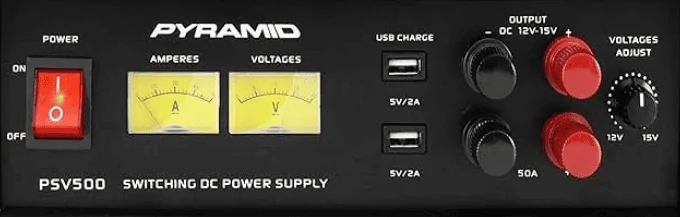
Oh, well now I feel dumb lol.They are the same. Just a way to give you two places to attach.

I purchased the one linked in this post for the IPMA update and I’m glad I did. In the nearly 3 hours it took, it was regularly pulling more than 60A.I will say the one recommended in the beginning post is very insufficient for module programming. If you have any long-running module programs, then this will not supply enough current to tide the overall draw and you will dip dangerously into a low voltage state. This is a perfect power supply for ICE vehicles which don't run battery coolant pumps during updates, but as it stands our Lightnings can draw nearly 60A current during a module program, which means that even if you had two of the above, you would still be at a deficit.
I opted for: https://a.co/d/5EqYOjl
It has a normal 15A plug and can more than provide the current needed to do module programming (Peak 100A output at 13-14.8v selectable) sometimes peaking close to 60A. Way more expensive, but FDRS is not for the faint of heart.

Not yet......but it's only Tuesday.I'm guessing at this point we are not seeing the Powertrain warning lifted in August. The updates must have been really borked to take this long to fix, it's been what 3 months now since these software updates have been paused? Oh well, still have a nice new UI so I am happy, although I hope they add the animations for BC 1.3 to the IPC for the Lightning like the Mach E.
@Mike G has Ford updated the bulletin into September?
It will try to maintain whatever voltage you select. It will start supplying once it’s voltage is above the battery voltage. So as long as it’s set above battery, it’s working.Oh, well now I feel dumb lol.
But I do the Voltage at 13.6v (or as close as I can get to that)?
It worked great for me. I never saw it go above 40amps, and the lowest the voltage of the battery ever got was 12.4V for just a split second and jumped right back up to 13.6V.It will try to maintain whatever voltage you select. It will start supplying once it’s voltage is above the battery voltage. So as long as it’s set above battery, it’s working.
I’ll be curious your experience with this unit. I have bought and researched Pyramid or Pyle products in the past for audio equipment. They are typically cheaper compared to the well known brands. And sure enough they never seem to deliver on their specs especially related to power output. I think they will use peak instead of sustained.
Not to scare you away because they have made advances with the switching power supplies. But definitely watch what your actual voltage output is. I’d be curious how long this could output a full 50 amps.
I recently just had this happen to me when updating the IPC on my 2023 Lincoln Corsair via USB download from FDRS. VIN 5LMCJ2DA7PUL20811. FDRS updated F120 but not F188 on my IPC and now I have a GVMS warning on my IPC module. I can't do a PMI (get an error) and the software update in FDRS is no longer showing up. Any help/direction would be greatly appreciated. What is also weired is my engine/vehicle odometer completed disappeared on my IPC screen after applying this update... Would simply re-inserting the USB and trying the USB update again be a godo recommended next step?So I've been very vocal in my criticism of Ford this week for how hokey the FDRS update process is. I spent 4 days furious that they wouldn't give me the next set of APIM and GTW updates in FDRS even though I had completed everything in the queue. Thanks to @Bob_Mac I was finally clued into the fact that my IPC was corrupt. It wasn't the kind of corruption we saw with the Nano where there were a bunch spaces or junk characters in the data, but my IPC had one part number (F120) that was updated, and the second part number (F188) was still at the old rev, and corrupted by one letter. This was why the updates wouldn't come through. @Jesse-Infotainment was able to help me work around FDRS to load the F188 file and bypass FDRS. Within five minutes of getting the IPC part numbers to show up correctly FDRS offered me the next APIM update.
So long story short, pay attention to what the guys here advise you to do, and if your updates are not showing up, there is probably a reason, dig into the details.
As for Ford. I'm sorry I called you snakes who were holding back my updates just to get another 2 day FDRS license sale from me. But your update system is still clunky and confusing, and I pity your dealership techs who have to deal with it.

@rugedraw do you have access to download the file he needs for Corsair?I recently just had this happen to me when updating the IPC on my 2023 Lincoln Corsair via USB download from FDRS. VIN 5LMCJ2DA7PUL20811. FDRS updated F120 but not F188 on my IPC and now I have a GVMS warning on my IPC module. I can't do a PMI (get an error) and the software update in FDRS is no longer showing up. Any help/direction would be greatly appreciated. What is also weired is my engine/vehicle odometer completed disappeared on my IPC screen after applying this update... Would simply re-inserting the USB and trying the USB update again be a godo recommended next step?
IPC Info Before Update:
IPS Info After Update:
- F188 - PU5T-14C026-AM
- F120 - PU5T-14C026-BK
- F188 - PU5T-14C026-AM -> why didn't F188 bump suffix with the software update?
- F120 - PU5T-14C026-DE
No, but I'm pretty sure I can get it. Give me a bit.

Hell yea! Glad we were able to help.It worked, but not on the first attempt. I’m not sure if it was hitting the refresh next to the PMI button for the IPC to redownload a newer version or deleting all the older files in the below folder, but the PMI finally took and everything seems to be working. All modules are green with no DTC codes after a reset and repeat self test. No software updates available so I think I’m fully updated and good to go. And I can finally see my odometer again!
Thanks again for your help and support!
C:\ProgramData\Ford Motor Company\FDRS\fdrs\data\vehicle_software\STRATEGY