Sponsored

FCSP Software Version 2.500.34-ford.27+26-08

chl

Well-known member
First Name
CHRIS
Joined
Dec 16, 2022
Threads
11
Messages
4,056
Reaction score
2,519
Location
alexandria virginia
Vehicles
2023 LIGHTNING PRO, 2012 Nissan Leaf, 2015 Toyota Prius, 2000 HD 883 Sportster
Occupation
Patent Atty / Electrical Engineer
A mystery why all these problems are occurring again with the set up app.

I looked on my router devices and the FCSP shows up but the status is off line.
Even so I can get the insights data in the FORD app somehow - I thought that came via wifi?
Does it come from the FCSP via bluetooth?
---
When I use the setup app,
1) it detects the FCSP so I hit 'select' then it goes to
2) enter station password (which is stored and It is correct) then I hit "connect"
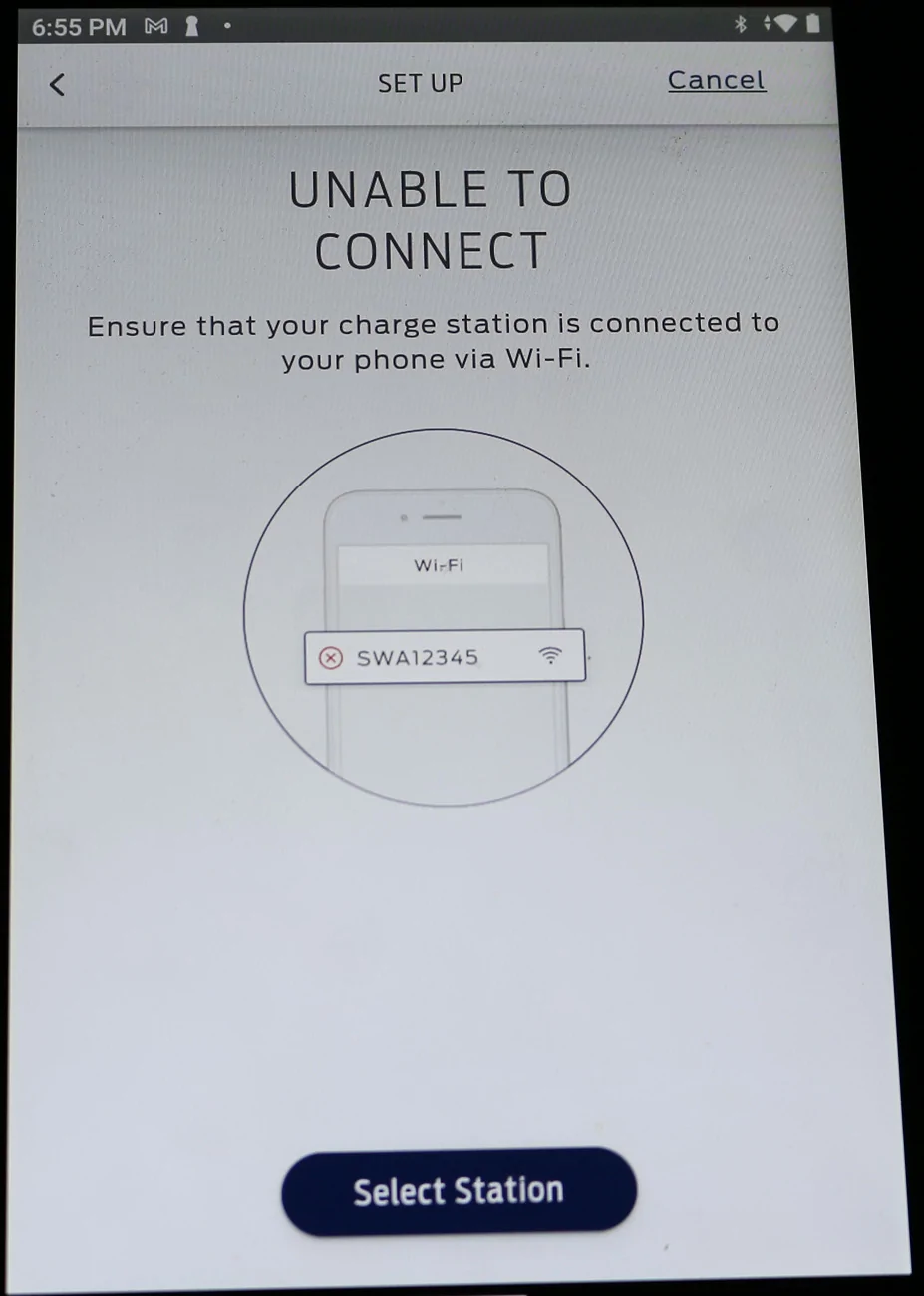
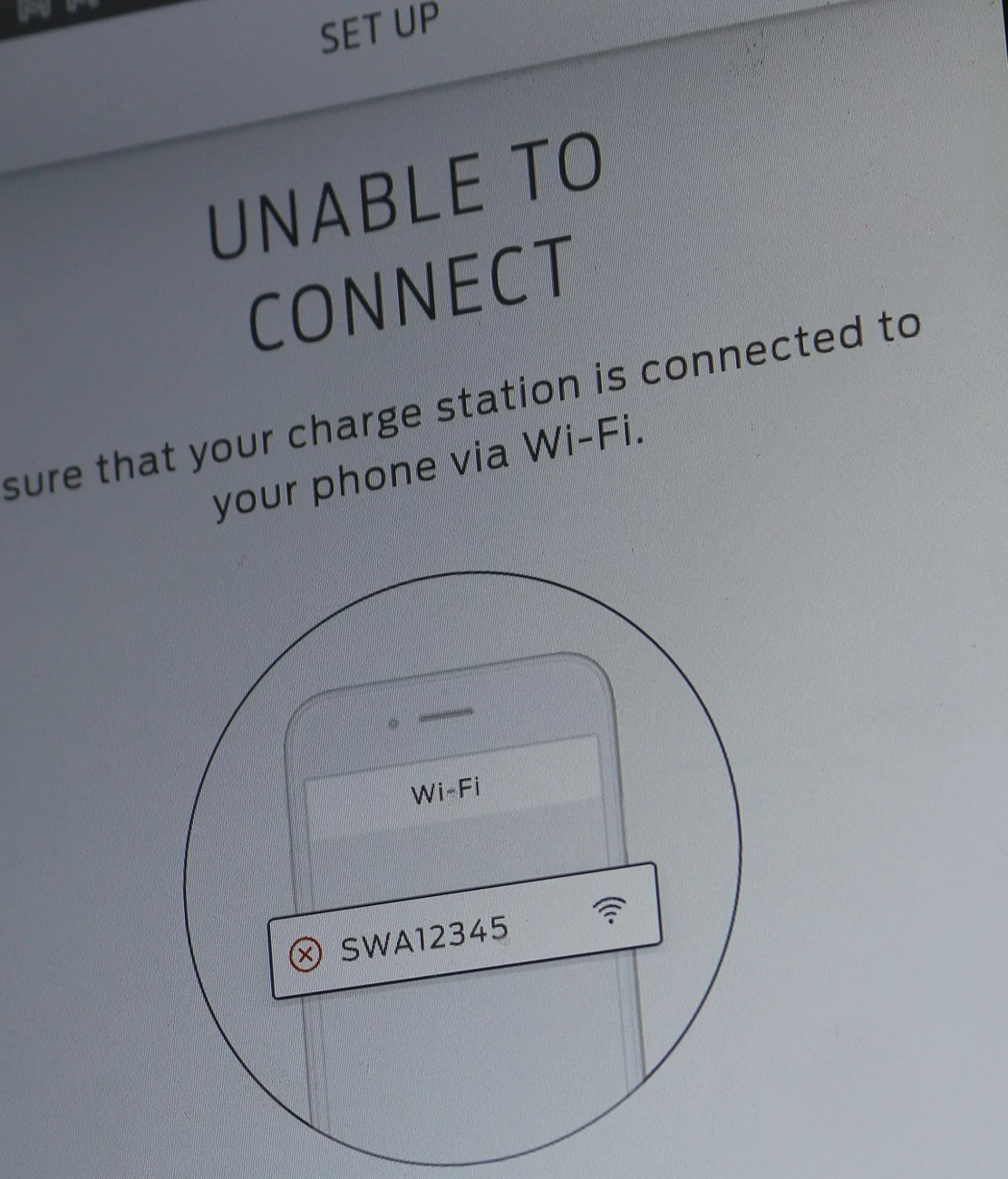
3) but cannot connect and displays an icon with a wifi antenna, a FCSP ID of "SWA12345" which is NOT my FCSP ID, and a circle with a red X in it in it.

Ford F-150 Lightning FCSP Software Version 2.500.34-ford.27+26-08 IMG_6096-cro


Using the FORD app can also see the "settings" including the max charge current (which I set to 32A), the station nickname, the location and under details the station ID and password - which have not changed from the original info that came with the FCSP when I originally set it up.

The setup and configuration button opens the setup app, which is where things fail.

The FCSP still charges the truck, however now that I look at the last charge session it charged at approx 46A, not 32A, so it defaulted to the max my truck can handle (48A nominal) apparently. According to the insights, 11kWh was used in 59 minutes - the truck says 10kWh made it to the battery, that loss is normal.

Still a few bugs in the system, new bugs.
Sponsored


TaxmanHog

Moderator
Moderator
First Name
Noel
Joined
Jan 19, 2022
Threads
240
Messages
17,023
Reaction score
19,386
Location
SE. Mass.
Vehicles
2022 Lightning Lariat-ER, 2024 HD Road Glide CVO-ST
Occupation
Retired
When I use the setup app,
1) it detects the FCSP so I hit 'select' then it goes to
2) enter station password (which is stored and It is correct) then I hit "connect"
3) but cannot connect and displays an icon with a wifi antenna, a FCSP ID of "SWA12345" which is NOT my FCSP ID, and a circle with a red X in it in it.
Just confirming that your mobile device or your tablet are also directly actively connected to the same host network? You can't be connected to the cell network while using the setup / configuration app!!!

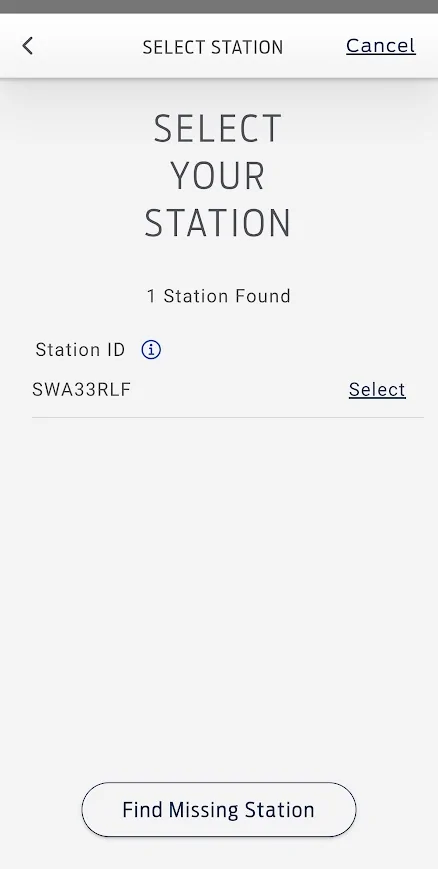
Ford F-150 Lightning FCSP Software Version 2.500.34-ford.27+26-08 1784823725086-hl
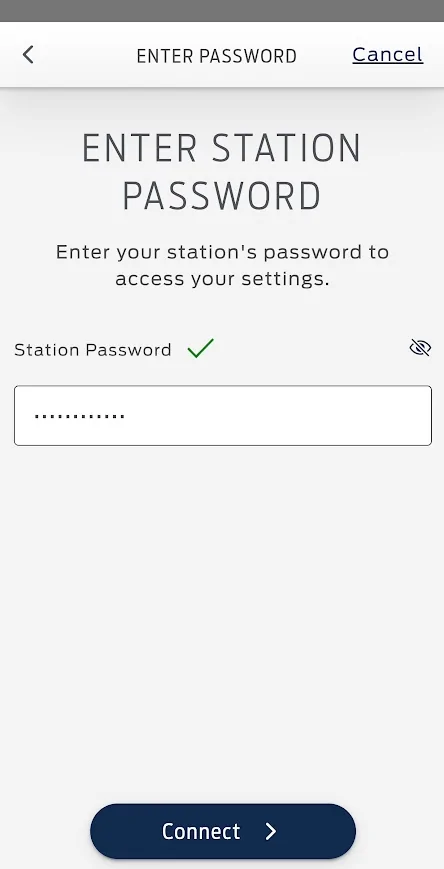
Ford F-150 Lightning FCSP Software Version 2.500.34-ford.27+26-08 1784823739937-dy
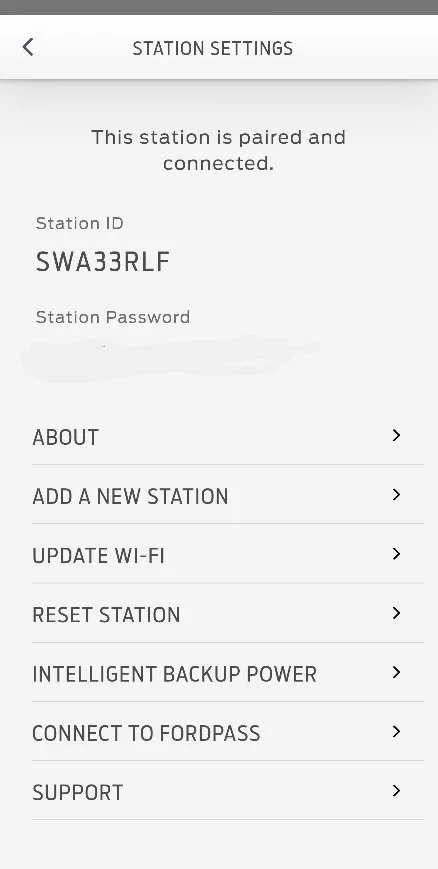
Ford F-150 Lightning FCSP Software Version 2.500.34-ford.27+26-08 1784823769676-06
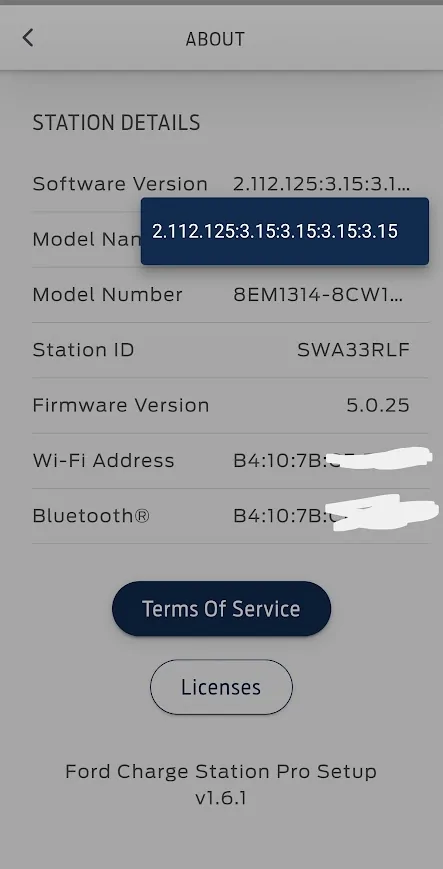
Ford F-150 Lightning FCSP Software Version 2.500.34-ford.27+26-08 1784823780287-u9
 
Last edited:
  • Like
Reactions: chl

abcut973

Well-known member
First Name
Anthony
Joined
Mar 12, 2025
Threads
8
Messages
253
Reaction score
200
Location
Denham Springs
Vehicles
2022 F150 Lightning Platinum, 2020 BMW X7 xDrive40i, 2019 Mercedes C300 cab
I'm in the same boat as most of you reporting not being able to connect to the FCSP in the set up app. Charger is working fine and reporting stats in ford pass. Just "unable to connect" message in set up app. And yes my phone is on my home wifi not cellular network. It was connecting fine since day one of FCSP install. So I do not know when that issue started. I read that thread a few days back and wanted to verify if mine got updated when I realized I could not connect. Hard reset a couple times to no avail.
 

chl

Well-known member
First Name
CHRIS
Joined
Dec 16, 2022
Threads
11
Messages
4,056
Reaction score
2,519
Location
alexandria virginia
Vehicles
2023 LIGHTNING PRO, 2012 Nissan Leaf, 2015 Toyota Prius, 2000 HD 883 Sportster
Occupation
Patent Atty / Electrical Engineer
Just confirming that your mobile device or your tablet are also directly actively connected to the same host network? You can't be connected to the cell network while using the setup / configuration app!!!

1784823725086-hl.webp
1784823739937-dy.webp
1784823769676-06.webp
1784823780287-u9.webp
Yes, always have been, once I got it all set up over a year ago.

The device I am using is not actually connected to any cell network it is a tablet and I never added it to our cell phone system since I only use it through wifi.

Both the tablet (in question) and the FCSP were originally connected to the 2.4G wifi in our house - I did have to add a 'repeater' nearer to the FCSP, and nothing has changed with that since the last time it worked.

I did try a reset of the repeater but no change.

So something happened recently to screw things up.

The last time I actually connected to the FCSP with the setup app I am not sure of but I checked it was up to date with the current firmware and software dated March 16, 2025 when I checked it around Nov 14, 2025.

I didn't try to check it, the software and firmware, again until recently.

There was an update that deleted my location info and max charge settings this year, and I was able to connect and reset it to 32A and it was either the Feb 13, 2026 or Apr 15, 2026 one that did that.

The Ford app says it is still 32A, but electrical calculations say otherwise.
 

chl

Well-known member
First Name
CHRIS
Joined
Dec 16, 2022
Threads
11
Messages
4,056
Reaction score
2,519
Location
alexandria virginia
Vehicles
2023 LIGHTNING PRO, 2012 Nissan Leaf, 2015 Toyota Prius, 2000 HD 883 Sportster
Occupation
Patent Atty / Electrical Engineer
PS; I am not going to try removing and reinstalling the FCSP with the setup software...that was a big headache and since the setup app is no longer talking to the FCSP, it would be another exercise in frustration...who needs that?!
 

Sponsored

chl

Well-known member
First Name
CHRIS
Joined
Dec 16, 2022
Threads
11
Messages
4,056
Reaction score
2,519
Location
alexandria virginia
Vehicles
2023 LIGHTNING PRO, 2012 Nissan Leaf, 2015 Toyota Prius, 2000 HD 883 Sportster
Occupation
Patent Atty / Electrical Engineer
I'm in the same boat as most of you reporting not being able to connect to the FCSP in the set up app. Charger is working fine and reporting stats in ford pass. Just "unable to connect" message in set up app. And yes my phone is on my home wifi not cellular network. It was connecting fine since day one of FCSP install. So I do not know when that issue started. I read that thread a few days back and wanted to verify if mine got updated when I realized I could not connect. Hard reset a couple times to no avail.
Exactly my situation.
 

chl

Well-known member
First Name
CHRIS
Joined
Dec 16, 2022
Threads
11
Messages
4,056
Reaction score
2,519
Location
alexandria virginia
Vehicles
2023 LIGHTNING PRO, 2012 Nissan Leaf, 2015 Toyota Prius, 2000 HD 883 Sportster
Occupation
Patent Atty / Electrical Engineer
Everyone affected: check to see if the insight data indicates your FCSP has defaulted to the MAX current if you reduced it.

I reduced it to 32A a while ago after the location data was lost and I had to reinstall it (sometime in 2026), and in the FORD app it still says 32A, but...my numbers from the insights charge data show it defaulted back to a max current of 48A.

Look at the time and divide the kWh by the time, then divide that by your voltage 240V or 220V or whatever you have.

Voltage x Amps x Time = kWh so kWh / (Time x Voltage) = Amps
 

chl

Well-known member
First Name
CHRIS
Joined
Dec 16, 2022
Threads
11
Messages
4,056
Reaction score
2,519
Location
alexandria virginia
Vehicles
2023 LIGHTNING PRO, 2012 Nissan Leaf, 2015 Toyota Prius, 2000 HD 883 Sportster
Occupation
Patent Atty / Electrical Engineer
Just checked my records, it was the Feb 2026 update that reset my charge info and my truck charged to 100% on Feb 14, 2026. Then I fixed that by Feb 16, 2026 back to 80%, 32A and my home location.

I had a data loss for the charge I did on July 3, 2026, all previous data wiped from the FCSP as well.

Since then the effective charge amps went up to 45A from 32A.

So I suspect that is when this glitch causing a reset of amps and a loss of connection using the setup app may have happened.
 

chl

Well-known member
First Name
CHRIS
Joined
Dec 16, 2022
Threads
11
Messages
4,056
Reaction score
2,519
Location
alexandria virginia
Vehicles
2023 LIGHTNING PRO, 2012 Nissan Leaf, 2015 Toyota Prius, 2000 HD 883 Sportster
Occupation
Patent Atty / Electrical Engineer
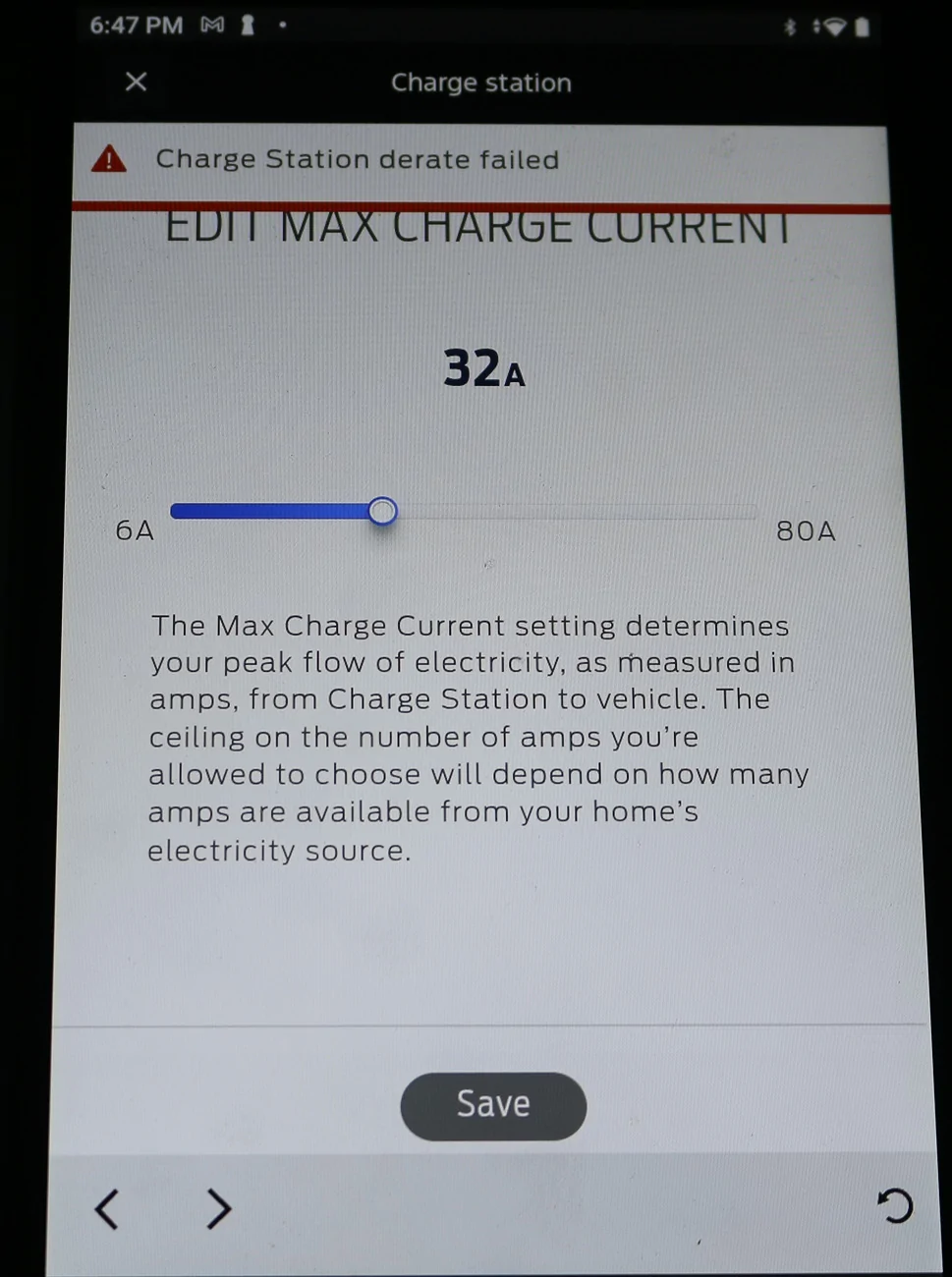
Just tried changing the max current using the Ford app - it failed.
It still thinks it is set at 32A so I tried to raise it to the max 48A my SR allows using the edit function, it said unable to delete setting (or words to that effect) and went back to the 32A indication...so...

Strange that it can tell me the insight information but I cannot edit the max charge rate with the Ford app., and the FCSP is OFF LINE according to my WiFi router.

Could it be using bluetooth for the charge session data (kWh used, date time)?

WT fudge happened...
 

chl

Well-known member
First Name
CHRIS
Joined
Dec 16, 2022
Threads
11
Messages
4,056
Reaction score
2,519
Location
alexandria virginia
Vehicles
2023 LIGHTNING PRO, 2012 Nissan Leaf, 2015 Toyota Prius, 2000 HD 883 Sportster
Occupation
Patent Atty / Electrical Engineer
Analyzing my charge data further, after the July 3 data loss, on July 6, 2026, the amps used was about 17A, and on July 21, 2026 the most recent charge session, amps used was 45A.

Previous data, recorded to my spreadsheet at the time, was that on June 13, 2026, the charge was at the selected 32A.
 

Sponsored

sfringer

Well-known member
First Name
Scott
Joined
Nov 13, 2023
Threads
3
Messages
166
Reaction score
253
Location
NC
Vehicles
2023 F-150 Lightning Lariat ER
Everyone affected: check to see if the insight data indicates your FCSP has defaulted to the MAX current if you reduced it.

I reduced it to 32A a while ago after the location data was lost and I had to reinstall it (sometime in 2026), and in the FORD app it still says 32A, but...my numbers from the insights charge data show it defaulted back to a max current of 48A.

Look at the time and divide the kWh by the time, then divide that by your voltage 240V or 220V or whatever you have.

Voltage x Amps x Time = kWh so kWh / (Time x Voltage) = Amps
Mine is hardset via the internal switch to 48A and that is what the Ford app is reporting as well.
 

TaxmanHog

Moderator
Moderator
First Name
Noel
Joined
Jan 19, 2022
Threads
240
Messages
17,023
Reaction score
19,386
Location
SE. Mass.
Vehicles
2022 Lightning Lariat-ER, 2024 HD Road Glide CVO-ST
Occupation
Retired
I'd say the control issues ie. adjusting the amperage rate is a Ford App issue nothing to do with the Set-up App, that functionality has been problematic with my experience as well, I've given up trying to adjust it on the fly or in advance of a charging session, I just leave it at 80 amps, and my average rate is about 77 amps as confirmed by my Emporia energy monitor.

While the connectivity issues of the Set-up app are another issue, funny that I'm still able to connect to mine, yet the FCSP is still on the same old firmware values.

I suspect it's an issue with the mobile devices or stringent security on your networks?
 

chl

Well-known member
First Name
CHRIS
Joined
Dec 16, 2022
Threads
11
Messages
4,056
Reaction score
2,519
Location
alexandria virginia
Vehicles
2023 LIGHTNING PRO, 2012 Nissan Leaf, 2015 Toyota Prius, 2000 HD 883 Sportster
Occupation
Patent Atty / Electrical Engineer
I'd say the control issues ie. adjusting the amperage rate is a Ford App issue nothing to do with the Set-up App, that functionality has been problematic with my experience as well, I've given up trying to adjust it on the fly or in advance of a charging session, I just leave it at 80 amps, and my average rate is about 77 amps as confirmed by my Emporia energy monitor.

While the connectivity issues of the Set-up app are another issue, funny that I'm still able to connect to mine, yet the FCSP is still on the same old firmware values.

I suspect it's an issue with the mobile devices or stringent security on your networks?
It worked fine until July 3, 2026, haven't changed WiFi or devices, or security settings on either.
And the Max Currrent change always worked before with the app.

This time it gave an error message when I tried to change it that it could not do it.

I'll see if I can film that happening, it gave the message and then it disappeared rather quickly.

Perhaps it has to do with some hardware difference in our FCSP's even if they are on the same Firmware and Software...but actually, I can't tell if there was any change to either because I can't read it with the setup app.

Maybe our firmware and/or software was changed and yours wasn't?
 

chl

Well-known member
First Name
CHRIS
Joined
Dec 16, 2022
Threads
11
Messages
4,056
Reaction score
2,519
Location
alexandria virginia
Vehicles
2023 LIGHTNING PRO, 2012 Nissan Leaf, 2015 Toyota Prius, 2000 HD 883 Sportster
Occupation
Patent Atty / Electrical Engineer
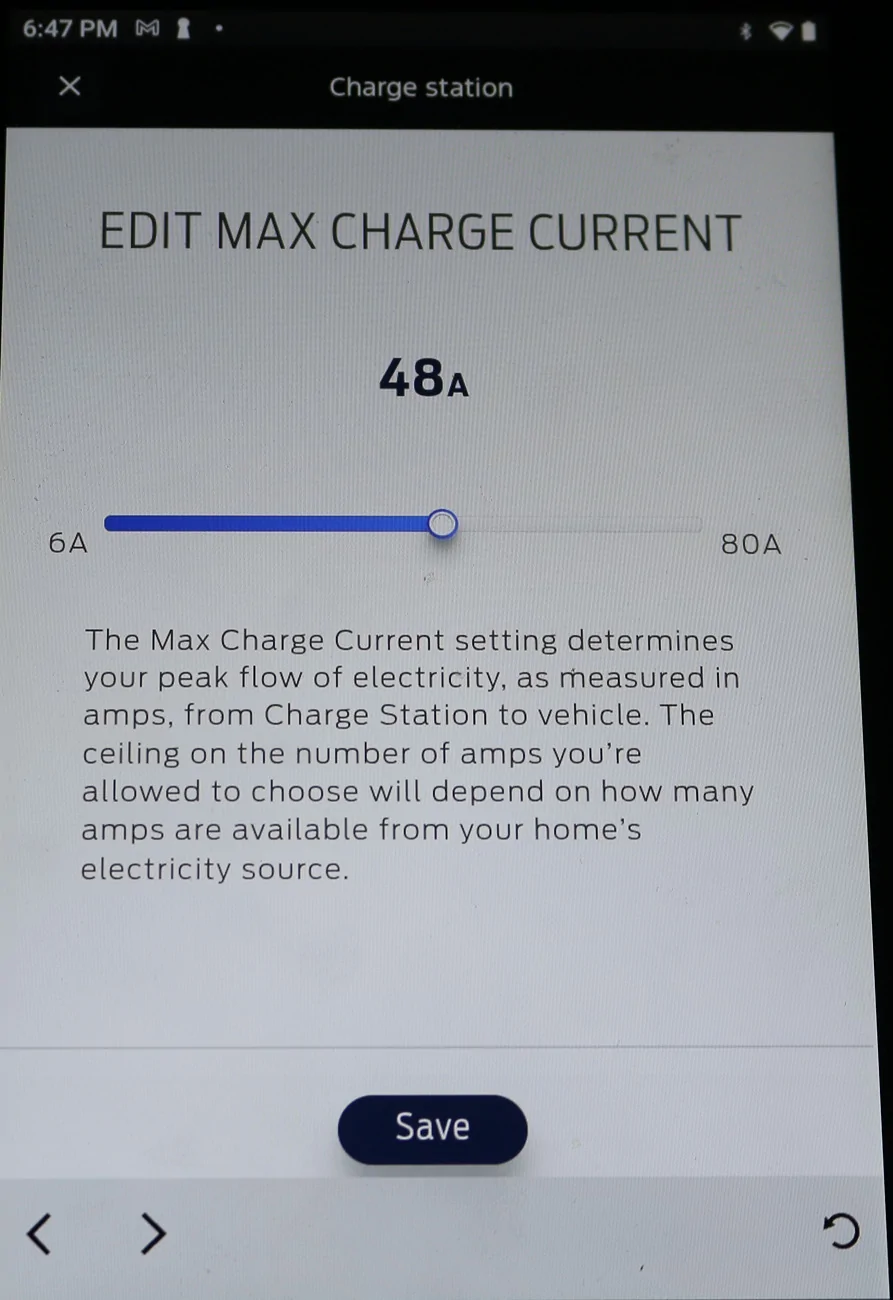
Here is the attempt to change the max current error notice:

Never saw this error before today.

Ford F-150 Lightning FCSP Software Version 2.500.34-ford.27+26-08 IMG_6099-crop EDIT MAX CHARGE CURENT
Ford F-150 Lightning FCSP Software Version 2.500.34-ford.27+26-08 IMG_6100-crop Charge Station derate failed
 

chl

Well-known member
First Name
CHRIS
Joined
Dec 16, 2022
Threads
11
Messages
4,056
Reaction score
2,519
Location
alexandria virginia
Vehicles
2023 LIGHTNING PRO, 2012 Nissan Leaf, 2015 Toyota Prius, 2000 HD 883 Sportster
Occupation
Patent Atty / Electrical Engineer
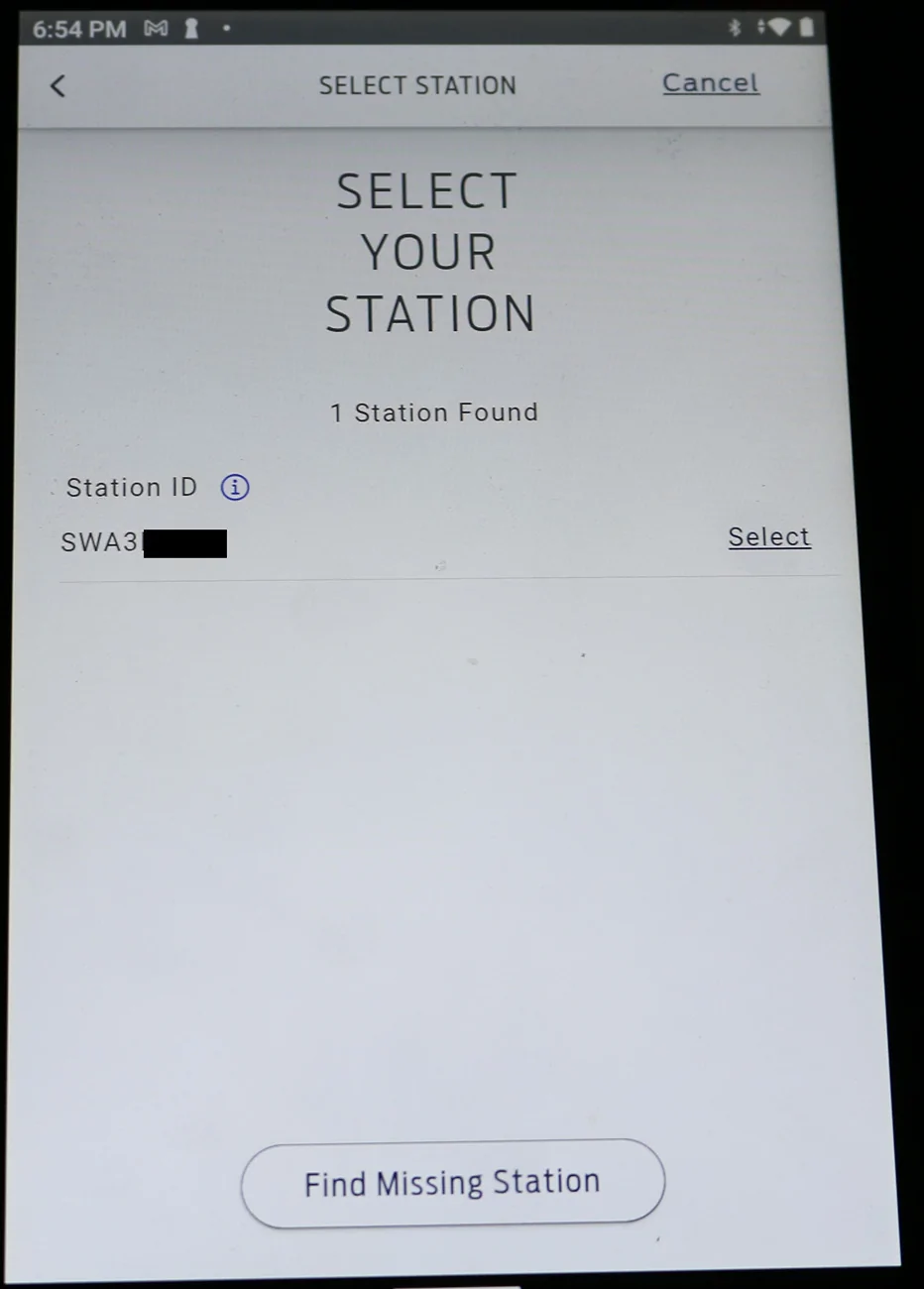
Unable to connect using setup app even though the setup app finds the FCSP:

Ford F-150 Lightning FCSP Software Version 2.500.34-ford.27+26-08 IMG_6107-crop 1 Station Found

My FCSP - full ID blacked out by my edit.

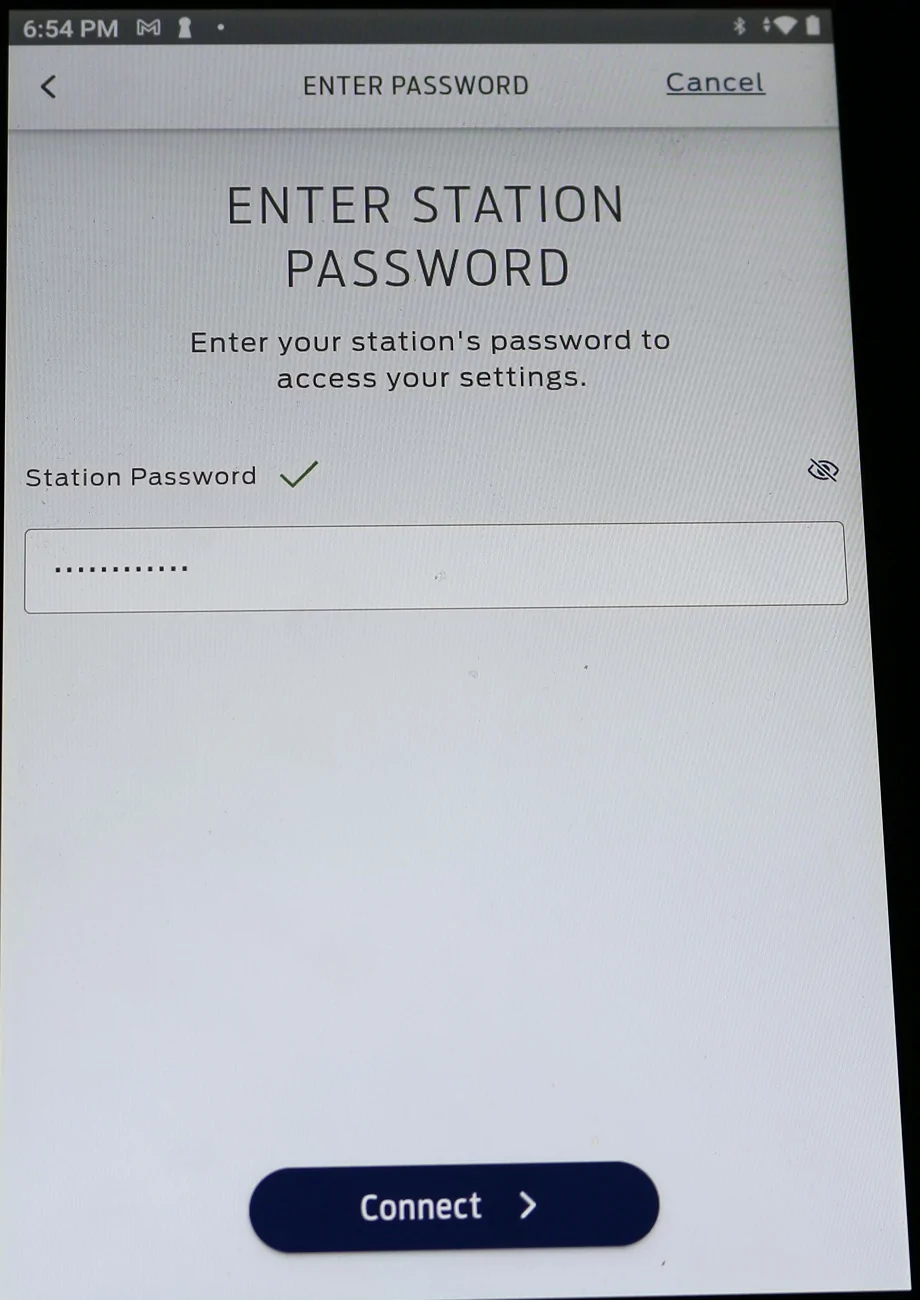
Ford F-150 Lightning FCSP Software Version 2.500.34-ford.27+26-08 IMG_6108-crop Enter Station PW

I checked the PW and it is correct.

Ford F-150 Lightning FCSP Software Version 2.500.34-ford.27+26-08 IMG_6110-crop unable to conect


Unable to connect...for unknown reason as of this week.

Before this happened, was always able to connect using setup app.

The tablet I am using is connected to the 2.4G WiFi that I have been using with the FCSP for over 2 years.

I don't want to clear and redo the whole setup procedure, but I suppose to reestablish connection I might have to...groan...
Sponsored


Top