Sponsored

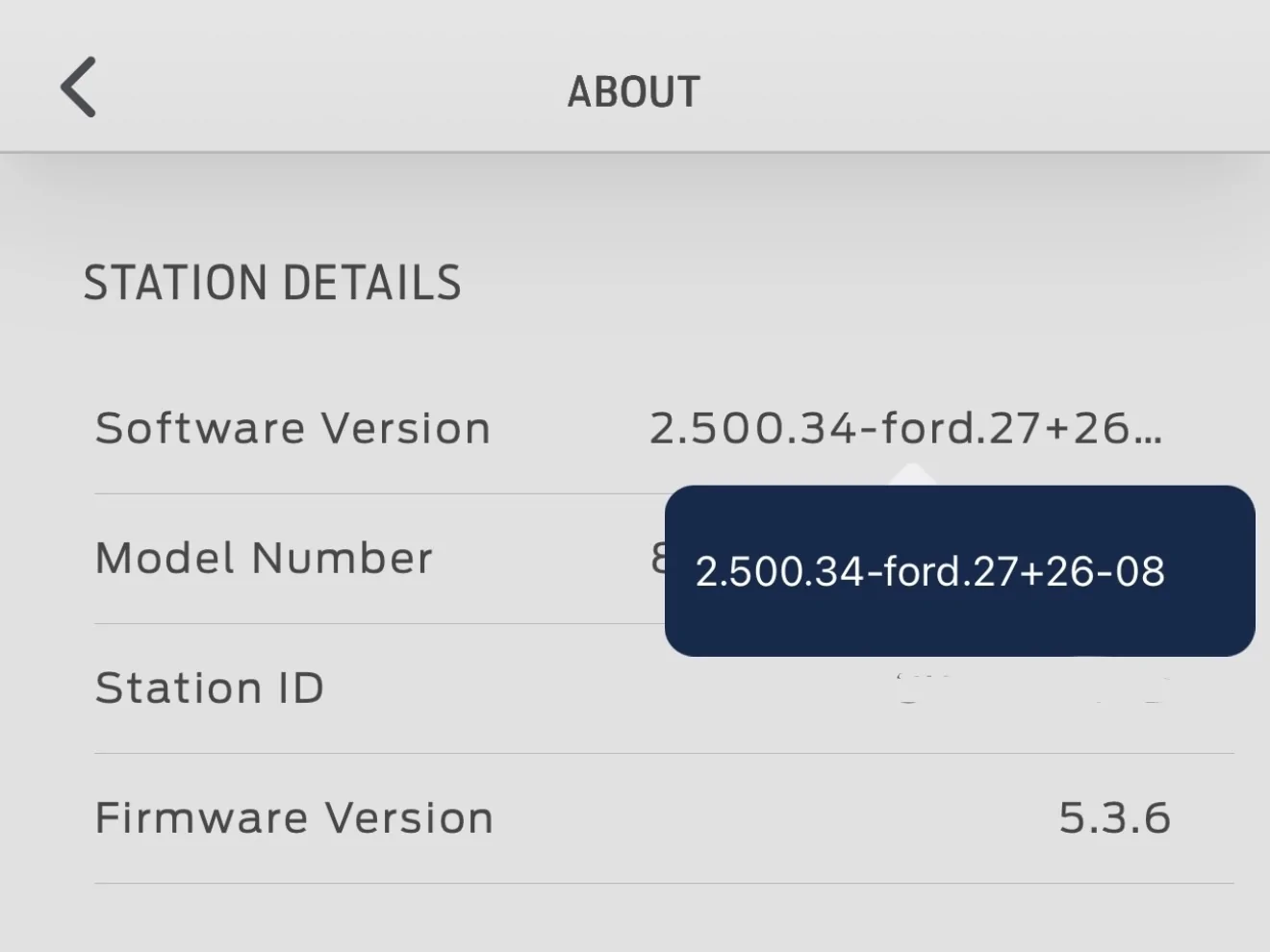
FCSP Software Version 2.500.34-ford.27+26-08

ClevelandBeemer

Well-known member
Joined
May 10, 2025
Threads
12
Messages
367
Reaction score
506
Vehicles
2025 F150 Lightning Flash 131kWh
Just noticed something interesting. I think the software version may have changed again. I noticed the prefixes after “Ford” changed.

Ford F-150 Lightning FCSP Software Version 2.500.34-ford.27+26-08 IMG_1121
Ford F-150 Lightning FCSP Software Version 2.500.34-ford.27+26-08 IMG_1247
Sponsored


Jim Lewis

Well-known member
First Name
Jim
Joined
Jan 10, 2023
Threads
56
Messages
1,095
Reaction score
1,075
Location
San Antonio, TX
Vehicles
Honda Accord 2017; 2023 Lariat ER
Occupation
Retired

tearitupsports

Well-known member
First Name
Russell
Joined
Jun 1, 2024
Threads
13
Messages
457
Reaction score
516
Location
Cypress, TX
Vehicles
2023 F-150 Lightning Lariat ER
Occupation
Industrial Automation & Controls
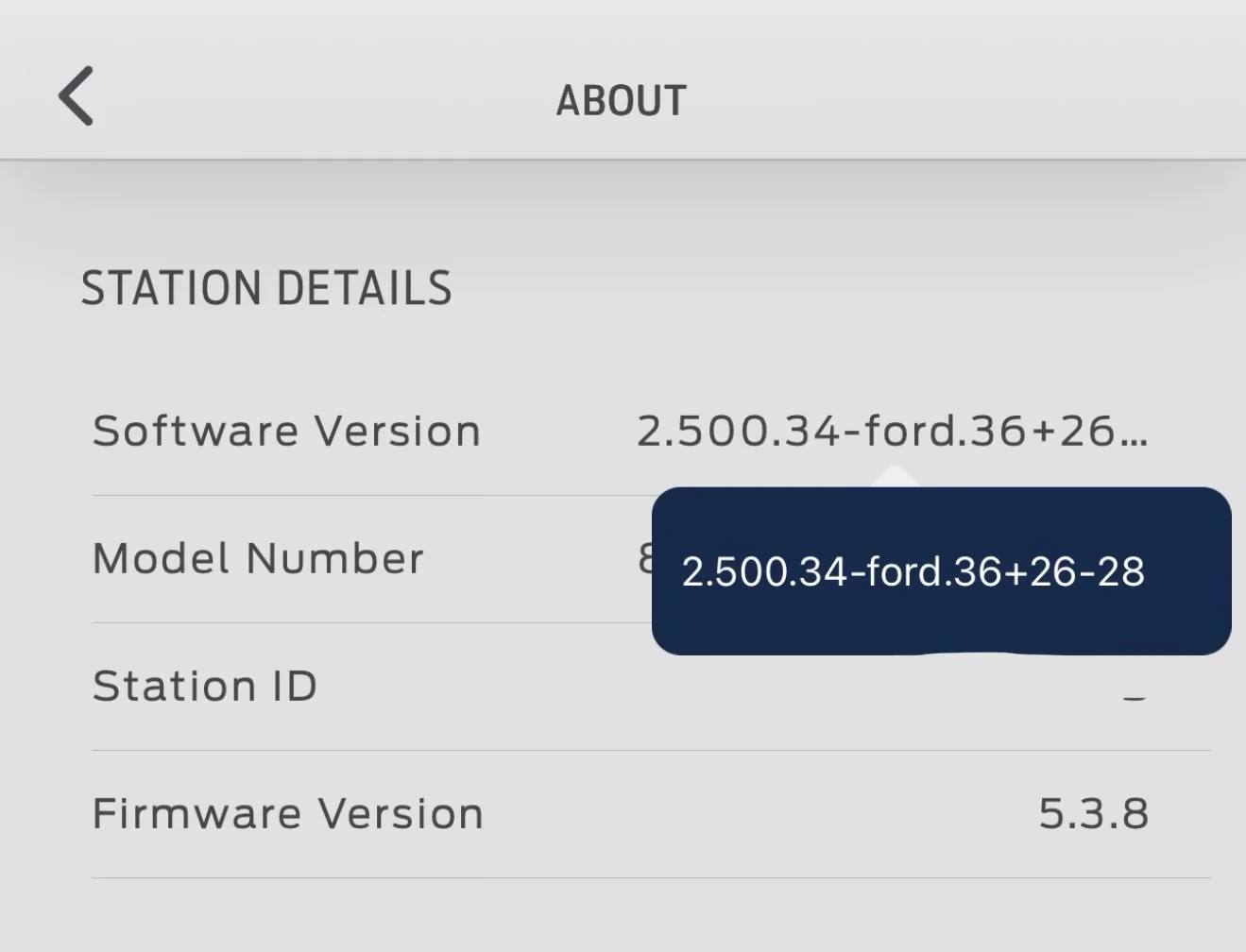
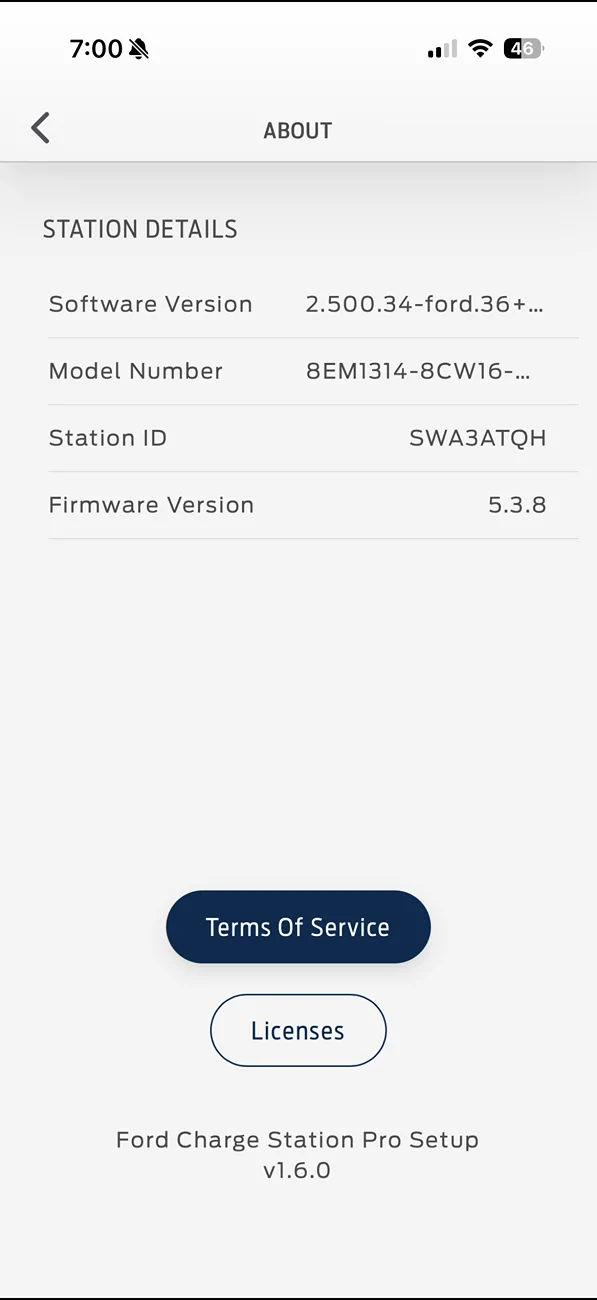
As mentioned before I have the 5.3.8 version and I have no issues connecting with the station. The ford pass app connects to it as well. I don't think the issue is related to only the software.
I have not used the station to charge since June however, and it was powered off almost the entire month of July. The truck is too busy running the house and charging the home battery right now.

Ford F-150 Lightning FCSP Software Version 2.500.34-ford.27+26-08 image1
Ford F-150 Lightning FCSP Software Version 2.500.34-ford.27+26-08 image0
Ford F-150 Lightning FCSP Software Version 2.500.34-ford.27+26-08 image2
 

TaxmanHog

Moderator
Moderator
First Name
Noel
Joined
Jan 19, 2022
Threads
240
Messages
16,947
Reaction score
19,293
Location
SE. Mass.
Vehicles
2022 Lightning Lariat-ER, 2024 HD Road Glide CVO-ST
Occupation
Retired
Hopefully more of us get the revision of the update this coming week.
 

Aminorjourney

Well-known member
First Name
Nikki
Joined
Jun 6, 2022
Threads
21
Messages
449
Reaction score
1,133
Location
Internet
Website
www.transportevolved.com
Vehicles
2023 F150 Lightning Lariat, 2017 Chevrolet Bolt EV, 2006 Vectrix VX-1
I just think it's funny that this update was supposed to fix everything... and just made it worse ;)
 

Sponsored

chl

Well-known member
First Name
CHRIS
Joined
Dec 16, 2022
Threads
10
Messages
3,990
Reaction score
2,479
Location
alexandria virginia
Vehicles
2023 LIGHTNING PRO, 2012 Nissan Leaf, 2015 Toyota Prius, 2000 HD 883 Sportster
Occupation
Patent Atty / Electrical Engineer
Yea, I know - welcome to the club.

For the past couple days, I can't connect to my FCSP via the Ford Charge Station app. Prior to these last couple days, it has been very reliable connecting. Everything works via the Ford app (reading power transfer, setting charge max). The FCSP correctly charged my truck Friday evening. My Router reports that the FCSP is getting an IP - which I can ping. My WiFi reports that the FCSP is connected to the Garage access point, it shows the correct IP address, and the WiFi can ping the FCSP. When I attempt to connect to the FCSP via the Ford Charge Station app, it searches for the Station, and correctly finds the station, and the stored password shows correctly, but it can't connect.

A little while ago I killed the breaker to the FCSP for about 10 minutes to see if that made any difference. After waiting for the FCSP to boot up and connect to the WiFi (as verified by both my router and WiFi), I still can't connect.

At least as of the last time I was able to connect, the FCSP has software version:
2.112.125:3.15:3.15:3.15:3.15
My exact issue.
 

chl

Well-known member
First Name
CHRIS
Joined
Dec 16, 2022
Threads
10
Messages
3,990
Reaction score
2,479
Location
alexandria virginia
Vehicles
2023 LIGHTNING PRO, 2012 Nissan Leaf, 2015 Toyota Prius, 2000 HD 883 Sportster
Occupation
Patent Atty / Electrical Engineer
Two last tests, turn off your wifi router and walk over to the CSP and see if you in can connect directly with Bluetooth.

And if the CSP app does see the CSP, I am assuming the Ford Pass app does not, then through the CSP app, log in to manage/change settings and reconnect it to the Ford pass App.

...And I recommended the 2.4 ghz because of transmission distance for those having some connection issues all together.

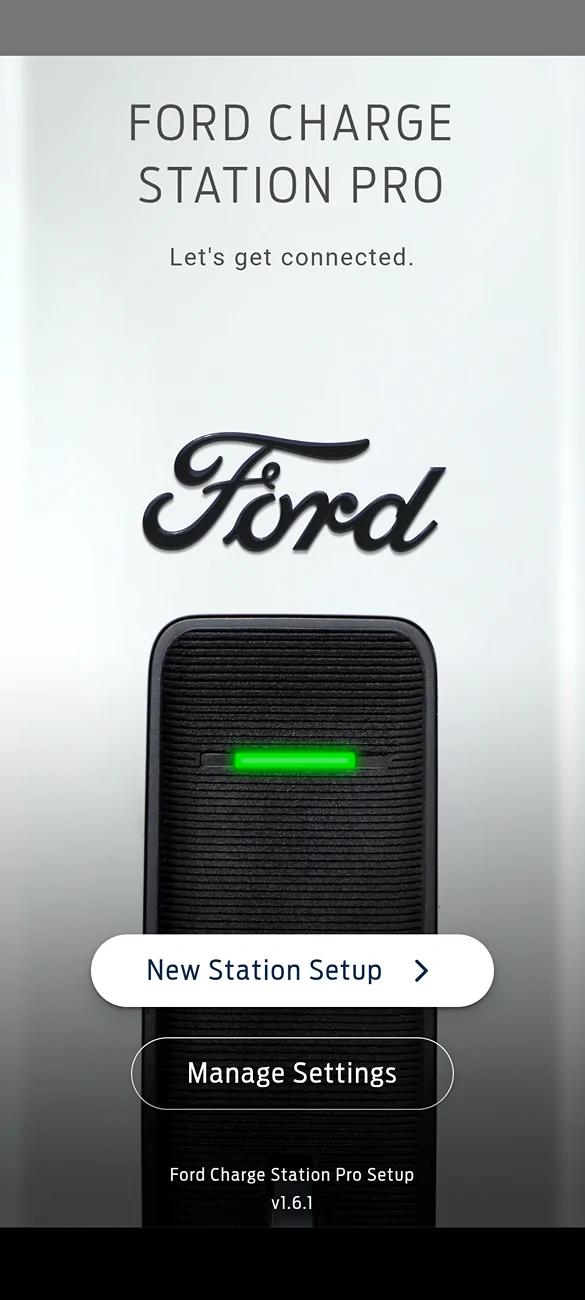
Screenshot_20260809-185129.webp
The Ford app does see the FCSP - always correctly tells me if it is ready to charge or not, connected waiting to charge as well. It is the setup app, either started alone or through the Ford app selection.

If i did a hard reset of the FCSP with the little red button on the circuit board, it should start broadcasting the SWAxxxxx network signal then with my tablet I could try to connect to that network and redo the whole set up...that's the procedure when one initially sets up the FCSP.

But that (SWAxxxxx) is a WiFi network signal, not Blue Tooth as I understand it - they always recommend turning BT off on your phone/tablet when setting up the FCSP.

Have always used the 2.4G and like I said, the FCSP is there in the router table, the Ford app can detect it's status, and the setup app actually can see/detect it, it just won;t connect (like what K6CCC said above).

To use BlueTooth I'd have to pair the FCSP to the tablet, but I have never seen the FCSP as a device on my tablet BT list of devices when I have BT on.

I might try turning BT on and see if the FCSP shows up as a device...never has before but who knows...
 

abcut973

Well-known member
First Name
Anthony
Joined
Mar 12, 2025
Threads
8
Messages
251
Reaction score
199
Location
Denham Springs
Vehicles
2022 F150 Lightning Platinum, 2020 BMW X7 xDrive40i, 2019 Mercedes C300 cab
My charging session started 35 minutes ago and the FCSP is showing transferring power (green) in the fordpass app now. My charging rate is the normal 17.3 kw. Definitely something is up.
 

ClevelandBeemer

Well-known member
Joined
May 10, 2025
Threads
12
Messages
367
Reaction score
506
Vehicles
2025 F150 Lightning Flash 131kWh

chl

Well-known member
First Name
CHRIS
Joined
Dec 16, 2022
Threads
10
Messages
3,990
Reaction score
2,479
Location
alexandria virginia
Vehicles
2023 LIGHTNING PRO, 2012 Nissan Leaf, 2015 Toyota Prius, 2000 HD 883 Sportster
Occupation
Patent Atty / Electrical Engineer
I tried using blue tooth with the FCSP as someone suggested above.

It showed up as FORD 3000 in the search, when I selected it, the FCSP light turned white and flashed on and off slowly about 24 times for about 60 seconds.

But did not change anything - setup app still not connecting.
 

Sponsored

Jim Lewis

Well-known member
First Name
Jim
Joined
Jan 10, 2023
Threads
56
Messages
1,095
Reaction score
1,075
Location
San Antonio, TX
Vehicles
Honda Accord 2017; 2023 Lariat ER
Occupation
Retired
Just checked. SSID is not being broadcast.
Thanks for checking how your FCSP is behaving. Mine finally stopped broadcasting its SSID at least 10 hours after I first noticed it. The cause may have actually been me cold-rebooting my FCSP after the first weird firmware update I got late Friday evening: https://www.f150lightningforum.com/...sion-2-500-34-ford-27-26-08.38672/post-742777. If that were the cause of my FCSP broadcasting its SSID, it had probably been doing so for more than 24 hours before I belatedly noticed it. So many things working strangely after these firmware "fixes."
 

ClevelandBeemer

Well-known member
Joined
May 10, 2025
Threads
12
Messages
367
Reaction score
506
Vehicles
2025 F150 Lightning Flash 131kWh
Thanks for checking how your FCSP is behaving. Mine finally stopped broadcasting its SSID at least 10 hours after I first noticed it. The cause may have actually been me cold-rebooting my FCSP after the first weird firmware update I got late Friday evening: https://www.f150lightningforum.com/...sion-2-500-34-ford-27-26-08.38672/post-742777. If that were the cause of my FCSP broadcasting its SSID, it had probably been doing so for more than 24 hours before I belatedly noticed it. So many things working strangely after these firmware "fixes."
Makes sense. Honestly I’m ready to offload mine for a different unit. I actually have two FCSP’s due to being sent a replacement for another issue. I noticed that below 25°F and at the desired SoC, the FCSP would error out when the truck calls for power to keep the pack above freezing. After months of troubleshooting, Ford finally sent me out a replacement. But by the time I received the replacement, we were close to spring and temps had warmed up. So I have to wait till winter to know if the replacement unit does the same thing or not.
 

TaxmanHog

Moderator
Moderator
First Name
Noel
Joined
Jan 19, 2022
Threads
240
Messages
16,947
Reaction score
19,293
Location
SE. Mass.
Vehicles
2022 Lightning Lariat-ER, 2024 HD Road Glide CVO-ST
Occupation
Retired
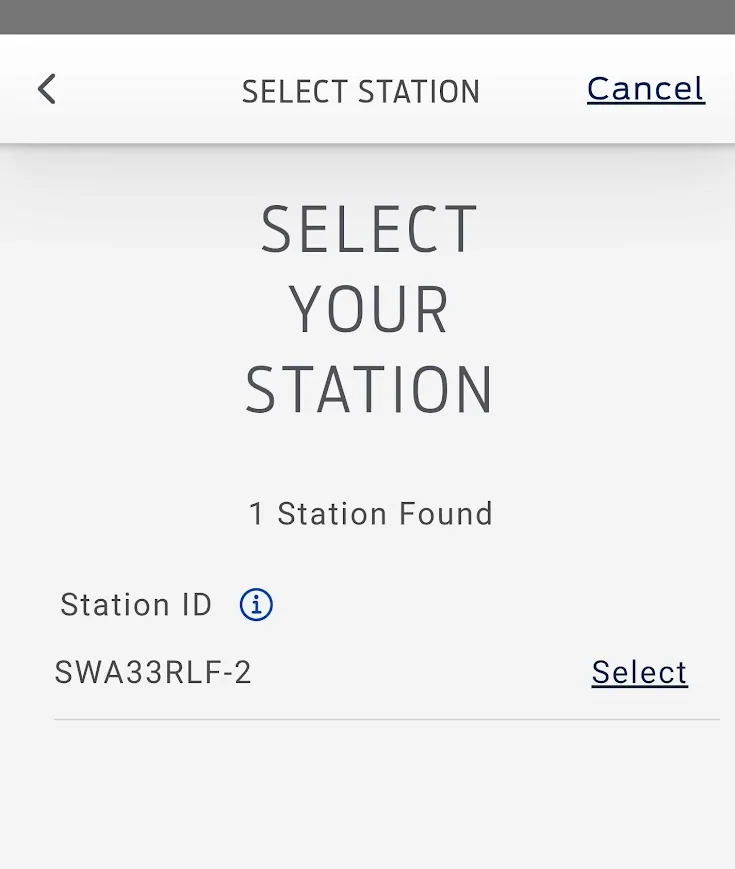
Power cycled the FCSP leaving it off for several hours today, then back on.
It's now reporting the revised station ID again with the -2 suffix
Still unable to log on.

Ford F-150 Lightning FCSP Software Version 2.500.34-ford.27+26-08 1786399058428-4
 

K6CCC

Well-known member
First Name
Jim
Joined
Sep 12, 2024
Threads
34
Messages
1,308
Reaction score
1,477
Location
Glendora, Calif.
Vehicles
2024 Lightning Flash ER in Antimatter Blue w/9.6 PPO , 2017 Corolla (wife's car)
Occupation
Retired from 2-Way radio systems
I will give that a try...
 

chl

Well-known member
First Name
CHRIS
Joined
Dec 16, 2022
Threads
10
Messages
3,990
Reaction score
2,479
Location
alexandria virginia
Vehicles
2023 LIGHTNING PRO, 2012 Nissan Leaf, 2015 Toyota Prius, 2000 HD 883 Sportster
Occupation
Patent Atty / Electrical Engineer
RE: FCSP broadcasting on the SWAxxxxx

My understanding was that once you have set up the FCSP and it is connected to your WiFI, it will stop using or broadcasting the SWAxxxxx network, unless you do a hard reset with the little red button on the circuit board (press and hold for 30-60 seconds).

After it has been set up to connect with your WiFi, the FCSP station ID SWAxxxxx will be seen by the setup app using the WiFi network.

I still have the SWAxxxxx network on my list of networks in my tablet from when I first installed the FCSP in 2024, but it is not broadcasting on that network so I cannot connect to it with that network unless I do a red button reset.

My last resort would be to do that red button reset and go through the whole FCSP setup but that was a pain in the butt and time consuming when I did it 2 years ago.

The steps I followed were from the SUNRUN install doc"Ford CSP WiFi Pairing..." summarized below:
-----
1) connect phone/tablet to customer wifi - use 2.4g
2) download the setup app
3) start the setup app and position the phone close to the FCSP select New Station Setup
4) the app will prompt you to connect to the chargers WiFi (SWAxxxxx), select that and connect, enter the password, when the pw is accepted navigate back to the setup app and let the app connect...once connected tap find networks and connect to the customer wifi network in step (1)...this process may take several minutes....yawn...
END OF WIFI PAIRING THE EV CHARGER ONLY

[the next steps relate to pairing to the HIS]
-----
Sounds easy, right? Except it takes a loooooong time - the SWAxxxxx network signlal is weak and takes a long time to detect, the password was sometimes rejected (com error?), etc.

After that process, the FCSP has to be connected to the FORD app.

That was where I ran into trouble and a dead end in 2024 with an error message :"Charge Point Not Found."

When a new version of the FCSP software and firmware were sent out in mid-March 2025 I was able to complete the FCSP-app connection.

Things worked fine-ish until July 3, 2026 when some data disappeared, and later, in late July early August, setup app could no longer connect and no insights from charge sessions after the session on July 21, 2026.

Also the FCSP MAX current setting I had lowered to 32A with the app was lost and it defaults to the truck max of 48A now - the FCSP app thinks it is still set at 32A and won;t let me raise or lower that number, but based on the truck data from the Ford app it defaults to the truck max amps.

If we don't hear something from Ford soon, I may try a red button reset and see what happens.
Sponsored


Top