Sponsored

Glare Free Headlights - Use Case

WindPilot

Member
First Name
Wind
Joined
Sep 8, 2025
Threads
3
Messages
20
Reaction score
70
Location
Raleigh, NC
Vehicles
2014 F-150 Lightning Flash
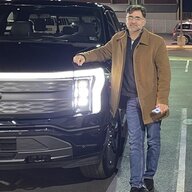
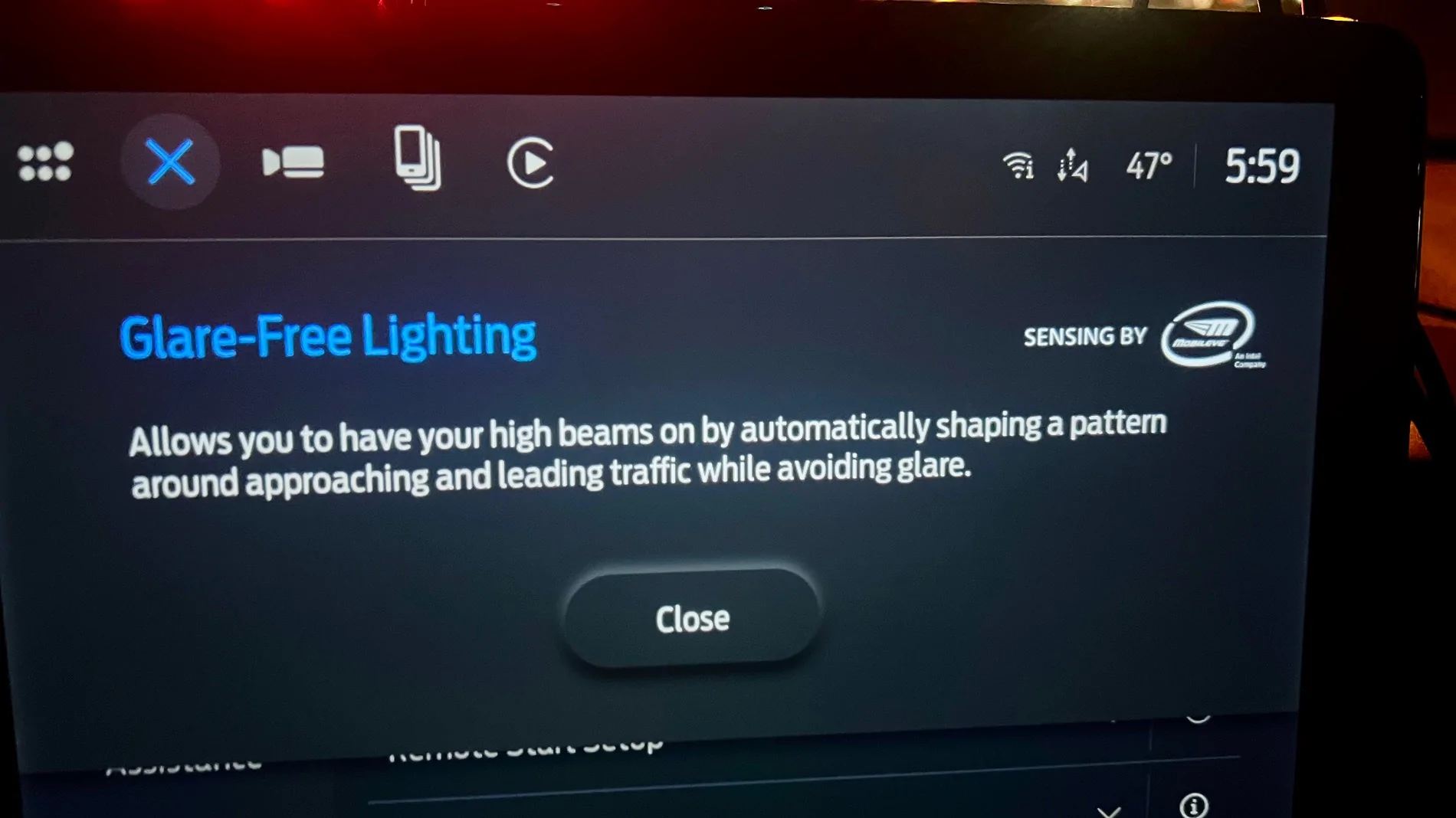
Just enabled this using FORScan and thought it wasn’t working - but then remembered a Sync reset is needed - works like a dream!

Surprised to see “Sensing by MobilEye an Intel Company” We have MobilEye on our work trucks, too.

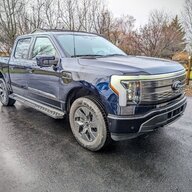
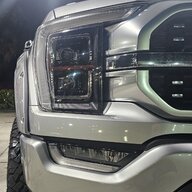
Ford F-150 Lightning Glare Free Headlights - Use Case IMG_2016
Sponsored


GDN

Well-known member
First Name
Greg
Joined
Feb 15, 2022
Threads
94
Messages
3,738
Reaction score
4,779
Location
Dallas, TX
Vehicles
Lightning Lariat ER, Performance Y
Occupation
IT
I"m very impressed with the Glare Free lights. Great on interstates. It's easy to see the lights change patterns. They are very good at what they do.

A side note, Tesla has upped the game a notch. We took the Y for Thanksgiving - 400 mile round trip, mostly Interstate. Tesla enabled Matrix lighting in the last year for the cars equipped.

Something caught my eye, that I'm not sure I've seen the truck do. I noticed all the road signs seems really bright. Sure enough after watching, not only does the lighting adjust for traffic, it specifically targets road signs and lights them, those on the side of the road as well as overhead. It will put the perfect square or rectangle of light on the sign and change and move as you approach and then pass. It will pick the signs up just as soon as you notice there is one.

If the trucks system is this good and fine tuned, I haven't noticed it in previous drives, but will watch in a couple of weeks.
 

Firn

Well-known member
Joined
Aug 26, 2024
Threads
28
Messages
1,416
Reaction score
1,509
Location
USA
Vehicles
23 Pro ER
I"m very impressed with the Glare Free lights. Great on interstates. It's easy to see the lights change patterns. They are very good at what they do.

A side note, Tesla has upped the game a notch. We took the Y for Thanksgiving - 400 mile round trip, mostly Interstate. Tesla enabled Matrix lighting in the last year for the cars equipped.

Something caught my eye, that I'm not sure I've seen the truck do. I noticed all the road signs seems really bright. Sure enough after watching, not only does the lighting adjust for traffic, it specifically targets road signs and lights them, those on the side of the road as well as overhead. It will put the perfect square or rectangle of light on the sign and change and move as you approach and then pass. It will pick the signs up just as soon as you notice there is one.

If the trucks system is this good and fine tuned, I haven't noticed it in previous drives, but will watch in a couple of weeks.
The truck has much more coarse control but it will light up the signs.

Mostly I find it lights them up, then strobes a little, and then goes full blast. I actually think it believes the sign might be another car and subtly pulses the light to ensure it isnt
 

GDN

Well-known member
First Name
Greg
Joined
Feb 15, 2022
Threads
94
Messages
3,738
Reaction score
4,779
Location
Dallas, TX
Vehicles
Lightning Lariat ER, Performance Y
Occupation
IT
Hi everyone. First time poster and long time lurker. Thank you for all of the information and tips. I've lurked on this forum and reddit for close to 2 years and bought my 2023 Lariat 511a sight unseen without test driving based on feedback and you all were right. I came from a heavily modded cts v (built motor, heads, cam) as a daily driver to this and it has been a welcomed change.

Last night I enabled glare free headlights through Forscan. I was wondering what the use case is for this feature. Is this better suited for folks out in rural areas with dimly lit roads? I'm wondering if city drivers like myself benefit more from auto high beams vs glare free. I have to admit I am not really noticing any difference. In fact, it's less useful (so far) than the auto high beams were in my neighborhood. Those would kick on and illuminate the whole street if it was empty. Now that feature doesn't happen. I also noticed that the high beam blue icon would come on for auto high beam. With glare free, I have the green "A" in the dash and the feature enabled in vehicle settings, but I have not been able to tell a difference so far.

Nice to be here and look forward to learning more.
BTW - welcome to the forum. Quite a few DFW members here on the forum. We had a get together last year and several met up at the EV event in Arlington last month. Look for us around.
 

Sponsored
OP
OP

HornetRaider

New member
First Name
Abe
Joined
Oct 29, 2025
Threads
1
Messages
3
Reaction score
2
Location
DFW
Vehicles
2023 Lariat ER
BTW - welcome to the forum. Quite a few DFW members here on the forum. We had a get together last year and several met up at the EV event in Arlington last month. Look for us around.
Thank you! I'll dm you my contact info. Would love to attend the next GTG.
 
OP
OP

HornetRaider

New member
First Name
Abe
Joined
Oct 29, 2025
Threads
1
Messages
3
Reaction score
2
Location
DFW
Vehicles
2023 Lariat ER
Just enabled this using FORScan and thought it wasn’t working - but then remembered a Sync reset is needed - works like a dream!

Surprised to see “Sensing by MobilEye an Intel Company” We have MobilEye on our work trucks, too.

IMG_2016.webp
Interesting that yours didnt' work until sync reset. Did you have the glare free toggle and green icon in your dash before you reset sync? Or did that only show up after you reset your sync?

I haven't reset my sync, but I had the toggle come on in my vehicle settings and icon show up in dash. I may try resetting sync. I've been paying extra close attention to my headlights when going above 34+mph on dimly lit roads and am really not noticing anything...

I may also go back through Forscan and triple check everything. I would think if the toggle in vehicle settings and icon in dash is showing that it was done correctly, but maybe I'm wrong.
 

carys98

Well-known member
First Name
Cary
Joined
Jan 15, 2022
Threads
29
Messages
792
Reaction score
1,219
Location
Raleigh, NC
Vehicles
2023 Lightning Lariat SR
Occupation
Retired EE
Interesting that yours didnt' work until sync reset. Did you have the glare free toggle and green icon in your dash before you reset sync? Or did that only show up after you reset your sync?

I haven't reset my sync, but I had the toggle come on in my vehicle settings and icon show up in dash. I may try resetting sync. I've been paying extra close attention to my headlights when going above 34+mph on dimly lit roads and am really not noticing anything...

I may also go back through Forscan and triple check everything. I would think if the toggle in vehicle settings and icon in dash is showing that it was done correctly, but maybe I'm wrong.
I had the toggle and the green icon for almost a year with a checksum error in the headlight module that kept it from working correctly. I went back through all of the settings and found one error and now it works perfectly.
 

WindPilot

Member
First Name
Wind
Joined
Sep 8, 2025
Threads
3
Messages
20
Reaction score
70
Location
Raleigh, NC
Vehicles
2014 F-150 Lightning Flash
Interesting that yours didnt' work until sync reset. Did you have the glare free toggle and green icon in your dash before you reset sync? Or did that only show up after you reset your sync?
I didn’t see the toggle, so I double-checked all the entries I made in FORScan, then tried the Synch reset and then finally saw the toggle.
 

bmwhitetx

Well-known member
First Name
Bruce
Joined
May 21, 2021
Threads
46
Messages
2,885
Reaction score
4,097
Location
DFW-Texas
Vehicles
2022 F150 Lightning Lariat ER
Occupation
Retired engineer
A Sync reset isn't mandatory but as mentioned in the FORScan guide, several restarts may be needed. I added that note because several members reported it. I personally did not have to do a reset.

Similar (or the same?) is an APIM reboot (see post #2). May help get the functionality without restarting several times.

Glare free involves several modules besides the APIM/Sync and IPC/Dash screen. Definitely double check your values. Also see the Operation Guide I cobbled together and added pictures to from the Canadian Owners Manual.
 
Last edited:

Sponsored

theawesomegamer

Well-known member
First Name
Alton
Joined
Jul 31, 2025
Threads
5
Messages
66
Reaction score
110
Location
Utah
Vehicles
2023 F150 Lightning Lariat ER w/ Max Tow
Does glare free work on 2023 Lightnings? I know on the ICE trucks, it only works on 2021-2022 model years after a certain IPMA update.
I believe it works on all F150 Lightnings.
 

bc1

Well-known member
Joined
Oct 25, 2025
Threads
5
Messages
73
Reaction score
38
Location
McPherson, KS
Vehicles
2025 Ford f150 Lightning Flash
Thanks. I'm in the process of doing this and hope to finish tomorrow. I'm also writing up a procedure in the forscan thread.

Where and/or how do you do a sync screen reset?
Also is there a switch to turn it on and off and if so where is it at on the sync screen?
I see the APIM module is the sync screen and the IPC module is the dash screen. What are the IPMA, SCCM, and HCM modules stand for? Thanks.
 

chriserx

Well-known member
First Name
Chris
Joined
Oct 3, 2025
Threads
1
Messages
189
Reaction score
127
Location
Louisiana
Vehicles
2025 Ford Lightning Flash Job 2 😭
Thanks. I'm in the process of doing this and hope to finish tomorrow. I'm also writing up a procedure in the forscan thread.

Where and/or how do you do a sync screen reset?
Also is there a switch to turn it on and off and if so where is it at on the sync screen?
I see the APIM module is the sync screen and the IPC module is the dash screen. What are the IPMA, SCCM, and HCM modules stand for? Thanks.
You can reboot the APIM module in Forscan, i did it proactively, don't know if it made a difference or not. The only issue I encountered was turning off glare free to see the difference, it kinda bugged out, turning off, then the toggle turned back 'on' but it wasn't really on. Didn't do anything for several days and it seems to turn on and off normally now.

If you're on the fence about it, you should at least try it, I love it! Too bad US lighting rules mean it's disabled by default...I hear VW group's matrix lighting is the pinnacle of what's currently possible with drive lighting. I'd love to see it in person.
 

bmwhitetx

Well-known member
First Name
Bruce
Joined
May 21, 2021
Threads
46
Messages
2,885
Reaction score
4,097
Location
DFW-Texas
Vehicles
2022 F150 Lightning Lariat ER
Occupation
Retired engineer
Thanks. I'm in the process of doing this and hope to finish tomorrow. I'm also writing up a procedure in the forscan thread.

Where and/or how do you do a sync screen reset?
Also is there a switch to turn it on and off and if so where is it at on the sync screen?
I see the APIM module is the sync screen and the IPC module is the dash screen. What are the IPMA, SCCM, and HCM modules stand for? Thanks.
Sync reset. (same as doing APIM reboot in FORScan I’ve read).
Glare free on/off switch location is in Ops Manual I linked above.
Image Processing Module A is camera behind windshield that recognizes things.
Steering Column Control Module tells system the direction you’re steering for light bending.
Headlight Control Module
 

bc1

Well-known member
Joined
Oct 25, 2025
Threads
5
Messages
73
Reaction score
38
Location
McPherson, KS
Vehicles
2025 Ford f150 Lightning Flash
Thanks Bruce. That tells me the changes I made so far didn't really do anything to the headlights so it was just me looking harder at what was there. I was hoping the sync screen reset if necessary would be something that could be done without the bringing out the computer. It's probably the HCM value changes that really adjust the headlight lenses.
Sponsored


Top