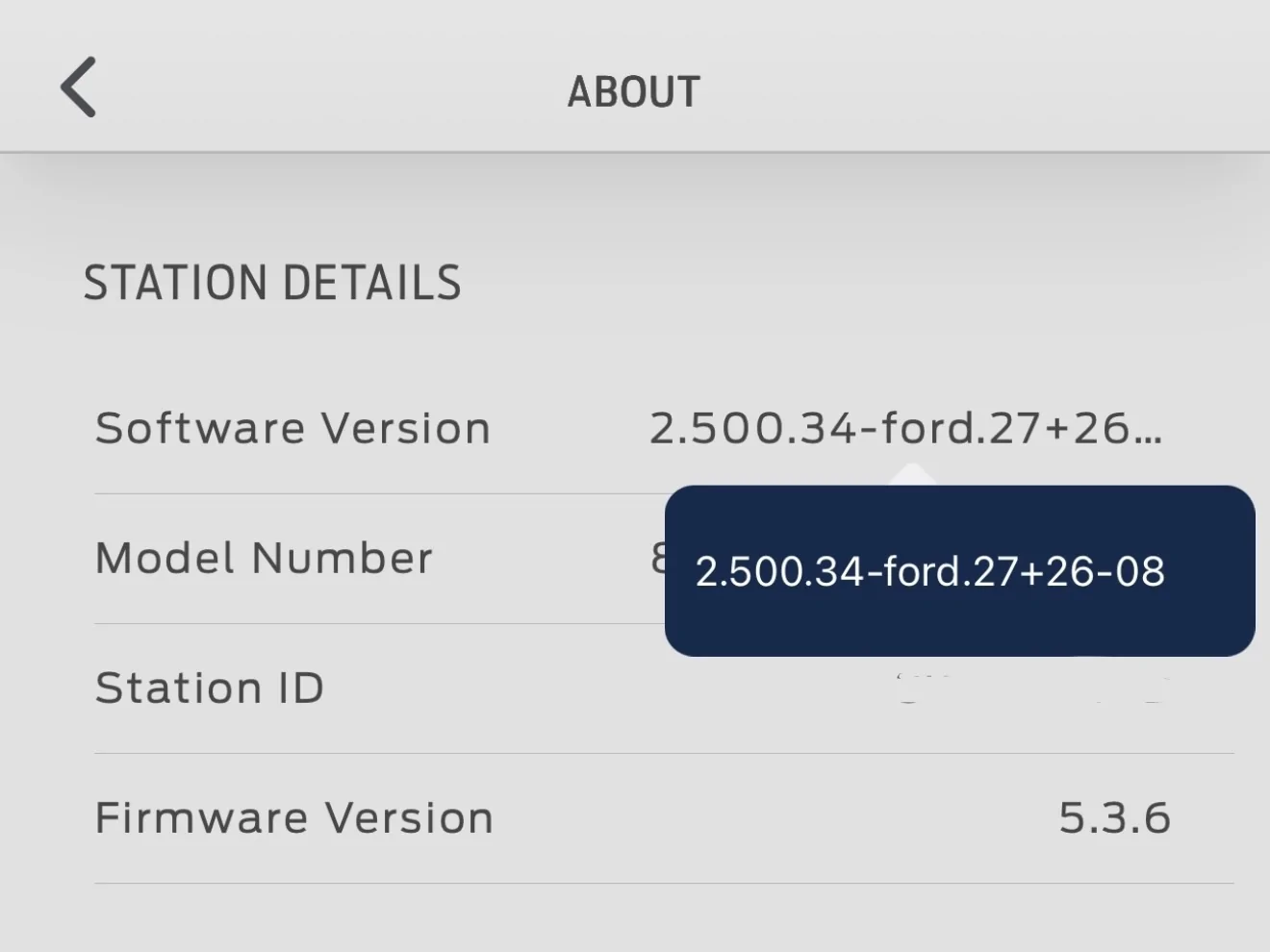
SameComing up on 2 weeks since this announcement and my FCSP software version is still 2.112.125:3.15:3.15:3.15:3.15
Sponsored
SameComing up on 2 weeks since this announcement and my FCSP software version is still 2.112.125:3.15:3.15:3.15:3.15
At least that has not been an issue for me. As long as I have my phone on the right WiFi (and therefore the right LAN).No longer able to check - FCSP not on WiFi anymore (since July 4 or thereabouts) - I can see Insights with the Ford App but the setup app is no longer able to connect
Yes I changed nothing, worked for 1-1/2 years nearly flawlessly, same tablet, same wifi, everything...just no FCSP on WiFi anymore - router shows it, but it is always Off Line since July 4.At least that has not been an issue for me. As long as I have my phone on the right WiFi (and therefore the right LAN).

I don't think so, at least nothing has posted to my FCSP yet, no problem finding & logging into itBut a couple others also lost FCSP WiFi connection as well...which make me wonder if Ford sent a glitched OTA to the FCSP?

It is just strange that there were others who had the same issue around the same time I noticed it...I wonder what we all have in common that led to the loss of WiFi connection.I don't think so, at least nothing has posted to my FCSP yet, no problem finding & logging into it
I had the same WiFi issue and couldn’t connect. I then attempted to connect with Bluetooth off on my phone and the app instantly connected.It is just strange that there were others who had the same issue around the same time I noticed it...I wonder what we all have in common that led to the loss of WiFi connection.
Awesome to see!! Mine is failing to connect this morning, the system ID is being broadcast, but fails to login, I will power cycle the unit and see if that fixes the situation.Boom! Updated!

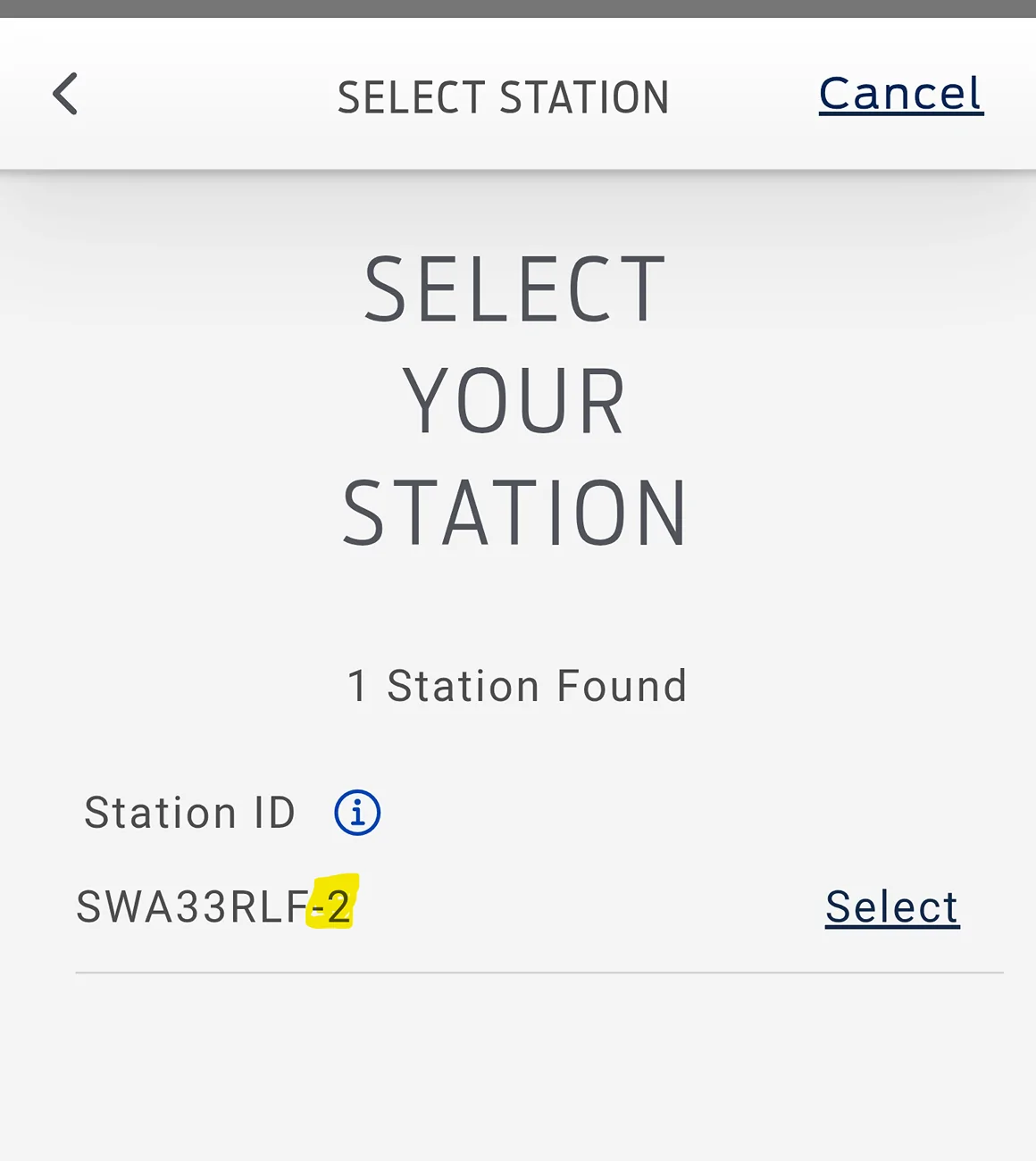
New station ID with suffix '-2' to the real name.Awesome to see!! Mine is failing to connect this morning, the system ID is being broadcast, but fails to login, I will power cycle the unit and see if that fixes the situation.
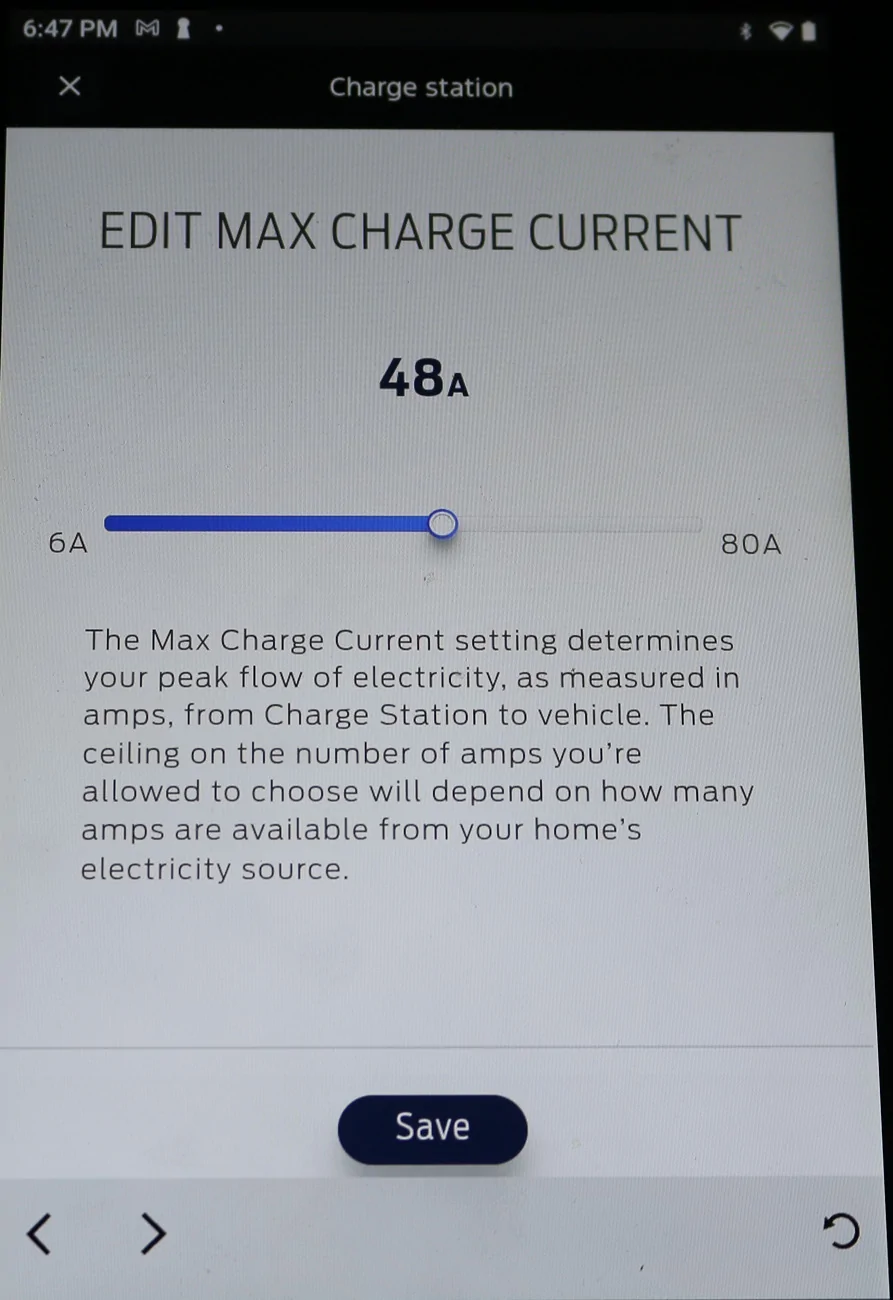
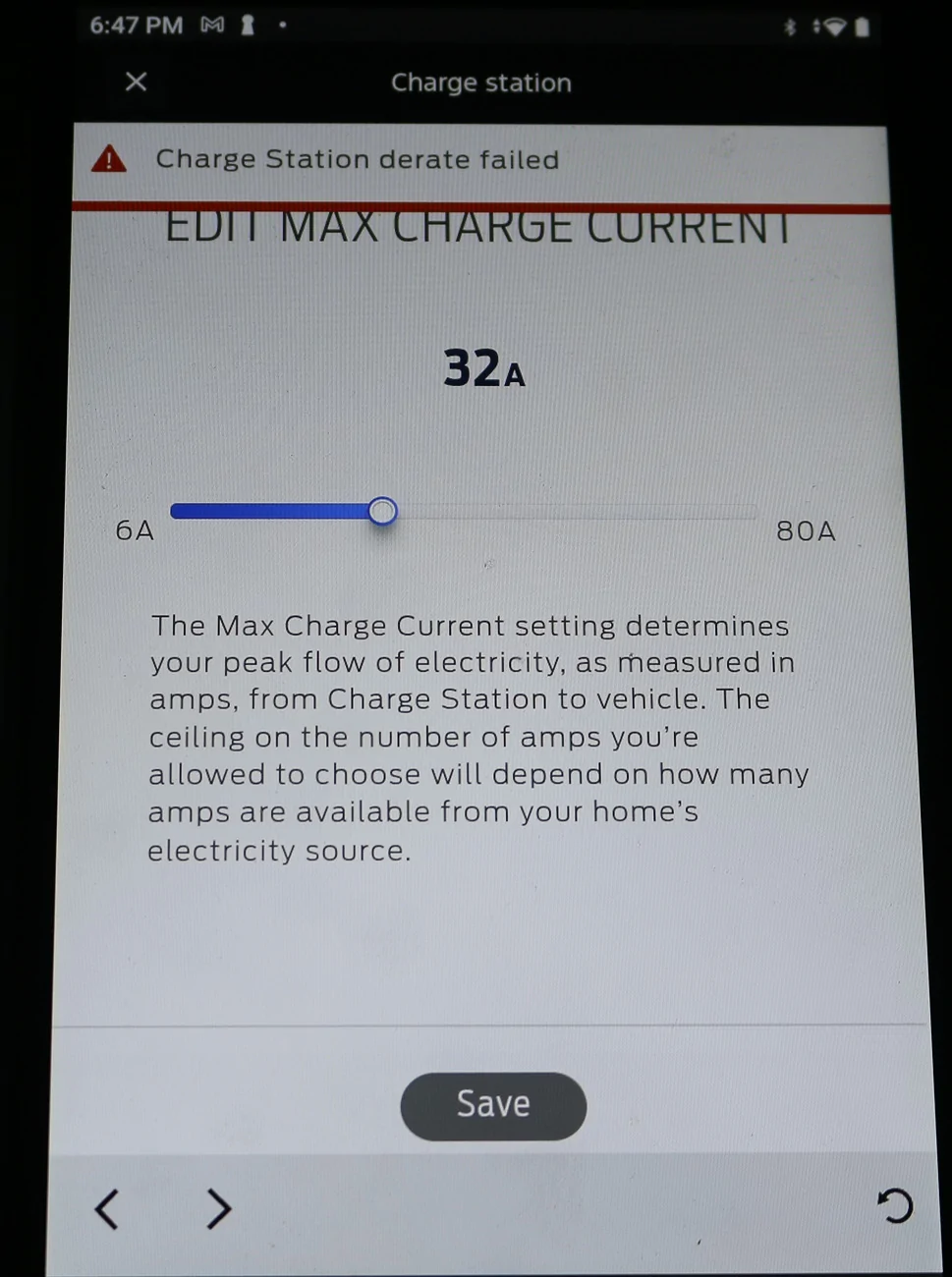
I've had this exact problem for over a year. I usually derate over the summer to 60A as I still used to have over heating problems in my garage in peak summer heat. Now it's stuck cranking away at 80A. Thankfully the insulation I put in this past spring have kept temps in the garage down enough that I haven't encountered any over heating. It's still annoying, but I've come to accept it for what it is. I can still charge as I need and at full speed.Here is the attempt to change the max current error notice:
Never saw this error before today.


I had tried it both ways, I generally always have BT off, so I tried it with BT on, no difference.I had the same WiFi issue and couldn’t connect. I then attempted to connect with Bluetooth off on my phone and the app instantly connected.

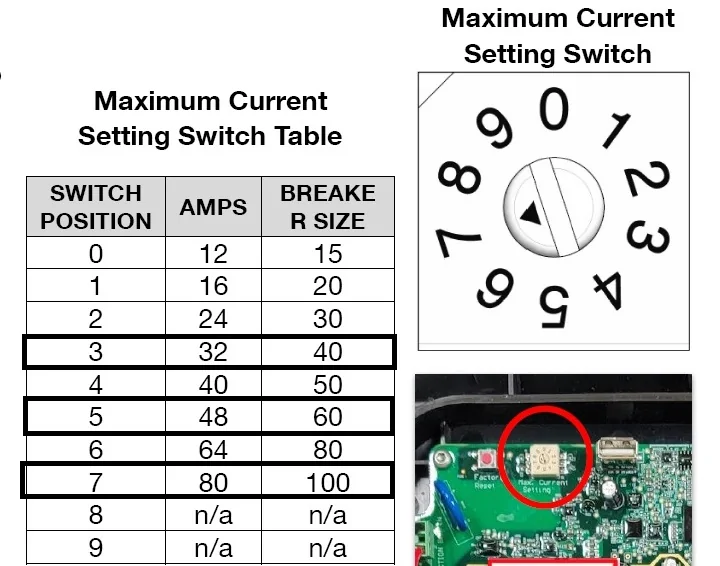
I guess you know you could pull the cover off and turn the dial on the circuit board (near the top next to the red reset button) down to the max amps you want - I could do that too, but I guess I don't care enough about it...a lot of screws to remove and I'd probably drop one and lose it, lolI've had this exact problem for over a year. I usually derate over the summer to 60A as I still used to have over heating problems in my garage in peak summer heat. Now it's stuck cranking away at 80A. Thankfully the insulation I put in this past spring have kept temps in the garage down enough that I haven't encountered any over heating. It's still annoying, but I've come to accept it for what it is. I can still charge as I need and at full speed.
I haven't checked to see if it got this update since it doesn't impact me. I can check to see if it's of interest for tracking the roll out though.
OMG that is weird! Mine is the same ID as always but still can't connect anymore....alas...New station ID with suffix '-2' to the real name.
Still can not log in